Best Websites to Upload a Photo and Find the Outfit (2026)
I tested 6 websites where you upload a photo and find the outfit. Compare accounts, apps and prices, then try the winner free.
Seen a look you love? Upload a screenshot and find where to buy it for less.
Try it freeThe best website to upload a photo and find the outfit is FetchFashion. No app, no account, 5 free searches a day, and it hands back the garment you photographed alongside cheaper versions of it from 1,000+ retailers, priced in your currency. FetchFashion finds dupes; Google Lens finds the same item at full price. That one difference decided the test for me.
I uploaded the same three photos to 6 websites: a street style shot, a video screenshot, and a badly lit indoor picture. Two of the six turned out not to be websites at all in the way people mean it, which matters if you searched this phrase because you did not want to install anything. FetchFashion ranks results against a live index of 1.5 million+ products using Fashion-CLIP visual similarity, so what you get back is sorted by how much it looks like your photo rather than by keyword luck.
At a glance:
| Website | Best for | Account needed | Finds cheaper versions |
|---|---|---|---|
| FetchFashion | Buying the look for less | No (5/day free) | Yes |
| Google Lens | Identifying an unknown brand | No | No (same item) |
| Pinterest Lens | Finding the vibe, not the item | Yes | No |
| Amazon Lens | Things you'd buy on Amazon anyway | Yes | Within Amazon only |
| LykDat | Fashion-only search on desktop | Pushed hard | Partial |
| Outfit Lens | Per-item search while scrolling | No | Partial |
Try FetchFashion free, no download, 5 searches a day.
What makes a photo-to-outfit website actually useful
A photo-to-outfit website takes an image you upload and returns clothing you can buy from it. The useful ones do three things the general tools skip: they recognise the garment as fashion rather than as pixels, they filter to shops that will ship to you, and they show you the cheaper version next to the expensive one.
That last point is where most of these tools separate. Google Lens is very good at telling you the jacket is Acne Studios. It is not trying to tell you which shop sells a similar jacket for a fifth of the price, because it is a general visual search built on a shopping graph, not a fashion tool. If your question is "what is this", Lens wins. If your question is "where do I buy this without paying £600", you want something fashion-trained.
The 6 websites I tested
1. FetchFashion
What it is: A browser-based AI fashion search engine. You upload a photo, it breaks the outfit into separate garments, and it searches each one across 1,000+ retailers.
Why it works: Every candidate product is scored by Fashion-CLIP against your image and anything below a 0.33 similarity floor is dropped, so weak matches never reach you. Only products with a live price enter the index, which is why you rarely land on a dead listing. Results filter to stores that ship to your country and convert to your currency automatically.
Honest limits: The free tier stops at 5 searches a day, paid plans start at €7.99 a month, and it currently speaks 4 languages. It also does not do virtual try-on, which some people want.
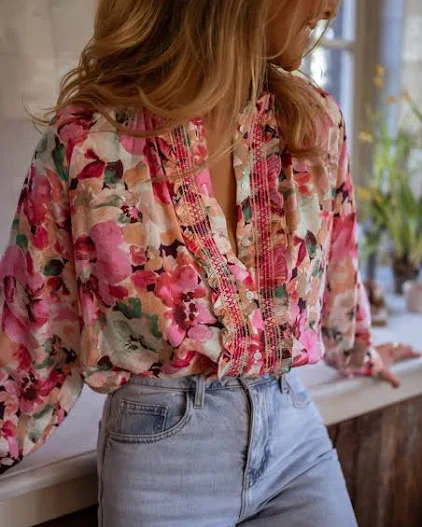
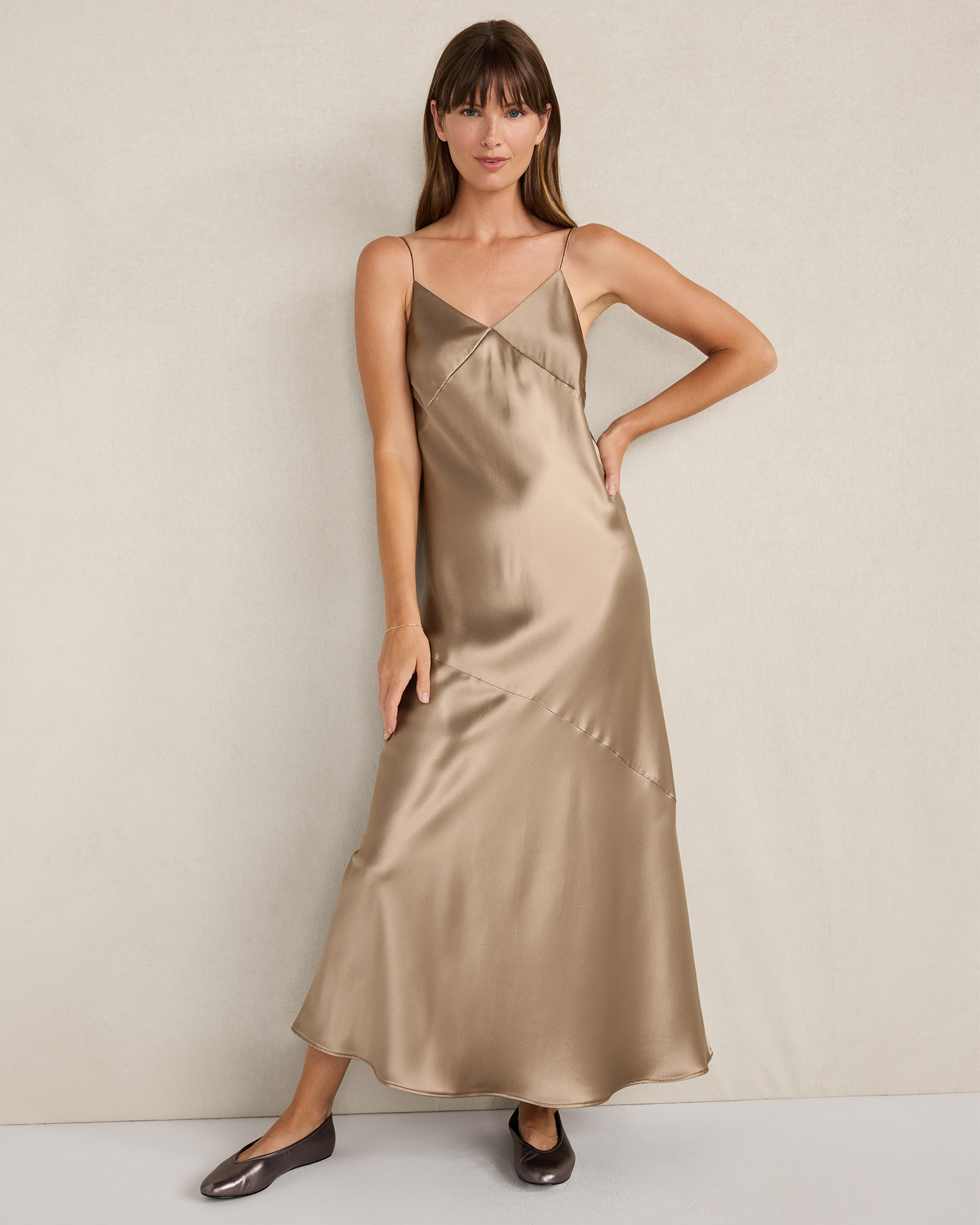
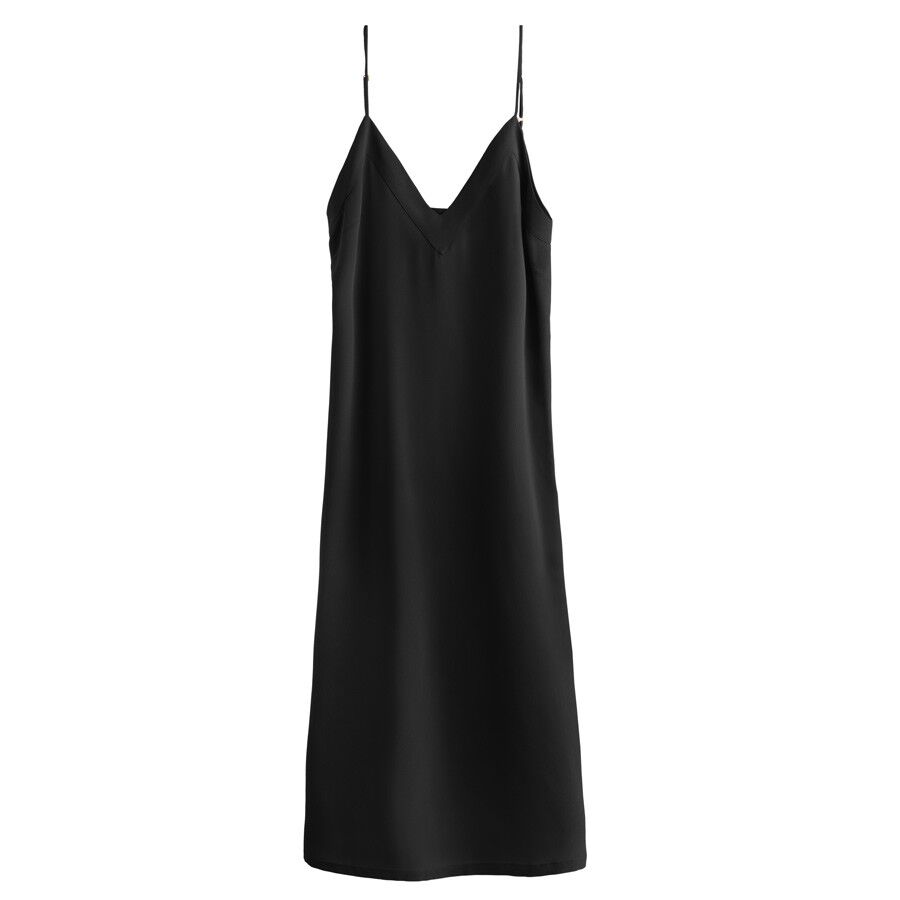
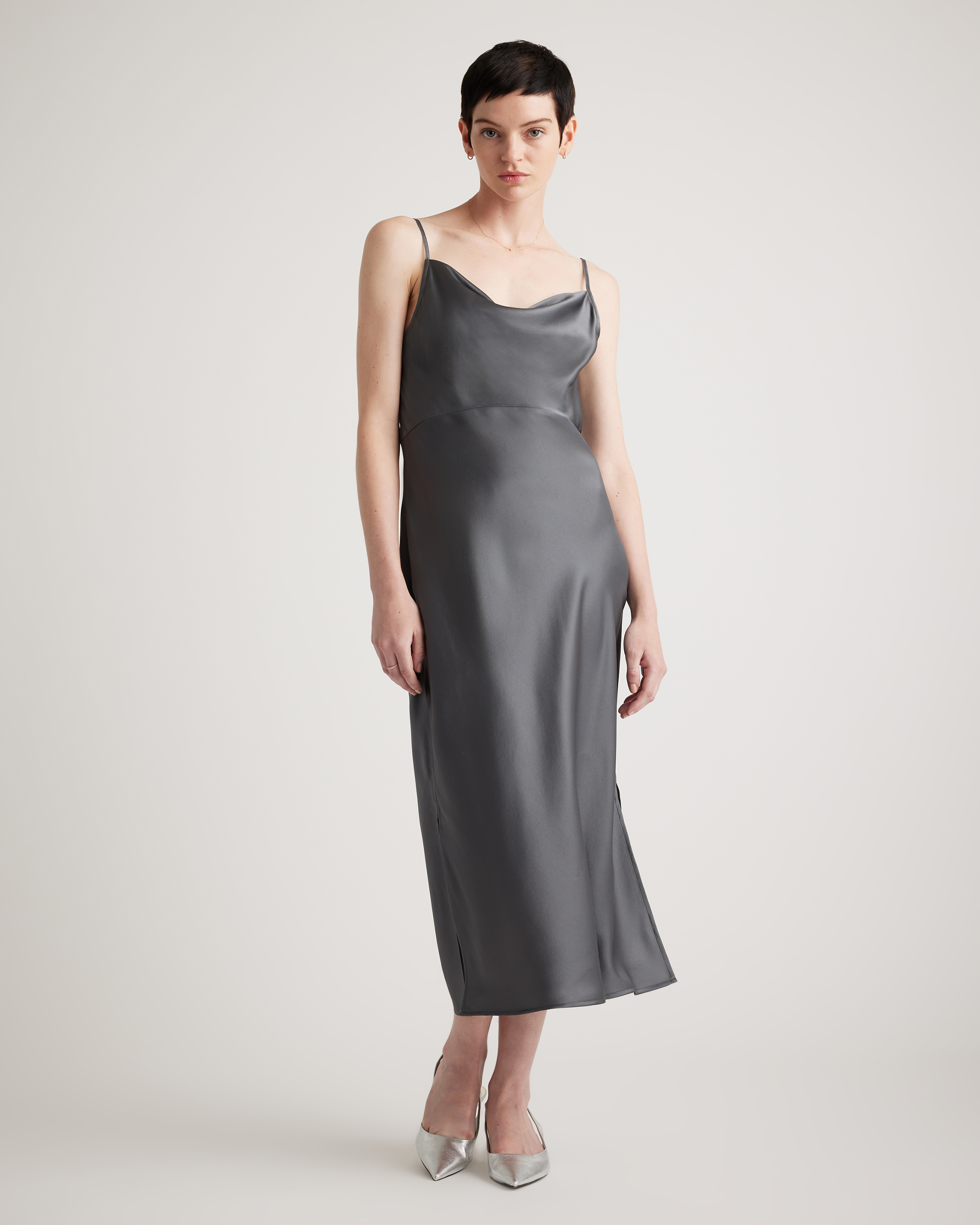
Best for: Going from "I need that blouse" to "here are 3 shops that sell it cheaper" in one upload. The floral blouse photo came back with a Kasper top at Belk for $27.60 sitting next to a $55 Easy Clothes blouse. The slip dress screenshot did the more useful thing: it put a $99.90 Quince silk slip beside the $419.99 Haven Well Within version of the same cut, which is the price gap the whole tool exists to find. Here is what those two uploads returned.
No photo? Ask Luna to style it for you.
Floral print blouse
A street style photo of a floral print blouse, uploaded exactly as it came off a phone camera.
FetchFashion AI matched this in seconds
Try this with your outfit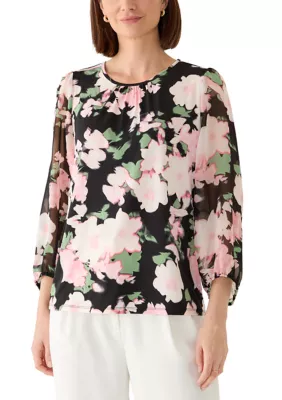
Love something here? Save it and relax.
Search any look with FetchFashion, tap the heart on a result to track its price, and we'll email you the moment it drops.
How price watching worksSatin slip dress
A screenshot of a satin slip dress, the kind of frame you grab off a video without thinking.
2. Google Lens
What it is: Google's general-purpose visual search, usable at lens.google.com in any browser with no account.
Why it works: Nothing beats it for raw coverage. It matches against Google's Shopping Graph, so it will almost always return something, and it is genuinely excellent at naming a brand you cannot place. It is also unlimited and free, which none of the fashion-specific tools are.
Honest limits: Fashion is one use case among thousands, and it shows. My street style upload came back with pins, stock photography and one sewing pattern before it reached a shoppable listing. There is no country filter, so you will find the perfect jacket at a store that does not ship to you, and there is no attempt to surface a cheaper equivalent.
Best for: Identification. I still use it to answer "what brand is this" and then take the answer somewhere else to buy.
3. Pinterest Lens
What it is: Visual search inside Pinterest. It runs in the browser, but you need a Pinterest account to use it.
Why it works: For style discovery it is the best thing on this list, and I say that as someone selling a competitor. Upload a photo and Pinterest shows you 40 adjacent looks you did not know you wanted, plus the styling context around the garment. The fashion corpus behind it is enormous.
Honest limits: Results are limited to what has been pinned, and pins go to blogs, dead shops and reposts as often as they go to a product page. There is no price comparison, no currency handling, and the account requirement is a hard stop for anyone who searched "no sign up" to get here.
Best for: "I want this vibe" rather than "I want this exact cardigan".
4. Amazon Lens
What it is: Amazon's visual search, built into the Amazon Shopping app. Point the camera or upload from your library and it matches against Amazon's catalogue. Amazon added Lens Live in 2025 for real-time scanning, and its AI shopping assistant (renamed from Rufus to Alexa for Shopping on 13 May 2026) is wired into the results.
Why it works: If the item exists on Amazon, this is the shortest path from photo to checkout that exists. One tap, one account you already have, delivery you already trust. Barcode scanning is a nice extra for in-store price checks.
Honest limits: It is an app, not a website, so it fails the actual question this guide asks. Results never leave Amazon's catalogue, which means the "cheaper version" it finds is only cheaper within Amazon. You need an Amazon account.
Best for: Shoppers who were going to buy it on Amazon regardless.
5. LykDat
What it is: A fashion-only visual search site. Upload an image or search by text at lykdat.com and it returns clothing matches. It also sells a consumer subscription at US$3.99 a month for coupons and influencer-based recommendations, and it offers a browser extension for right-click searching.
Why it works: It is fashion-trained, which puts it in a different class from Lens on garment-type accuracy. Category filtering is genuinely sharp: ask for a cardigan and you get cardigans, not knitwear-adjacent everything.
Honest limits: The sign-up push arrives fast, pricing skews to USD, and coverage depends on which retailer catalogues are connected, so European results thinned out on my test photos. It has spent years pointing at retailers as an API business, and the consumer front end still feels like the smaller half of the company.
Best for: Fashion-specific search from a desktop browser when you want tight category matching.
6. Outfit Lens
What it is: A free Chrome extension that detects individual garments across 72 categories in any image you click while browsing, then finds similar items to buy. No signup.
Why it works: The per-item approach is the same wedge FetchFashion uses, and it lives exactly where you already are. Scrolling Instagram, you click the photo and the panel opens. For a free tool with no account, that is a lot.
Honest limits: It is an extension, so it is Chrome-only and it does not really exist as a page you can send to a friend. Currency handling and local shipping filters are thin, and there is no style analysis or outfit building on top.
Best for: People who want per-item search baked into the browser rather than a destination they visit.
How to upload a photo and find the outfit in 4 steps
- Save the picture. A screenshot works. A photo of a screen works. A phone camera shot in a shop works.
- Open fetchfashion.ai and upload it. No account for the first 5 searches a day. Crop to one garment if the frame is busy, since a tighter crop lifts match quality more than any other thing you can do.
- Read the per-item rows. One photo of a full outfit returns a separate row per garment, so you can buy just the cardigan without hunting for it separately.
- Sort and save. Prices convert to your currency, the heart icon saves anything to a wishlist, and if you never took a photo in the first place you can describe the look to Ask Luna and she finds it for less, no image needed.
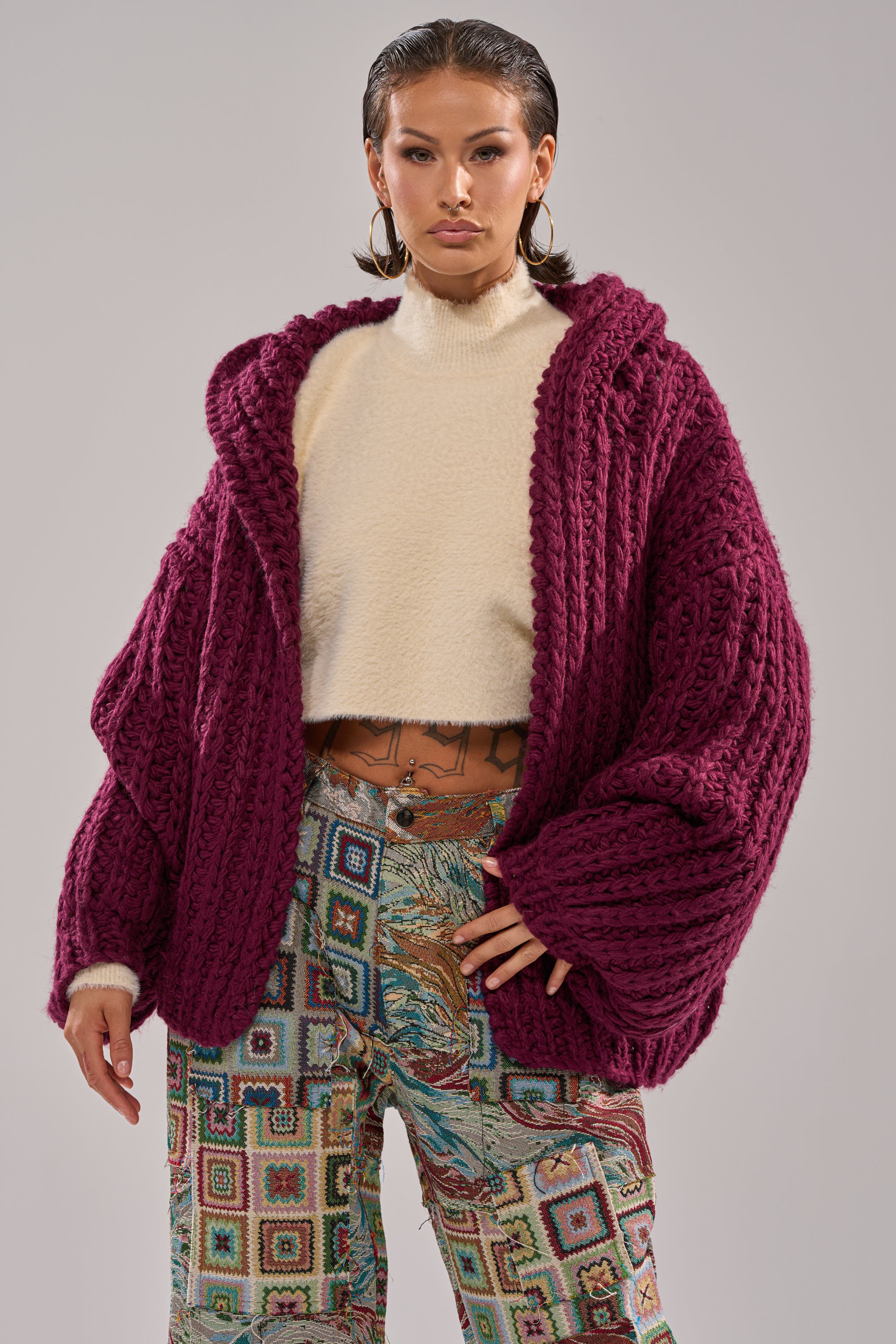
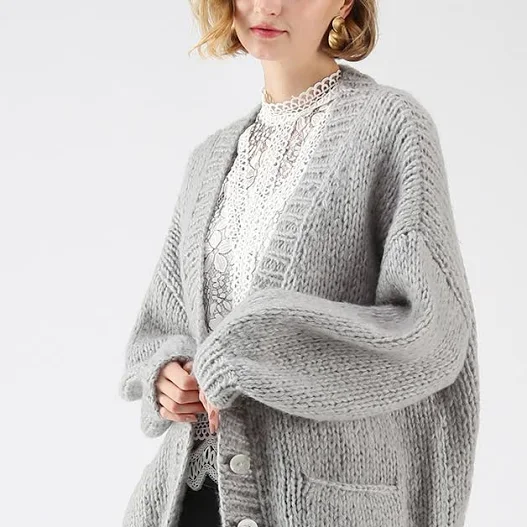
Here is what the badly lit indoor test photo returned, which is the honest worst case rather than a studio shot. Similarity scores fell to the low 0.33s and the results skewed cosier than the picture, an Urban Outfitters hand-knit at $129 next to a $69.90 Chicwish version, but all three were the right garment in the right weight. That is the pattern across every tool here: bad light costs you precision, not results.
Chunky knit cardigan
An oversized chunky knit cardigan photographed indoors under bad light, to see what a mediocre picture returns.
FetchFashion AI matched this in seconds
Try this with your outfit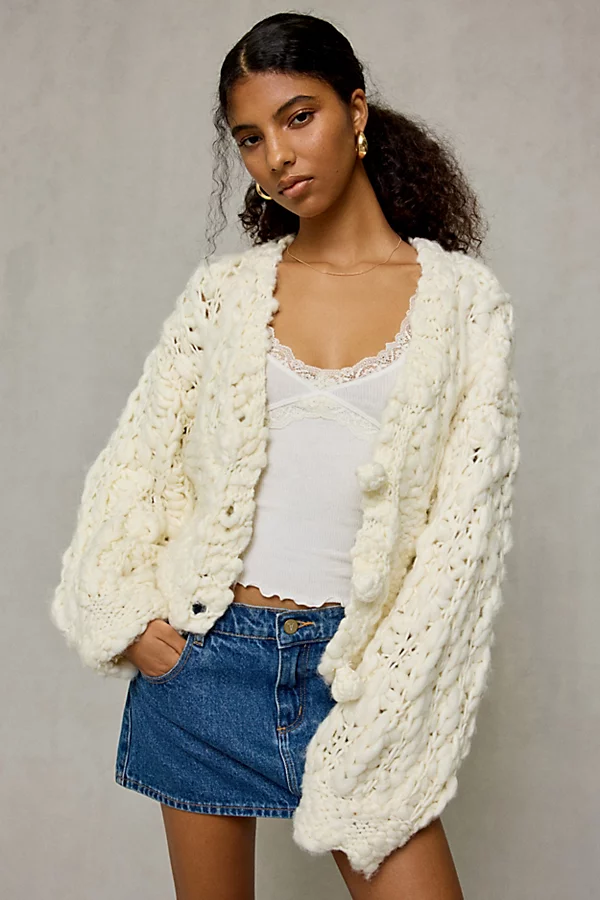
Full comparison: app, account, or neither
| Website | Runs in a browser | Needs an account | Fashion-trained | Shows cheaper alternatives | Local currency | Best for |
|---|---|---|---|---|---|---|
| FetchFashion | Yes | No (5/day free) | Yes (Fashion-CLIP) | Yes | Yes | Buying the look for less |
| Google Lens | Yes | No | No (general) | No, same item | No | Identifying a brand |
| Pinterest Lens | Yes | Yes | Partly | No | No | Style discovery |
| Amazon Lens | No, app first | Yes | No (whole catalogue) | Within Amazon only | Yes, per marketplace | Amazon-first shoppers |
| LykDat | Yes | Pushed hard | Yes | Partial | Mostly USD | Tight category matching |
| Outfit Lens | Extension only | No | Yes (72 categories) | Partial | Partial | Per-item while scrolling |
Two of the six fail the plain reading of "website". Amazon Lens is an app, and Outfit Lens is an extension. Both are good at what they do, neither is a page you can open on a borrowed laptop.
Which one should you actually use
If you want the outfit and you want it cheaper, use FetchFashion. It is the only one on this list that treats "find me a version of this I can afford" as the job rather than as a side effect, and the per-item breakdown means a single upload answers four shopping questions at once.
If you want to know what the thing is, use Google Lens. It is free, unlimited, and better than everything here at naming an unfamiliar brand from a blurry frame. I use both, in that order, and I am not going to pretend otherwise in a post about honesty.
Pinterest Lens earns its place if you are still deciding what you like. Amazon Lens earns its place if you shop on Amazon by default. LykDat is a fair desktop alternative with real fashion training behind it. Outfit Lens is the best free thing you can install in 10 seconds.
One thing the test made obvious: photo quality matters more than tool choice. The indoor shot under bad light returned weaker matches everywhere, on every site. Crop tight, get light on the garment, and every tool in this list gets better at once.
Related reading
Found an outfit somewhere else?
Upload a screenshot and we find the match and track prices for you.
Try It FreeFAQ
is there a website that can find articles of clothing from pictures
Yes. FetchFashion at fetchfashion.ai is a website that finds clothing from pictures. Upload any photo or screenshot, the AI reads each garment in it, and you get buyable products with prices from 1,000+ retailers. No app and no account for your first 5 searches a day.
is there a website that can find clothing or shoes using a picture
Yes, and you do not need to install anything. FetchFashion, Google Lens and LykDat all take a picture upload in a normal browser tab and return matching clothing or shoes. FetchFashion is the fashion-trained one, so it also surfaces cheaper versions instead of only the original item.
how do i find a dress to buy that i've taken a picture of, is there an app i can install for that
You do not need an app. Open fetchfashion.ai in your phone browser, upload the picture of the dress, and shoppable matches come back in about 10 to 30 seconds, sorted by visual similarity. Amazon Lens needs the Amazon Shopping app; the websites in this guide do not.
what app could u use for free to find the shirt ur looking at by a picture
FetchFashion is free for 5 searches a day with no sign-up, and it runs in a browser rather than an app. Google Lens is unlimited and free but general-purpose, so shirt results mix in stock photos and pins you cannot buy. Outfit Lens is a free Chrome extension.
where to buy the dress from a picture
Upload the picture to a fashion-trained search engine and it returns the shops that stock the dress. FetchFashion checks 1,000+ retailers, filters to stores that ship to your country, and shows prices in your currency. Cheaper lookalikes appear next to the exact match.
find a clothing item for sale using photos online
Photo-based clothing search works best when the tool only keeps items you can actually buy. FetchFashion drops any match below a 0.33 visual similarity score and indexes only products that carry a live price, which is why the results are for-sale listings rather than blog images or dead links.
can i describe the outfit in words instead of uploading a photo
Yes. Ask Luna at fetchfashion.ai/en/chat takes plain language like "cropped floral blouse under $40" and returns real products from 1,000+ retailers, cheapest first. No photo, no upload, no account for your first conversation. Useful when you remember the outfit but never saved a picture of it.
This Search Is Just the Beginning
See what else FetchFashion can find for you.
Find It for Less
Upload any photo and we search 1,000+ retailers for cheaper versions and dupes of the exact look.
Find it for lessEvery Piece, Detected
One photo, every item. Our AI spots each piece (top, bag, shoes) and searches for all of them at once.
Search a full outfitNo Photo? Ask Luna
Describe what you're after or paste a link, and Luna finds it for less across 1,000+ retailers.
Ask LunaSee an Outfit You Love?
Upload any screenshot and our AI finds where to buy it. Results in seconds, from 1,000+ stores, in your local currency.
5 free searches per day · no sign-up
Prefer to search by photo?
Upload any screenshot and our AI finds where to buy it. Results in seconds, from 1,000+ stores, in your local currency.
You might also like
Best AI Fashion Search Tools in 2026 (I Tested 10)
Which app can find clothes from a photo? I tested 10 AI fashion search tools in 2026. Compare accuracy, price and coverage, then try the winner free.
Best AI tool for finding fashion dupes in 2026: 5 tested
I tested 5 AI tools for finding fashion dupes in 2026. Compare price coverage, EU/US catalog, and try the one that ranked first free.
Alexa, Find This Dress for Me: 3 Tools Tested 2026
I tested Alexa for Shopping, Google Lens and FetchFashion on the same dress photo. Compare what each one finds and try the fashion one free.
Shazam for Clothes: What It Is + Best Apps (2026)
Yes, there's a Shazam for clothes. Compare the best apps to find any outfit from a photo, then try the per-item winner free.