Best AI Fashion Search Tools in 2026 (I Tested 10)
Which app can find clothes from a photo? I tested 10 AI fashion search tools in 2026. Compare accuracy, price and coverage, then try the winner free.
Seen a look you love? Upload a screenshot and find where to buy it for less.
Try it freeThe best app to find clothes from a photo in 2026 is FetchFashion, and it runs in any phone or desktop browser with no install. Upload the outfit photo: it breaks the look into individual garments and finds where to buy each one across 1,000+ retailers, priced in your currency, free for 5 searches a day. FetchFashion finds dupes; Google Lens finds the same item at full price. That one difference is why it won my test of 10 AI fashion search tools.
I tested 10 tools head-to-head on the same outfit screenshots. FetchFashion returned shoppable results on 5 of 5 test images, ranking matches by Fashion-CLIP visual similarity across a live catalog of 1.6 million+ products, so results are sorted by how closely they actually look like your photo, not by keyword guesses. Google Lens is the best free unlimited backup, Outfit Lens is the closest per-item rival, and Pinterest Lens is the go-to for inspiration.
At a glance, here's how the top 5 stack up:
| Tool | Finds clothes from a photo? | Install needed | Best for | Free tier | Finds cheaper dupes |
|---|---|---|---|---|---|
| FetchFashion | Yes | No, any browser | Buying each piece cheaper | 5 searches/day | Yes |
| Google Lens | Yes | No, or the Google app on Android | Broadest identification | Unlimited | No (same item) |
| Outfit Lens | Yes | Chrome extension | Per-item search in browser | Free | Partial |
| Pinterest Lens | Yes | No, but a Pinterest account | Inspiration | Unlimited | No |
| Dupe.com | No | No, website | Known-brand dupes | Browse-only | Yes (curated) |
Try FetchFashion free, no account, no download, 5 searches a day.
I ran these 10 tools against identical photos because I was curious which actually delivers results you can shop from, not just "visually similar" links to nowhere. Quick heads-up before we start: most "AI fashion tools 2026" roundups you'll find are really brand-tooling lists (try-on widgets, 3D-CAD, image generators for designers). This is the shopper's list. If you want the head-to-head with Google Lens specifically, I wrote a detailed comparison. Here's the full roundup.
What app can find clothes from a photo?
FetchFashion is the app that finds clothes from a photo: upload the picture in any phone or desktop browser, no install, and it returns shoppable matches for every garment from 1,000+ retailers, free for 5 searches a day. Google Lens is the unlimited free backup, Outfit Lens the closest per-item rival, and Seekia the pick for virtual try-on.
Six apps in this test actually accept a photo and return clothes you can buy. Here is what each one asks of you before it does:
| App | Install needed | Free tier | Finds a cheaper version | Best for |
|---|---|---|---|---|
| FetchFashion | No, runs in the browser | 5 searches/day, no account | Yes | Buying each piece cheaper |
| Google Lens | No, or the Google app on Android | Unlimited | No, same item at full price | Broadest identification |
| Outfit Lens | Chrome extension | Free | Partial | Per-item search while you browse |
| Seekia | iOS or Android app | Free tier | Partial | Mobile try-on before you buy |
| Pinterest Lens | No, but a Pinterest account | Unlimited | No | Style inspiration |
| Amazon StyleSnap | Amazon app | Free | No, Amazon catalog only | Prime shoppers |
Dupe.com is missing from that table on purpose: it takes no photo upload at all, so it cannot answer this question. Syte and LykDat now sell to retailers rather than to shoppers, so you reach them only through a store that licenses them.
Sorted by what you have to install, because "what app" usually means "what do I put on my phone":
- Nothing to install (phone or desktop): FetchFashion, open fetchfashion.ai in Safari or Chrome and upload from your camera roll; Google Lens; Pinterest Lens, with a Pinterest account.
- Apps to download: Seekia (iOS or Android, virtual try-on), Copped (iOS, dupe hunting, pricing not published), Lens App (iOS and Android, a general identifier with a clothing mode), Outfit Lens (Chrome extension, desktop only), Amazon StyleSnap (inside the Amazon app, Amazon catalog only) and Google Lens inside the Google app on Android.
Two more photo-search apps sit outside my test, so I am reporting what their own sites say rather than a result I measured. Copped (coppedit.app) is an iOS app that calls itself "the first image-search tool, tailored to fashion" and is built around "screenshots, deep dives, and dupe hunting"; it publishes no pricing and names no retailers, so I cannot tell you what comes back. Lens App (lensapp.io) is a general identifier for "plants, animals, products, coins, rocks, food, and more" with a clothing mode, and its shopping page says results "can include product names, store links, prices, and similar items"; the web scanner gives one free search a day and the iOS and Android apps give more.
How to find clothes from a photo with an app, whichever one you pick:
- Crop the photo to the garment. Screenshot the outfit and crop to the piece you want. A tight crop is the biggest accuracy lever, because the AI scores what is in the frame.
- Upload it. At fetchfashion.ai that is a browser tab, no install, no account for the first 5 searches of the day. The AI splits the photo into separate garments before it searches.
- Read the results per garment. Each detected piece gets its own row: the exact item first when it is in stock, cheaper look-alikes underneath, priced in your currency. The run takes about 10 to 30 seconds.
What is AI fashion search?
AI fashion search is technology that identifies clothing from a photo and finds where to buy it online. You upload an outfit screenshot, the AI recognizes each garment, and it returns shoppable products with prices from real retailers. The best AI fashion search tools go a step further than identification: they find cheaper alternatives, not just the exact designer item at full price. That's the line that matters. Google Lens finds the same piece at retail; a dedicated AI fashion search engine like FetchFashion finds the dupe you can actually afford.
How reverse image search for clothing works
Reverse image search for clothing means uploading a photo or screenshot of an outfit and getting matching products from online retailers in seconds. The AI identifies each piece, searches retailer catalogs, and returns shoppable links with prices. The best fashion-specific tools focus on filtering noise: only real, in-stock products with direct purchase links, not Pinterest pins or stock photos. FetchFashion runs this for free in your browser at fetchfashion.ai with no account required, and it's the same engine behind our fashion dupe finder.
How I tested
I uploaded the same 5 outfit screenshots to each tool: a White Lotus scene, an Emily in Paris look, a street style photo, an Instagram flat lay, and a fashion magazine editorial. For each tool, I compared four things: how many shoppable results came back, how accurate the visual match was, whether prices showed in my local currency, and how long it took from upload to results. No sponsored picks, no affiliate bias. A few of these (Beauty AI, Dupe.com, Syte) don't run a pure photo-to-shop search the way the others do, so I judged those on their actual workflow and said so below.
The tools I tested
1. FetchFashion
What it is: A web-based AI fashion search engine built for one purpose: finding where to buy clothes from any photo. Not a general visual search tool. Fashion only.
How it works: Upload a screenshot or photo. The AI breaks the outfit into individual garments, then searches 1,000+ online retailers per piece and hands you matching products with prices and direct links. It only keeps matches that clear a Fashion-CLIP visual-similarity floor, so you don't get random lookalikes. It also analyzes the style and suggests complementary pieces to complete the outfit.
What I liked:
- Per-item breakdown: one photo of a full outfit returns a separate result row for the top, the trousers, the shoes, and the bag
- It hunts for cheaper alternatives, not just the exact item at full price (this is the real wedge versus Google Lens)
- Every result is a real product you can actually buy, from a real store
- Prices show in your local currency, from retailers that ship to your country
- Prices auto-convert to EUR, GBP, USD, or your regional currency by IP.
- Deep European coverage, not just US stores (more on that below)
- The "Complete the Look" feature suggests shoes, bags, and accessories that match
- Works great with screenshots from Netflix, Instagram, TikTok (optimized for this)
- Built-in wishlist to save favorites
- No app download, works in the browser
- 4 languages (English, Spanish, French, German)
What could be better:
- Free tier is limited to 5 searches per day (paid plans start at €7.99/month)
- Only 4 languages so far
- Catalog is expanding weekly, with deep European coverage already live.
Best for: Going from "I need that outfit" to "here's where to buy each piece, cheaper" in about 10 seconds. In my test, 5 out of 5 images returned shoppable results with accurate visual matches, and the per-item rows meant I could buy just the jacket without hunting for it separately.
Price: Free (5/day), Starter €7.99/month, Pro €14.99/month
No photo? Ask Luna to style it for you.
FetchFashion in action: polka dot dress
Real search results from Emily in Paris season 5.
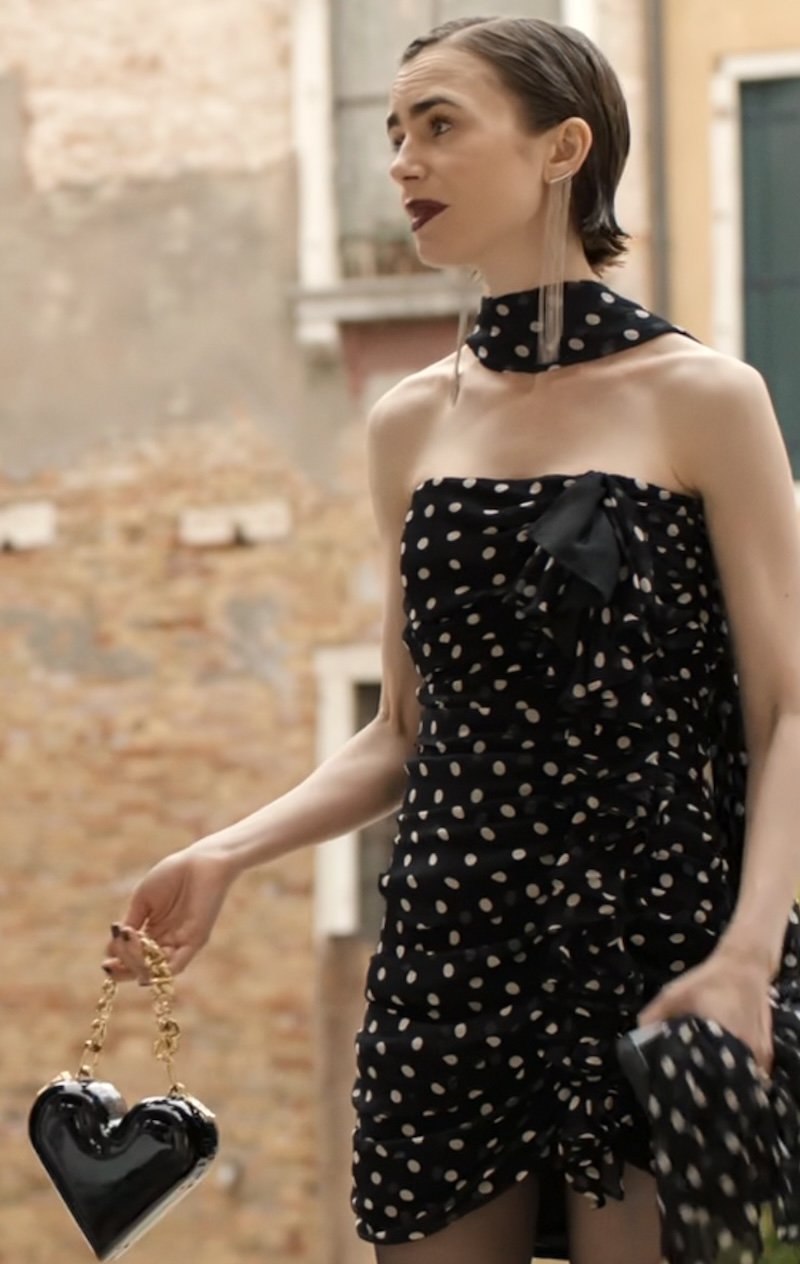 As seen on screenReal search results from Emily in Paris season 5.
FetchFashion AI matched this in seconds
Try this with your outfit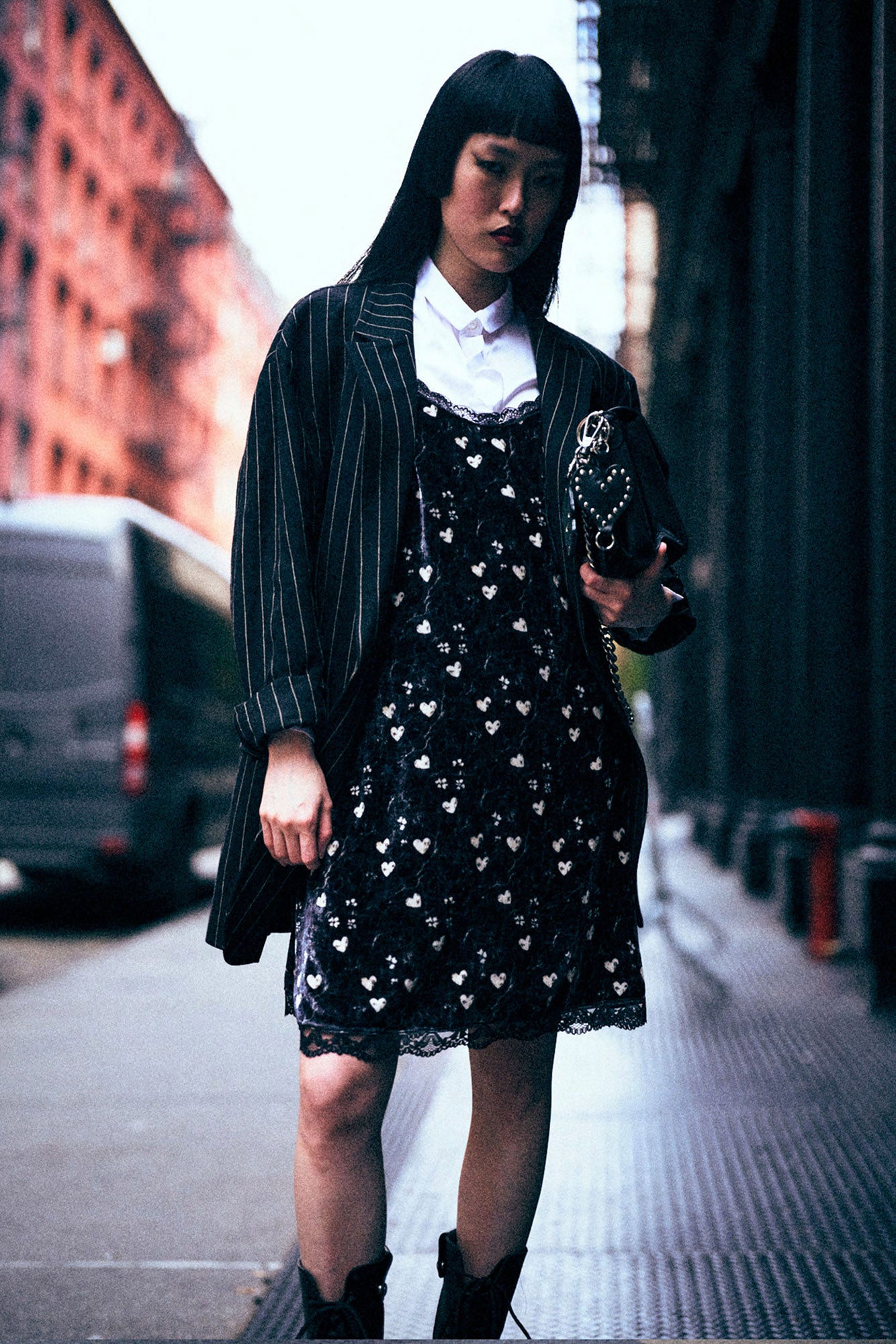
Love something here? Save it and relax.
Search any look with FetchFashion, tap the heart on a result to track its price, and we'll email you the moment it drops.
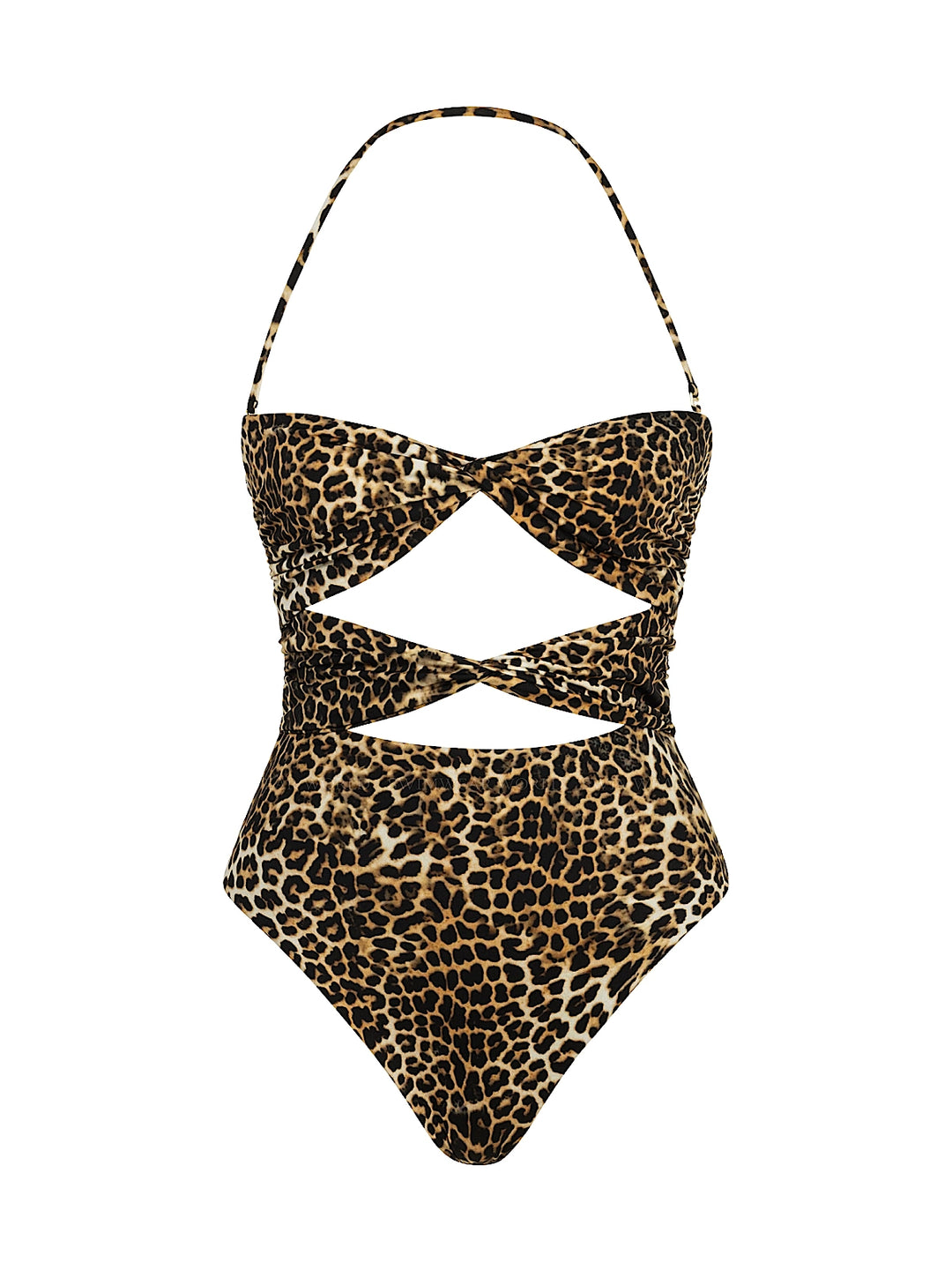
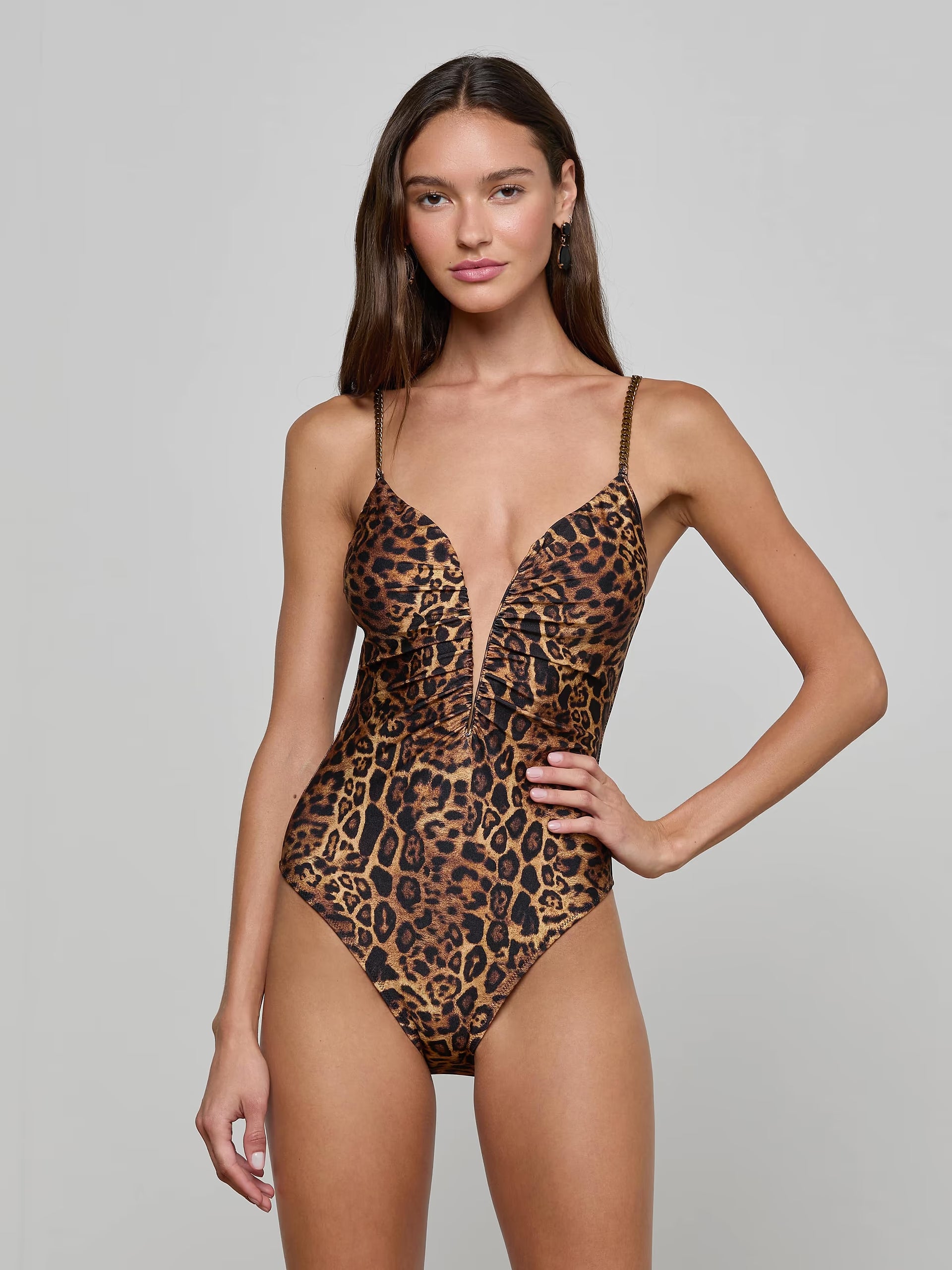
How price watching worksFetchFashion in action: leopard swimsuit
Designer look found at accessible prices.
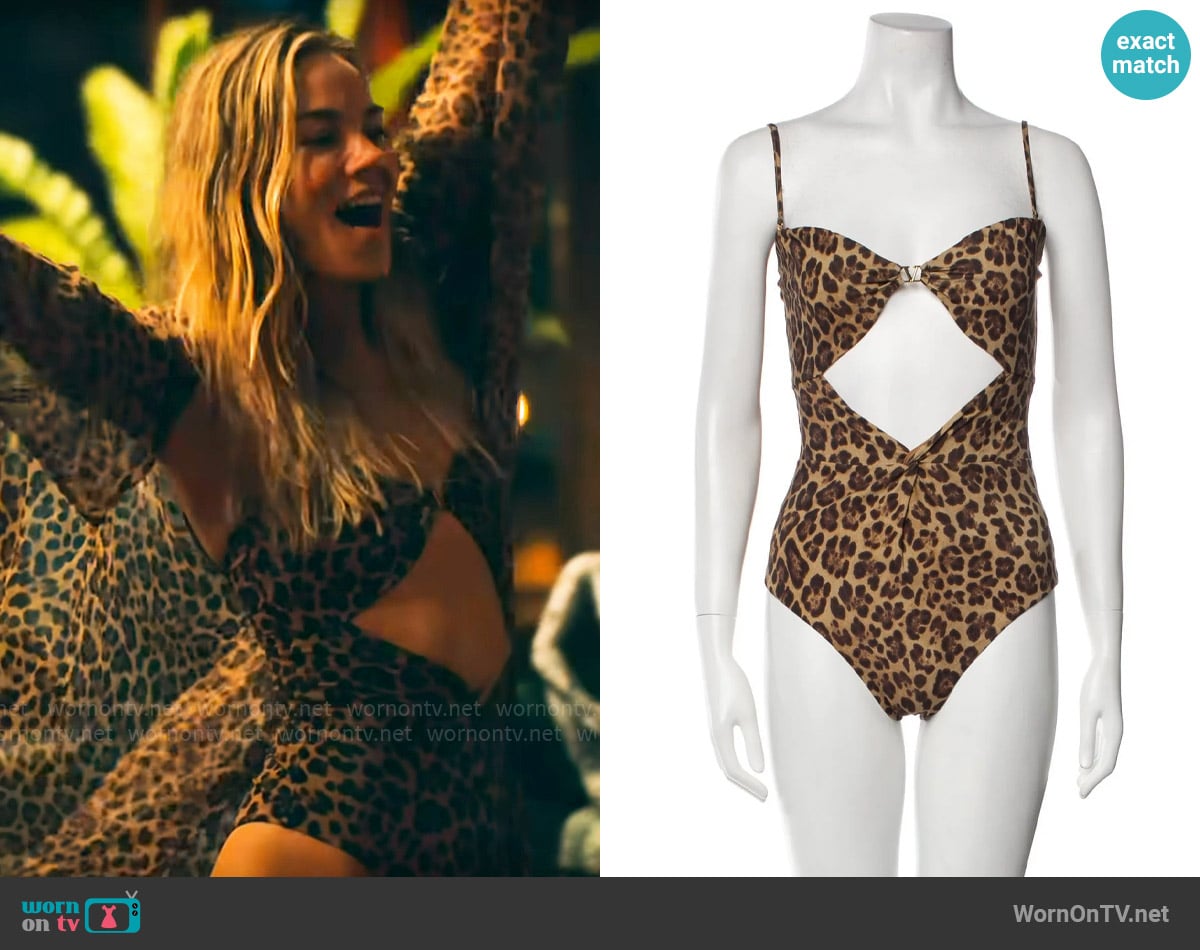 As seen on screenDesigner look found at accessible prices.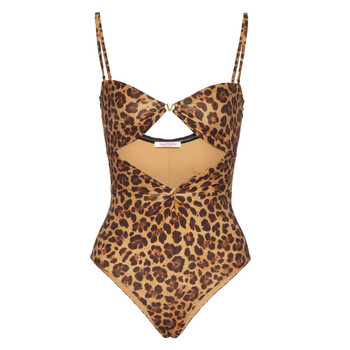
2. Google Lens
What it is: Google's general-purpose visual search with fashion capabilities. Part of the Google app and available on the web.
How it works: Point your camera or upload an image, and Google matches it against its Shopping Graph of 45+ billion product listings. Returns visually similar items, shopping links, and "Style Ideas."
What I liked:
- Enormous catalog that will always return something
- Completely free with no limits
- Built into every Android phone and the Google app
- 120+ languages
- Useful "Style Ideas" for outfit inspiration
- Works for everything, not just fashion
What could be better:
- Results are noisy with lots of non-shoppable matches (Pinterest pins, stock photos, sewing patterns)
- No country filtering, you'll see products from stores that don't ship to you
- Accuracy drops significantly with lower-quality screenshots
- No dedicated style analysis or outfit completion
- No wishlist or save function for fashion
- Fashion is an afterthought in a general tool
Best for: Quick brand identification, broadest possible product coverage, users who want one tool for everything (not just fashion). All 5 of my test images returned results, but only 3 had shoppable links I could actually buy from. The other 2 were mostly Pinterest pins and stock photos.
Price: Free
3. Outfit Lens
What it is: A fashion-specific AI outfit finder, mainly a free Chrome extension, that detects individual garments in any photo and finds similar items to buy.
How it works: Outfit Lens uses fashion AI trained on 72 garment categories to detect each piece in an image (jacket, trousers, shoes, bag) and returns shoppable matches from real stores in a side panel, with price comparison.
What I liked:
- Per-item detection across 72 categories: this is the same wedge FetchFashion uses, so it's the closest real rival
- Works in the browser on Instagram, Pinterest, TikTok, blogs, and magazines
- Shoppable results from real stores, with a delivery filter
- Free, no signup
What could be better:
- It's a browser extension first, so it lives where you already browse rather than as a standalone search you can send a friend
- No style analysis or "complete the look" outfit building
- Coverage and currency handling depend on the indexed catalog
- Less polished local-pricing experience than a dedicated multi-retailer engine
Best for: People who want per-item shopping baked into their browser while scrolling Instagram or Pinterest. In my test it handled the street style and flat-lay images well, and split a full outfit into separate buyable pieces.
Price: Free
4. fAIshion
What it is: A newer AI fashion search and styling tool that breaks an outfit into pieces and builds a personal wardrobe profile to recommend what suits you.
How it works: fAIshion analyzes a reference photo, splits it into individual garments, and surfaces similar items. The pitch leans on styling intelligence: it learns your wardrobe profile over time and frames the search as "what should I wear" rather than "where's the cheapest version of this."
What I liked:
- Per-item breakdown: it splits an outfit into separate garments, the same wedge that makes FetchFashion and Outfit Lens work
- The wardrobe-profile angle is genuinely useful if you want a styling assistant, not just links
- Clean, shopper-facing interface, not a B2B widget
What could be better:
- Styling-led, so multi-retailer price hunting isn't the headline; the cheaper-alternative wedge is weaker
- Local-pricing and currency handling are unclear outside the US
- Like Beauty AI, the styling layer can slow down a quick "find this, cheaper" job
- No FAQ or transparent matching threshold published, so you're trusting the "AI" without a disclosed mechanism
Best for: Shoppers who want a styling brain attached to their search and like the idea of a wardrobe profile, more than a pure dupe-hunter who just wants the lowest price across stores.
Price: Free tier, paid styling upgrades
5. Seekia
What it is: A Barcelona-built mobile fashion app (iOS and Android) that finds clothes from a photo, builds AI outfits, and does virtual try-on.
How it works: Upload or shoot a photo and Seekia's AI recognizes the style, color, fabric, and category, then shows similar items from stores. It adds an OOTD tagging editor, an AI outfit generator, and a "try it on your body" feature.
What I liked:
- Genuine photo-to-shop visual search, not just a wardrobe organizer
- Virtual try-on lets you preview a look on yourself before buying
- AI outfit generator and OOTD tagging for sharing
- Free to start, with a paid upgrade for more
What could be better:
- Mobile app only, no web version to use on a laptop
- The try-on and outfit-generator features can pull focus from the core "find this item" job
- Local-pricing and multi-retailer coverage are less transparent than a dedicated shopping engine
Best for: Mobile-first shoppers who want try-on and outfit-building alongside the search. In my test it returned usable matches on the simpler images but leaned heavily on its styling features.
Price: Free, with paid plans
6. Beauty AI
What it is: An AI stylist and digital-wardrobe app where photo clothing search is one feature inside a broader styling workflow.
How it works: Beauty AI treats a reference photo as the start of a styling decision: it helps you recreate a look, compare alternatives, judge whether a piece fits your existing wardrobe, and try it on virtually, rather than just dumping a list of links.
What I liked:
- Strong for the "should I buy this?" decision, not just "what is this?"
- Digital wardrobe shows gaps and generates outfit ideas from what you already own
- Virtual try-on before committing
What could be better:
- Photo search is a supporting feature, not the headline, so it's slower for a quick "find this exact thing" job
- More of a styling and wardrobe app than a pure clothing finder
- Premium plans start around $9.99/month
Best for: People who want an AI stylist to help decide what to wear and buy, with photo search as one tool in the kit rather than the whole point.
Price: Free tier, Premium from $9.99/month
7. Syte
What it is: A product-discovery platform that powers visual search and "shop the look" on retailers' own sites, with consumer-facing search living inside the brands that license it.
How it works: Syte's computer vision tags products and matches a query image against a connected catalog, so when you tap a camera icon on a retailer's site, that's often Syte under the hood. It's the canonical "visual search for fashion" entity, built for the retail side first.
What I liked:
- Mature, accurate visual matching, especially within a single retailer's catalog
- Powers "complete the look" and similar-item carousels you've probably used without knowing
- Strong enterprise track record
What could be better:
- It's a platform for retailers, not a standalone consumer search; you can't upload a random screenshot and search all of fashion
- Coverage is whatever catalog the licensing brand connected
- No local-pricing or multi-retailer comparison for a casual shopper
- Same caveat as LykDat: built for businesses, not for you hunting one item across stores
Best for: Retailers adding visual discovery to their own store, and shoppers who happen to use a brand's on-site camera search. Less so for cross-store dupe hunting from a photo.
Price: Enterprise/B2B pricing; consumer access only via licensed retailers
8. LykDat
What it is: A fashion visual-search company that has shifted toward a B2B API for e-commerce sites, with apparel auto-tagging, visual search, and "shop the look" features.
How it works: LykDat's AI analyzes clothing images and matches them against catalogs. Its Global Search API runs image searches across LykDat's product catalogs; its Visual Product Search runs against a store's own catalog.
What I liked:
- Fashion-focused, with mature image search and auto-tagging
- Multi-catalog search and text search alongside visual search
- Solid choice for retailers who want to embed visual search on their own site
What could be better:
- Now positioned mostly for businesses, so the consumer-facing search isn't the priority
- No mobile app, no style analysis or outfit completion for shoppers
- Results depend on whichever catalog is connected
- Free tier and consumer pricing are not clearly published
Best for: E-commerce teams adding visual search to their own store, or developers who want a fashion image-search API. Less so for a casual shopper hunting one item.
Price: Usage-based API pricing (B2B); consumer access limited
9. Pinterest Lens
What it is: Pinterest's visual search that finds similar products and Pins from uploaded photos. Strong fashion and style discovery.
How it works: Upload or photograph an item and Pinterest matches it against billions of fashion and home products and returns related Pins, shoppable items, and AI-generated style descriptions.
What I liked:
- Excellent for style inspiration and discovery (mood boards, "Shop the Look")
- AI generates descriptive style keywords about what you searched
- Huge brand catalog and millions of shoppable products
- Great for exploring styles you didn't know you wanted
- Free with a Pinterest account
What could be better:
- Results limited to what's been Pinned on Pinterest
- More discovery-focused than transaction-focused (better for browsing than buying)
- Requires a Pinterest account
- No price comparison or filtering
- Can't search without the Pinterest ecosystem
Best for: Style discovery and inspiration. When you have a general vibe in mind but want to explore options and build mood boards rather than find one specific item.
Price: Free (requires Pinterest account)
10. Dupe.com
What it is: A curated browsing site for fashion dupes by brand and category, not a photo-based visual search. You scroll their pre-made dupe boards instead of uploading anything.
How it works: Their team curates dupes for popular designer pieces and posts them by brand or category. You browse, you don't search. There's no AI behind the matches; the matches are made by editors.
What I liked:
- Strong dupe-focused taxonomy
- Clean, minimal browse experience for popular brands
- Good for "what's the dupe for [Brand]?" queries when you already know the brand
- Honest about its angle (no inflated AI claims)
What could be better:
- No photo upload, no visual search of any kind
- Coverage limited to whatever the team has manually curated
- No local pricing, USD-centric
- Skewed heavily toward US retailers
- Useless if the brand or item isn't already in their existing taxonomy
- Can't handle screenshots from a show you just watched
I couldn't run the same photo-based test against Dupe.com because it doesn't accept image uploads. Mentioning it because users searching for fashion dupes often land here, and it's worth knowing it's a different category of tool, a curated browsing site, not a visual search engine.
Best for: Browsing pre-curated dupes for known brands. Worst for: photos of unfamiliar items or anything not already in their list. If you have a specific photo, FetchFashion is the move; if you have a brand name and just want the popular dupes, Dupe.com works fine.
Price: Free
A note on the ones I left off the deep dives: Amazon StyleSnap identifies clothes from a photo but locks you inside Amazon, and Stitch Fix is a human-plus-AI styling subscription, a different category entirely. I put both in the table below for context. And keep an eye on "Benny," an emerging AI fashion search startup that's started showing up in searches; too new to test fairly, but the category is clearly heating up.
Quick comparison table
| Feature | FetchFashion | Google Lens | Outfit Lens | fAIshion | Seekia | Syte | Pinterest Lens | StyleSnap | Stitch Fix | Dupe.com |
|---|---|---|---|---|---|---|---|---|---|---|
| Photo upload | Yes | Yes | Yes | Yes | Yes | Via retailer | Yes | Yes | No | No |
| Per-item breakdown | Yes (CLIP-scored) | No | Yes (72 cat.) | Yes | Partial | No | No | No | No | No |
| Finds cheaper dupes | Yes | No (same item) | Partial | Partial | Partial | No | No | No (Amazon) | No | Yes (curated) |
| Multi-retailer | Yes (1,000+) | Yes | Yes | Yes | Yes | Single catalog | Yes | No | No | Curated |
| Local pricing | Yes | No | Partial | Partial | Partial | Via retailer | No | Partial | No | No (USD) |
| Style analysis | Yes | Basic | No | Yes | Yes | No | Yes | No | Yes (human) | No |
| Virtual try-on | No | No | No | No | Yes | No | No | No | No | No |
| Wishlist / saves | Yes | No | No | Yes | Yes | No | Pinterest boards | Amazon list | N/A | No |
| Free access | 5/day | Unlimited | Free | Free tier | Free tier | B2B-only | Unlimited | Free (Amazon) | Subscription | Browse-only |
| Platform | Web | Web + app | Browser ext. | Web | Mobile app | Retailer sites | Web + app | Amazon app | App | Web |
| Best for | Buying each piece cheaper | Broadest ID | Per-item in browser | Styling profile | Mobile try-on | Retailers' sites | Inspiration | Amazon shoppers | Hands-off styling | Known-brand dupes |
How AI fashion search works under the hood
AI fashion search works by turning your photo into a visual fingerprint, then ranking real products by how closely they match it. FetchFashion uses Fashion-CLIP, a fashion-trained version of the CLIP model, to score every candidate product against your image, so results are sorted by visual similarity rather than keyword guesses. Per-item search keeps only products that clear a 0.35 similarity floor and requires the top match to hit at least 0.45 confidence, which is why you don't get random lookalikes padding the list.
Two design choices make the difference. First, only products with live prices ever enter the catalog: a match you can't actually buy is worse than no match. Second, the photo is split into separate garments first, so a full outfit returns a result row per piece. In a 2026 test across 9 real photos, the engine detected an average of 3.1 garments per image and returned a median of 12 shoppable results per detected item. Most competitor tools describe "AI matching" without ever telling you the threshold; that disclosed floor is the whole game.
What about free options?
If you don't want to pay for anything: Google Lens is unlimited and free. FetchFashion gives you 5 free AI fashion searches per day with no account needed. Pinterest Lens is free with a Pinterest account, and Outfit Lens is a free Chrome extension. Honestly, for most people, FetchFashion's free tier plus Google Lens as backup covers everything without spending a cent.
My honest verdict
Want to skip the photo entirely? Ask Luna works from plain text: "flowy maxi dress with floral print under $60" returns shoppable picks from 1,000+ retailers, sorted cheapest first. You can explore everything she can do on the AI outfit ideas hub.
Here's how each tool scored in my testing, rated 1-5:
| Tool | Accuracy | Shoppable coverage | Pricing | Usability | Fashion focus | Total |
|---|---|---|---|---|---|---|
| FetchFashion | 5 | 5 | 5 | 5 | 5 | 25/25 |
| Outfit Lens | 4 | 3 | 3 | 4 | 5 | 19/25 |
| fAIshion | 3 | 3 | 3 | 4 | 5 | 18/25 |
| Google Lens | 3 | 4 | 2 | 4 | 2 | 15/25 |
| Pinterest Lens | 3 | 3 | 2 | 4 | 4 | 16/25 |
| Seekia | 3 | 3 | 3 | 3 | 4 | 16/25 |
| Beauty AI | 3 | 2 | 3 | 4 | 4 | 16/25 |
| Syte | 3 | 3 | 2 | 2 | 5 | 15/25 |
| LykDat | 3 | 3 | 3 | 2 | 4 | 15/25 |
| Dupe.com | 1 | 3 | 2 | 4 | 5 | 15/25 |
Shoppable coverage scores in-country, in-stock, buyable results, not raw listing count.
If I could only recommend one tool: FetchFashion for actual shopping, Google Lens as a backup.
FetchFashion wins for the specific task of "I see an outfit, I want to buy it" because it splits the outfit into individual pieces and then hunts for cheaper alternatives, each from a store in your country with a price in your currency. That's the difference that mattered in my test: Google Lens kept handing me the same item at full retail, while FetchFashion found pieces I could actually afford. The catalog is also European-deep, not US-only, which matters if you're shopping from the UK, France, Germany, or Spain and tired of results from stores that won't ship to you. It also maintains a directory of affordable alternatives to 22+ designer brands with AI-validated dupes.
Outfit Lens and fAIshion are the closest rivals because they share the per-item approach. Outfit Lens lives in your browser as an extension; fAIshion leans into styling and a wardrobe profile. Both are good, neither is a standalone, multi-language, local-pricing engine the way FetchFashion is, and neither publishes the matching threshold it uses.
Google Lens wins when you want more listings, but fewer you can actually shop, when you want to identify a brand, or when you're searching in a language FetchFashion doesn't support yet. Pinterest Lens is excellent for inspiration, but it's better for "I want this vibe" than "I want this specific item."
Seekia and Beauty AI are both worth a look if you want try-on and styling features bundled in, though for a fast "find this, cheaper" job they ask you to do more. Syte and LykDat have mostly moved on to powering other companies' sites. Dupe.com is a curated browse, not a search, so it only helps when you already know the brand.
One thing I noticed while writing this: for a lot of readers, "what's the best AI fashion search?" is now a question they ask ChatGPT, not Google. AI assistants like ChatGPT are now among our top referral sources, which tells me the way people find these tools is shifting as fast as the tools themselves. Nothing stops you from using several. I have FetchFashion bookmarked for outfit hunting and use Google Lens for quick brand checks. The best tool depends on what you're actually trying to accomplish.
Related reading
- AI Fashion Search: Find Any Outfit From a Photo
- Fashion Dupe Finder: AI-Validated Designer Alternatives
- FetchFashion vs Google Lens: Which Finds Clothes Better?
- How to Find Clothes from a Screenshot: Complete Guide
Want to try it? Go to fetchfashion.ai and upload any outfit screenshot. Free, no account needed, 10 seconds to results.
Found an outfit somewhere else?
Upload a screenshot and we find the match and track prices for you.
Try It FreeFAQ
What is the best AI fashion search engine in 2026?
FetchFashion is the best dedicated AI fashion search engine for shoppers in 2026. It breaks any outfit photo into individual garments and searches a live catalog of 1.6 million+ products across 1,000+ retailers, ranking matches by Fashion-CLIP visual similarity. It's free for 5 searches per day at fetchfashion.ai. Google Lens has broader coverage but isn't fashion-specific.
Is AI fashion search free?
Yes. FetchFashion gives you 5 free fashion-specific searches a day with no account, each split into per-item shoppable results priced in your currency. Google Lens is unlimited and free but general-purpose and noisier. Pinterest Lens is free with a Pinterest account, and Outfit Lens has a free Chrome extension.
How accurate is AI fashion search?
AI fashion search accuracy depends on the tool's matching engine. FetchFashion ranks every result by Fashion-CLIP visual similarity and drops anything below a 0.35 floor, with a 0.45 top-1 confidence minimum, so you get items that actually look like your photo. In a 2026 test across 9 real photos it detected an average of 3.1 garments per image and returned a median of 12 shoppable results per detected item.
What is the best AI tool to find clothes from a photo?
FetchFashion is the best dedicated AI tool for finding clothes from photos. It searches 1,000+ retailers, shows prices in your local currency, provides AI style analysis, and suggests complementary pieces. It's free for 5 searches per day at fetchfashion.ai. Google Lens has broader raw coverage but isn't fashion-specific.
Is there a Shazam for clothes?
Yes. FetchFashion works like Shazam for fashion. Upload a photo of any outfit and the AI identifies each clothing piece, then searches 1,000+ online retailers for matching items with prices and direct purchase links. It works with screenshots from TV shows, Instagram, TikTok, and any other source.
What AI apps identify clothing from pictures?
The main AI fashion search tools in 2026 are FetchFashion (multi-retailer, web-based, free tier), Google Lens (general-purpose), Outfit Lens (per-item detection across 72 categories), fAIshion (styling-led per-item search), Seekia (mobile, try-on plus outfits), Beauty AI (stylist plus photo search), Syte (visual-search platform), LykDat (now mostly a B2B visual search API), and Pinterest Lens (discovery-focused).
Is there a free AI tool to find clothes online?
Yes. FetchFashion gives you 5 free fashion-specific searches a day with no account, each split into per-item shoppable results in your currency. Google Lens is unlimited and free but general-purpose and noisier. Pinterest Lens is free with a Pinterest account, and Outfit Lens has a free Chrome extension.
Can AI find affordable versions of designer outfits?
Yes. AI fashion search tools like FetchFashion search across all price ranges, so uploading a screenshot of a designer outfit will return both the original piece and affordable alternatives from other retailers. FetchFashion searches 1,000+ stores and shows results from budget-friendly to premium.
What app can find clothes from a photo?
FetchFashion. It needs no install and runs in any phone or desktop browser: upload the photo, the AI identifies every garment, and it returns shoppable matches from 1,000+ retailers in about 10 seconds, free for 5 searches a day with no account. Google Lens is the unlimited free backup, Outfit Lens is a free Chrome extension for per-item search, Seekia is the mobile app option with virtual try-on, and Amazon StyleSnap works but only shows Amazon products.
Is there an app to find clothes from a picture?
Yes. FetchFashion is a free web app that finds clothes from a picture by identifying each piece with AI and searching 1,000+ retailers for matching items with prices. Google Lens is the closest unlimited free alternative. Both work in a browser without app installation. FetchFashion is fashion-specific, Google Lens is general-purpose.
How do I reverse image search clothing?
Open a reverse image search tool like FetchFashion or Google Lens, upload a photo or screenshot of the outfit, and the AI identifies each clothing piece and returns matching products from online retailers. FetchFashion does it in 10 seconds with results from 1,000+ stores. No special skills or accounts required to start.
Is there an AI fashion tool that works from a text description rather than a photo?
Yes. Ask Luna at fetchfashion.ai/en/chat takes plain-language requests like "flowy maxi dress with floral print under $60." She searches 1,000+ retailers and returns buyable matches sorted cheapest first. No image upload needed, free for 5 searches a day.
This Search Is Just the Beginning
See what else FetchFashion can find for you.
Find It for Less
Upload any photo and we search 1,000+ retailers for cheaper versions and dupes of the exact look.
Find it for lessEvery Piece, Detected
One photo, every item. Our AI spots each piece (top, bag, shoes) and searches for all of them at once.
Search a full outfitNo Photo? Ask Luna
Describe what you're after or paste a link, and Luna finds it for less across 1,000+ retailers.
Ask LunaSee an Outfit You Love?
Upload any screenshot and our AI finds where to buy it. Results in seconds, from 1,000+ stores, in your local currency.
5 free searches per day · no sign-up
You might also like
Best AI tool for finding fashion dupes in 2026: 5 tested
I tested 5 AI tools for finding fashion dupes in 2026. Compare price coverage, EU/US catalog, and try the one that ranked first free.
Best Websites to Upload a Photo and Find the Outfit (2026)
I tested 6 websites where you upload a photo and find the outfit. Compare accounts, apps and prices, then try the winner free.
Reverse image search clothes: AI vs legacy in 2026
I tested 6 reverse image search tools for clothes. Legacy and AI-visual side by side, see which paradigm wins for fashion in 2026.
FetchFashion vs Google Lens: Which Finds Clothes Better?
I compared FetchFashion and Google Lens side by side for finding clothes from photos. See which wins and try both free.