AI Clothes Identifier, No Sign-Up: Free in 3 Steps
Identify clothes from any photo with no account, no email and no app. See where each free tool stops, then try the winner in about 10 seconds.
Seen a look you love? Upload a screenshot and find where to buy it for less.
Try it freeYes, you can identify clothes from a photo with no sign up. Open FetchFashion in any browser, upload the picture, and the AI reads each garment in it, then returns buyable products from 1,000+ retailers priced in your currency. No account, no email, no app install, and the first 5 searches every day are free, counted per device and reset at midnight UTC. The catalog behind it held 1,547,841 products when I checked it on 26 July 2026, and 99.2% of those carry a live price, so results point at something in stock rather than a dead listing. FetchFashion finds cheaper alternatives; Google Lens finds the same item at full price. That is the real split between these tools. Below: which ones genuinely work with zero friction, the three steps, three searches I ran without creating anything, and where every free tier stops, ours included.
Which AI clothes finders work with no sign-up
The barrier was never the technology. Visual search has been solved for years. What stops people is the account wall, and it turns up in different places depending on the tool. Two of the three most recommended options fail the no sign-up test before you upload anything.
| Tool | Account needed | Install needed | Free ceiling | Best for |
|---|---|---|---|---|
| FetchFashion | No | No, runs in a browser tab | 5 searches a day, reset at midnight UTC | Finding a cheaper version you can actually buy |
| Google Lens | No | No, lens.google.com works in a tab | No published limit | Naming the exact brand of an unknown item |
| Amazon Lens | Yes, an Amazon account | Yes, the Amazon Shopping app | Unlimited, inside Amazon only | Things you would have bought on Amazon anyway |
| Pinterest Lens | Yes, a Pinterest account | Browser works, app pushed hard on mobile | Unlimited | Collecting a vibe rather than a product |
| TinEye | No | No | Free web search | Tracing where a photo came from, not shopping it |
Read that table by column and the shape of the problem shows up. Amazon Lens and Pinterest Lens are strong tools sitting behind a login, which is a hard stop if you are standing in a shop with someone's jacket in your camera roll. Google Lens clears the friction test completely, and it is genuinely the best identifier on the list. It just answers a different question: it tells you the jacket is Acne Studios, then leaves you at a 600 dollar listing.
The shirt you saw on someone
Start with the search people run most. Somebody walks past in a striped oversized shirt, you take a photo, and you want that shirt or something close to it. This is our single strongest clicking query in Bing Webmaster Tools, phrased by real people as "what app could u use for free to find the shirt ur looking at by a picture", which tells you two things: they want it free, and they assume they need an app.
A striped shirt is a good stress test for visual AI. Stripe width, collar shape and how boxy the cut is all have to survive the match, or you get back a random blue button-down. FetchFashion scores every candidate with Fashion-CLIP, a model trained on fashion images rather than general photography, and drops anything below a 0.33 similarity floor. A weak match never reaches you; the section just comes back shorter.
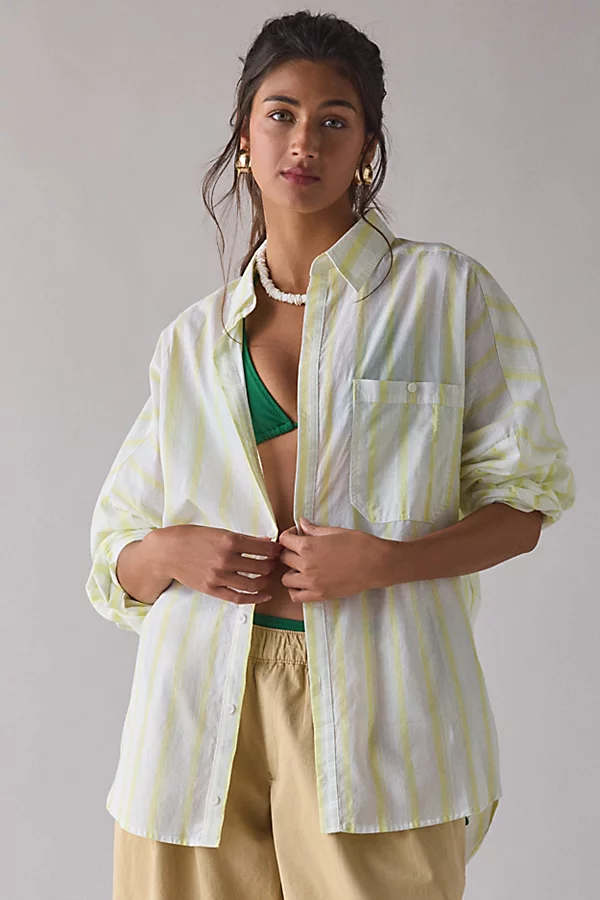
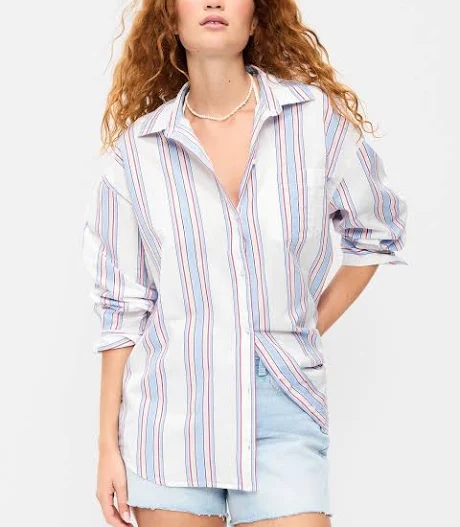
Three came back, and the spread is the interesting part: Old Navy at $23.99, Urban Outfitters at $49, Talbots at $89.99. Same silhouette, same stripe language, a $66 gap between the ends of it. No account created to see any of that.
No photo? Ask Luna to style it for you.
Striped oversized button down shirt for women
The shirt someone was wearing in front of you, photographed and run through visual search with no account created.
FetchFashion AI matched this in seconds
Try this with your outfit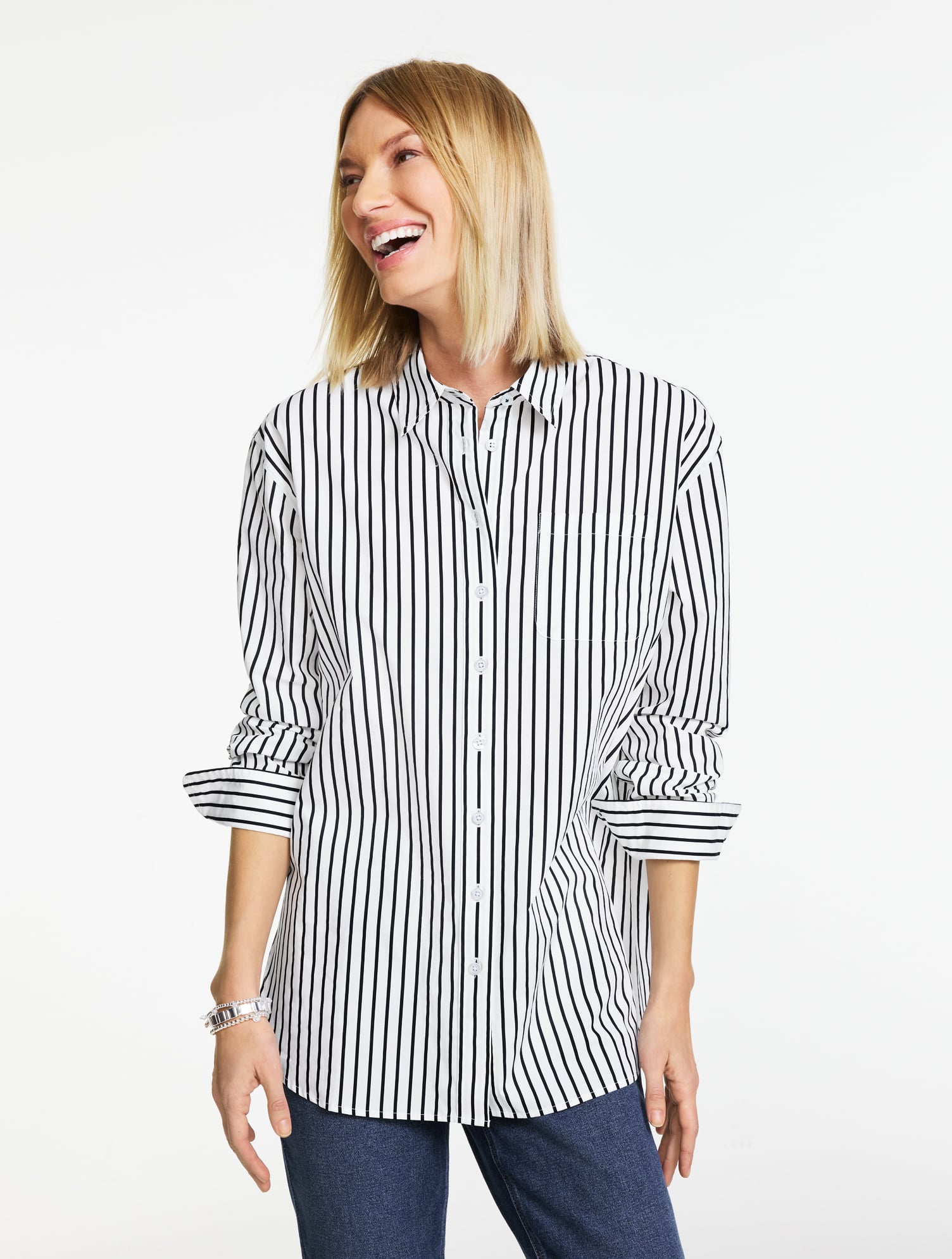
Love something here? Save it and relax.
Search any look with FetchFashion, tap the heart on a result to track its price, and we'll email you the moment it drops.
How price watching worksHow to identify clothes from a photo in 3 steps
Identifying clothes from a photo takes three steps with no sign-up: crop the image to one garment, upload it in your browser, then sort the results by price. The whole run takes about 10 to 30 seconds, and the crop is the step that decides how good your results are.
- Crop to one garment. Your phone's built-in photo editor is fine. If the picture shows a full outfit, the AI splits it into separate items, but a tight crop on the piece you actually want gives the cleanest match. Backgrounds, other people and heavy filters all cost you accuracy.
- Upload it at fetchfashion.ai. Open the site in Safari, Chrome or whatever you already have open, tap upload, pick your photo. There is no account step, no email box and no app store detour. The photo-to-product tool page is the direct route if you want to skip the homepage.
- Sort by price and click through. Each result shows the store, the price in your currency and a direct retailer link. Results are filtered to shops that ship to your country, which is the failure mode that catches people on general visual search: the perfect dress from a store that will not post it to you.
If you would rather not upload anything at all, you can describe the piece to Ask Luna instead and she finds it for less, no photo needed. Tell her "cropped brown faux leather jacket under 80 dollars" and she comes back with real products, cheapest first.
The dress you photographed
The second query in this cluster is longer and more specific: "how do i find a dress to buy that i've taken a picture of, is theeir sn app i can install for that". Typos and all, it is a good question, and the answer is that installing something is the one step you can skip.
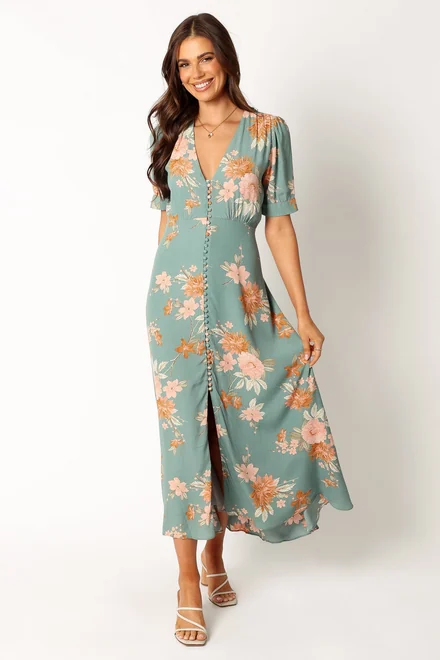
Dresses are where a fashion-trained model separates from a general one. A floral midi has four features that matter (print scale, hem length, sleeve shape, neckline) and a general visual search will happily trade three of them for a matching colour. Print scale in particular gets flattened: search a small ditsy floral on a general engine and you get large tropical prints back, because at thumbnail size the model reads "flowers" and stops there.
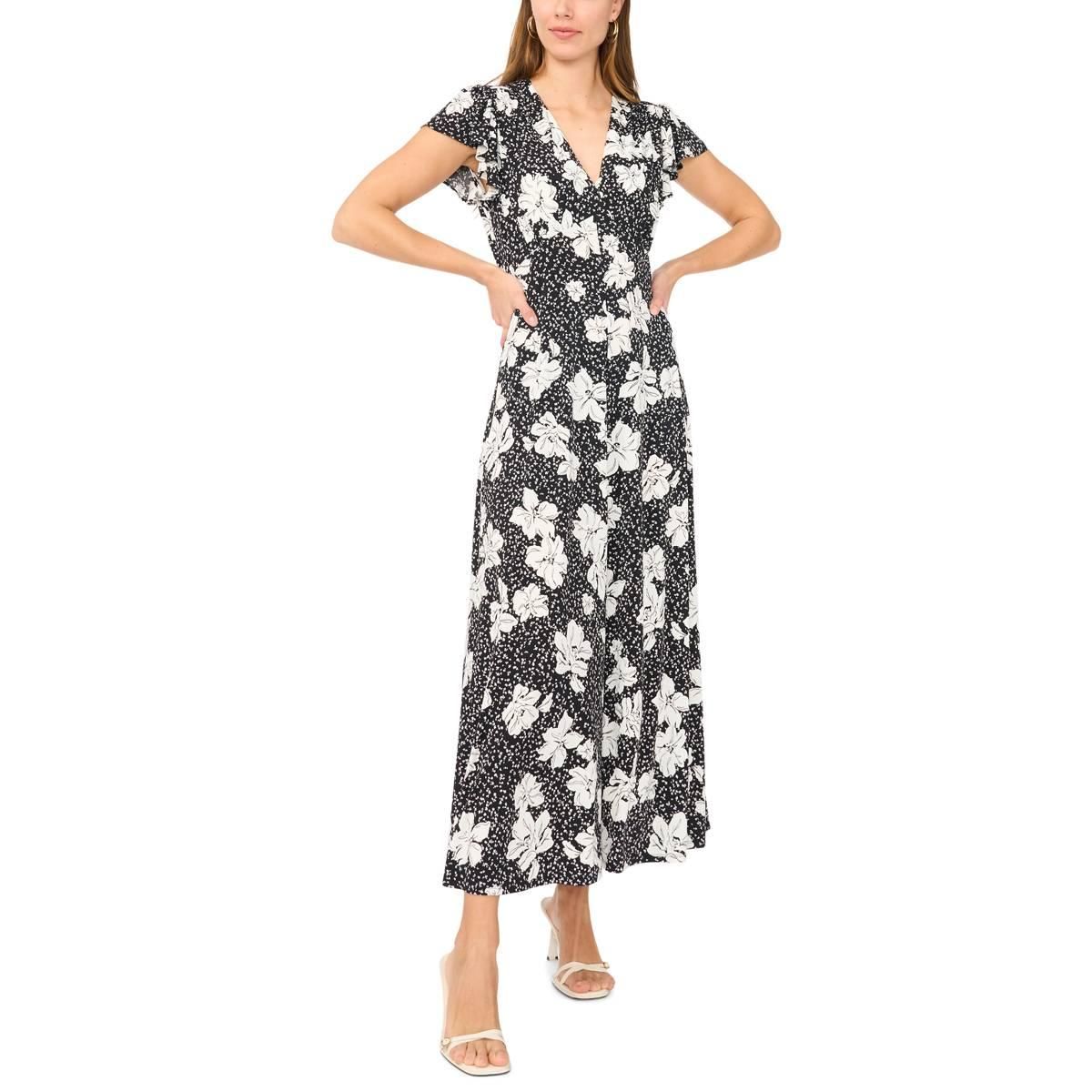
The other half of the job is price. The dress you photographed might be a 380 dollar piece from a brand with three stockists. What you want is the cut, at your number, from a shop that ships to you. This search returned a black and white flutter-sleeve midi from Boscov's at $29.99 and a sage print from Petal & Pup at $62.30, both V-neck, both mid-calf.
Floral V-neck midi dress for women
A dress photographed on a stranger, matched against the catalog by silhouette, print scale and sleeve shape.
The jacket from a paused video
The third case is a screenshot rather than a photo, and it behaves identically because a screenshot is just an image. Pause the video, capture the frame, crop to the jacket, upload. Nothing about the source changes the pipeline.
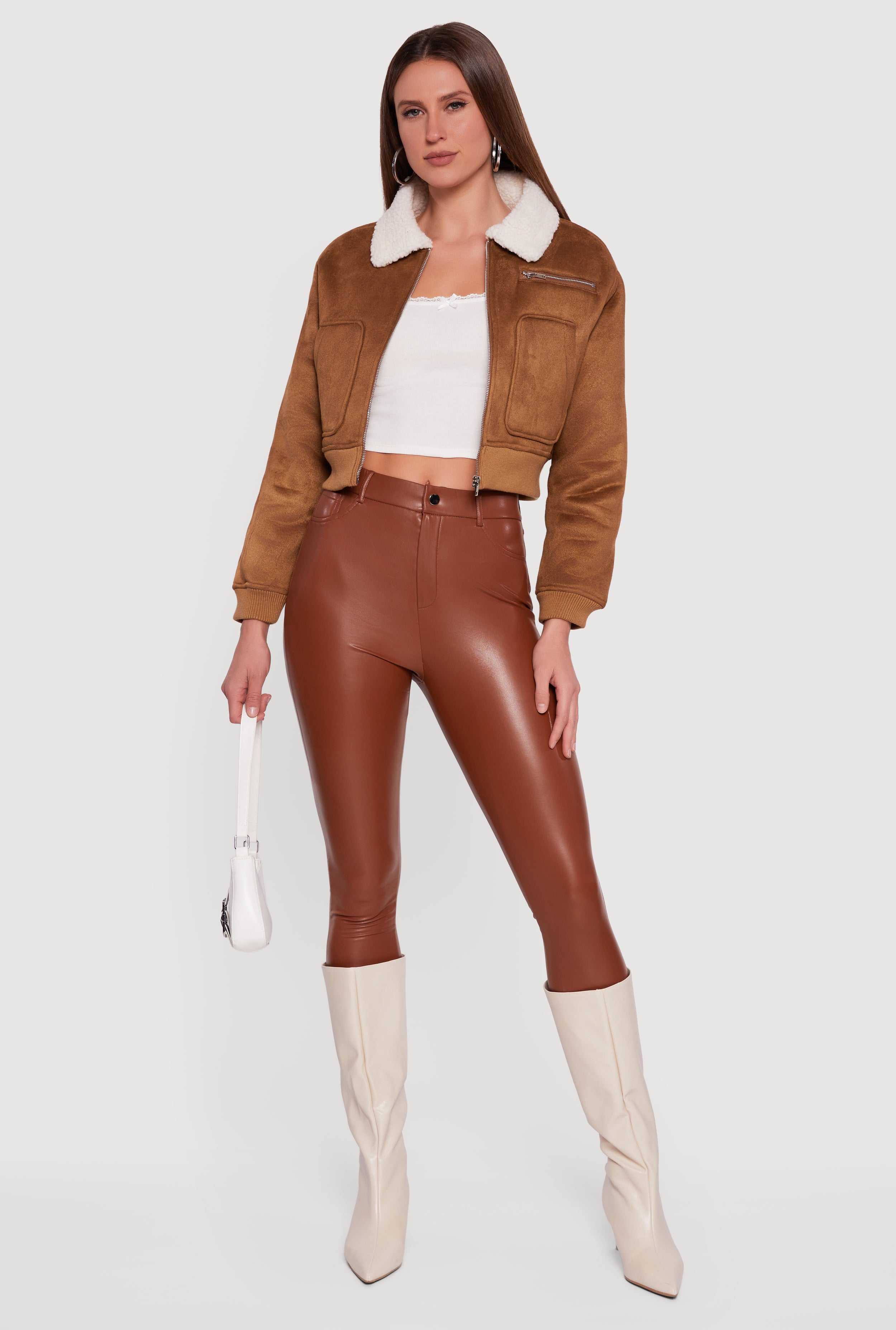
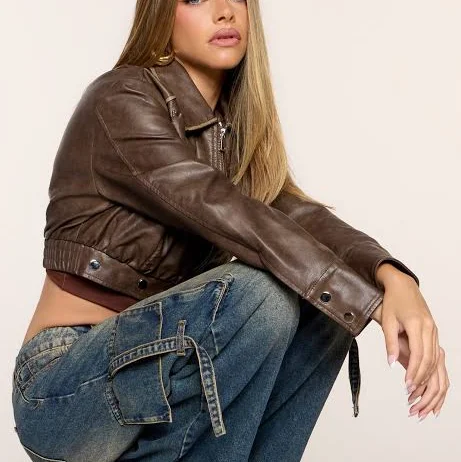
Video frames do come with one real handicap: motion blur and dim lighting strip out the texture cues the model leans on. Faux leather versus suede versus coated denim is a texture call, and a dark frame flattens all three into "brown jacket". You can see that in the results below: one is faux leather, one is faux suede with a sherpa collar, and both are the same cropped bomber shape. Where a scene has several shots of the same piece, grab the brightest one.
The cheaper of the two is $17.19 at Rainbow Shops, against $54.90 at Windsor. Two products, not three, because two cleared the similarity floor. I would rather show you a short honest section than pad one.
Cropped brown bomber jacket for women
A jacket grabbed from a paused video frame, searched from the browser with nothing installed.
Where every free tier actually stops, ours included
Every tool on this page has a ceiling, and most articles about free tools are vague about exactly where it sits. Here is the straight version.
FetchFashion stops at 5 searches a day. That is per device, no account required to use them, and the counter resets at midnight UTC. When you hit it, you wait for the reset or you pay: Starter is 7.99 euros a month for 200 searches, Pro is 14.99 euros a month for 600. Paying is the first point where an email address is genuinely required. Ask Luna, the chat side, draws from the same daily pool, and anonymous users get one conversation a day before a sign-in prompt appears.
Google Lens does not stop, and that is a fair advantage. It is free, unlimited and account-free at lens.google.com. What it will not do is filter for your country, convert to your currency, or try to find you a cheaper version of the thing you photographed. It ranks by visual similarity across the whole open web, so a sponsored marketplace listing and a sewing pattern can outrank the shop that actually sells the garment.
Amazon Lens and Pinterest Lens stop at the login. Amazon needs its Shopping app plus an account, and it only searches Amazon, so an independent label is invisible to it. Pinterest needs an account and returns pins, which lead to blogs and closed shops about as often as to a product page.
The reason to name our own limit this plainly: a tool that hides its ceiling until you hit it is worse than one that tells you up front. Five a day is enough to find a shirt, a dress and a jacket in one sitting, which is exactly what this post did.
Which no-sign-up tool should you actually use
Match the tool to the question and this stops being complicated. If you want to know what something is, use Google Lens. It has the widest index and it is unlikely to be beaten at naming a brand from a photo.
If you want to buy the thing, or something close enough at a price you will accept, use a fashion-trained search. Across the three searches above, every product on this page scored between 0.346 and 0.371 Fashion-CLIP cosine against its own section prompt, and every one came from a store that ships to the search country, drawn from 1,547,841 indexed products with a live price on 99.2% of them. That combination, visual scoring plus a price-aware catalog plus no account wall, is the whole argument.
My honest pick for the reader who typed "no sign up" into a search box: run the photo through both. Lens tells you what it is in five seconds, FetchFashion tells you where to get it for less, and neither one asks who you are.
Related reading
- Best websites to upload a photo and find the outfit, the wider six-tool test behind this post's table
- How to find clothes from a photo, free, in 4 steps, the full photo workflow including the iPhone tap-path
- FetchFashion vs Google Lens, the head-to-head on identify versus find-for-less
Found an outfit somewhere else?
Upload a screenshot and we find the match and track prices for you.
Try It FreeFAQ
Is there an AI that can identify clothes with no sign up?
Yes. FetchFashion at fetchfashion.ai identifies clothes from any photo without an account, an email address or an app install. Upload the picture, the AI reads each garment in it, and you get buyable products from 1,000+ retailers. The first 5 searches every day are free.
What free app can find the shirt I'm looking at from a picture?
You do not need an app. Open fetchfashion.ai in your phone browser, upload the picture of the shirt, and matches come back in about 10 to 30 seconds, ranked by visual similarity and priced in your currency. Google Lens also works with no account, but it hunts the same shirt rather than a cheaper one.
How do I find a dress to buy that I've taken a picture of?
Upload your picture straight to fetchfashion.ai in any browser. The AI detects the dress, ignores the background, and returns shops that stock similar cuts, cheapest first. Nothing to install and no account for your first 5 searches a day, so you can test it on the photo you already have.
Do I need an account for Google Lens, Amazon Lens or Pinterest Lens?
Google Lens works with no account at lens.google.com. Amazon Lens needs both an Amazon account and the Amazon Shopping app. Pinterest Lens needs a Pinterest account. If you searched for a no sign-up tool, that rules two of the three big options out immediately.
How many free searches do I get without signing up?
Five a day on FetchFashion, counted per device and reset at midnight UTC. No account is needed to use them. If you run out, you can wait for the reset or move to Starter at 7.99 euros a month for 200 searches, which is the only point where an email is required.
Does an AI clothes finder work on screenshots and video frames?
Yes. A screenshot is just an image, so paused video frames, Instagram saves and TikTok captures all work the same way. Crop to the single garment you want first. Dim scenes give the AI less colour and texture to read, so pick the brightest frame of the same outfit where you can.
Can I describe clothes in words instead of uploading a photo?
Yes. Ask Luna at fetchfashion.ai/en/chat takes plain descriptions like "oversized striped cotton shirt under 40 dollars" and returns real, buyable products from 1,000+ retailers, cheapest first. No photo needed. Anonymous users get one conversation a day before a sign-in prompt appears.
About the author
Luna
Tattoo Artist & Fashion Writer
Luna is the voice and curation behind FetchFashion blog posts. Thrift queen, screen-fashion obsessive, and the editorial eye that picks which outfits get the breakdown.
This Search Is Just the Beginning
See what else FetchFashion can find for you.
Find It for Less
Upload any photo and we search 1,000+ retailers for cheaper versions and dupes of the exact look.
Find it for lessEvery Piece, Detected
One photo, every item. Our AI spots each piece (top, bag, shoes) and searches for all of them at once.
Search a full outfitNo Photo? Ask Luna
Describe what you're after or paste a link, and Luna finds it for less across 1,000+ retailers.
Ask LunaSee an Outfit You Love?
Upload any screenshot and our AI finds where to buy it. Results in seconds, from 1,000+ stores, in your local currency.
5 free searches per day · no sign-up
Prefer to search by photo?
Upload any screenshot and our AI finds where to buy it. Results in seconds, from 1,000+ stores, in your local currency.
You might also like
Outfit Image Scanner: Find Clothes in Any Photo Free
Scan any picture for the clothes in it. No barcode, no tag, no app. See how a free outfit image scanner works and try it in about 20 seconds.
How to Find Clothes From a Photo (Free, 4 Steps)
Upload a photo, get the outfit, or a cheaper version. Follow 4 free steps to find clothes from any picture across 1,000+ retailers. Try it now.
Identify a Handbag From a Picture: Free 4-Step Guide
Upload a photo to identify a handbag and find it, or a cheaper look-alike. Follow 4 free steps, compare 4 tools, shop the shape for less.
Find Shoes From a Photo: Free AI Search in 4 Steps
Upload a photo and find those shoes, or a cheaper pair. Follow 4 free steps, compare the tools, shop 397,892 pairs from 1,000+ retailers.