Find Shoes From a Photo: Free AI Search in 4 Steps
Upload a photo and find those shoes, or a cheaper pair. Follow 4 free steps, compare the tools, shop 397,892 pairs from 1,000+ retailers.
Seen a look you love? Upload a screenshot and find where to buy it for less.
Try it freeTo find shoes from a photo, upload the picture to an AI visual search tool that reads the shoe itself and returns where to buy it. FetchFashion is a free AI visual search tool that identifies clothes and shoes from any photo and finds where to buy them across 1,000+ retailers. The shoe pool holds 397,892 pairs out of 1,679,601 indexed products on today's audit, and 99.79% of those pairs carry a live price. Here is the part that matters. FetchFashion finds cheaper alternatives; Google Lens finds the same pair at full price. Lens names the shoe and sends you to the original listing. FetchFashion ranks look-alikes by Fashion-CLIP visual similarity, drops anything under a 0.35 cosine floor, and shows you the pairs you can actually pay for. It is free for 5 searches a day, runs in your browser, and needs no account. Below are the four steps, four real shoe shapes with what came back, and the tap path on your phone.
How to find shoes from a photo in 4 steps
Finding shoes from a photo takes four steps: crop the photo to the shoe, upload it, read the match scores, then compare prices and buy. The whole run takes about 10 seconds. The crop is the step that decides everything else, because an uncropped full-body shot makes the AI read the coat instead of the boot.
- Crop to the shoe. Screenshot the photo, then crop until the shoe fills most of the frame. Feet in the bottom eighth of a street-style shot are a few hundred pixels of a two-thousand-pixel image, and the model weights what it can see.
- Upload it to FetchFashion. Open the site in any browser and drop the cropped image in. No account, no install, 5 free searches a day. The no-sign-up clothes finder guide covers where that free tier stops.
- Read the match scores. Every candidate is scored by Fashion-CLIP cosine similarity against your image. Anything below 0.35 is dropped, and a section whose best candidate fails to reach 0.45 collapses instead of showing you a polite guess.
- Compare prices and buy. Each card carries the price in your currency, the store name and a direct link. Sort for the cheapest close shape and you are done.
Step 3 is the one other guides skip. A published threshold is the difference between ranked results and random ones: Google Lens and Pinterest return their closest match no matter how far off it sits, which is why a bad shoe photo gives you sandals when you searched for boots and nothing tells you the match was weak.
Why shoes are harder to find than clothes
Shoes are harder to search than clothes because they carry fewer distinguishing features and photograph from fewer useful angles. A dress gives the model a print, a neckline, a sleeve, a hem and a full silhouette. A shoe gives it a toe shape, a heel, a sole edge and one colour, often at 40 pixels tall in the corner of the frame.
Then there is the density problem. Sneakers are 110,761 of the 397,892 indexed pairs, 27.8% of all footwear, and most of them are white low-tops with a cupsole. Sandals are 67,531, boots are 55,776, heels are 23,417, loafers are 12,296 and flats are 10,904. The catalogue is thickest exactly where the shoes look most alike.
That density cuts both ways. A crowded category means the shape you want almost certainly exists at a lower price, but it also means the top ten results will look nearly identical to each other. Reading the score and the price becomes the real work, not finding candidates.
The design detail that separates two similar pairs is almost always the sole. Heel height, the angle where the heel meets the sole, the thickness of the welt: these read as geometry, and geometry survives a bad photo better than colour does. Photograph the profile of a shoe, not the top of it.
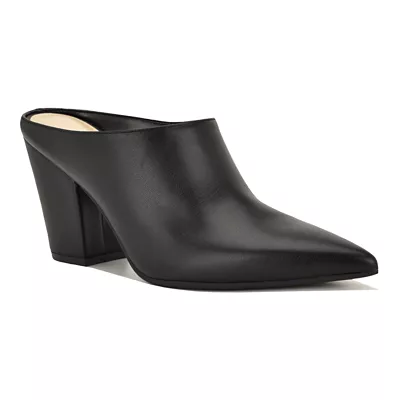
Black block-heel mules, and what came back
Block-heel mules are the clearest case for searching by photo instead of by name. There is no agreed vocabulary for them. One retailer files this shape under mules, the next under heeled slides, the next under backless pumps, and typing any of those words into a search box returns three different sets of shoes.
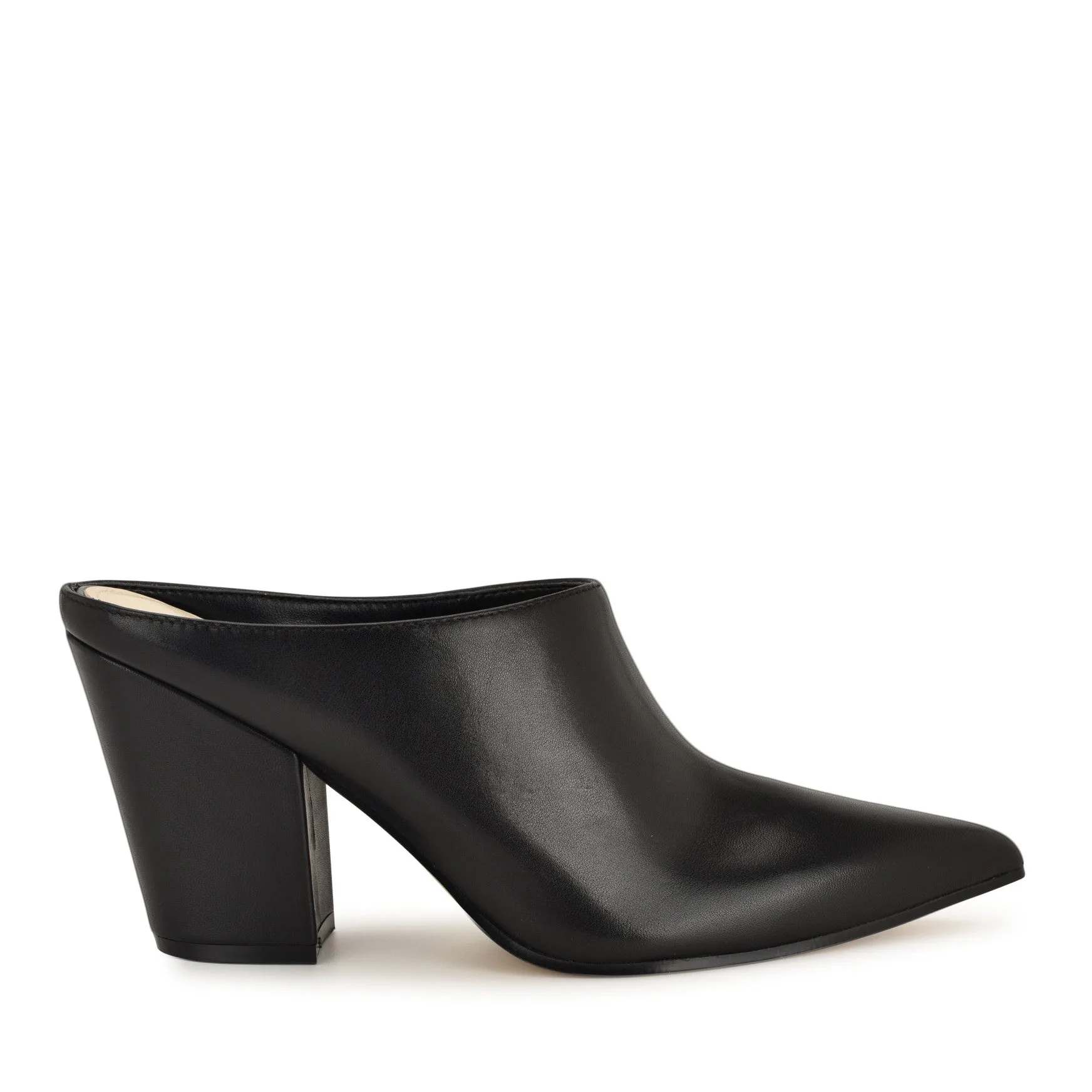
A photo skips the vocabulary problem entirely. The model reads a sharp pointed toe, a closed leather upper, an open back and a squared block heel, then matches on that geometry rather than on whichever noun the retailer chose.
No photo? Ask Luna to style it for you.
Black leather block-heel mules
Pointed-toe black leather mules on a squared block heel, the street-style shape that photographs well and searches badly by name.
Love something here? Save it and relax.
Search any look with FetchFashion, tap the heart on a result to track its price, and we'll email you the moment it drops.
How price watching worksThe pattern in these results is worth naming. The closest matches are rarely the expensive ones. A block heel is cheap to manufacture well, so a mid-price pair reproduces the shape more faithfully than a designer pair that has restyled it. The Nine West Amini mule sits at $89.99 and the Andora at Belk at $89, both of them holding the pointed toe and the squared heel that make the shape work. That is what a name-based search would not have given you.
Knee-high black boots, and the calf-width problem
Knee-high boots are the easiest shoe to describe and the hardest to buy correctly. The shape gives the model plenty to work with: a tall shaft, a defined heel, a plain upper, all of it readable from a single side-on photo. The scores still come back lower than they do on loafers, because a tall black boot is a large area of flat black leather and flat black leather carries very little information.
The catch is fit, and no visual search can see it. Shaft height and calf circumference vary by several centimetres between two boots that photograph identically, so treat the match as a shortlist and check the measurements on the retailer's page before you buy.
Knee-high black leather boots
Knee-high black leather boots on a block heel, tall shaft, plain upper, the shape that reads clearly from a single side-on photo.
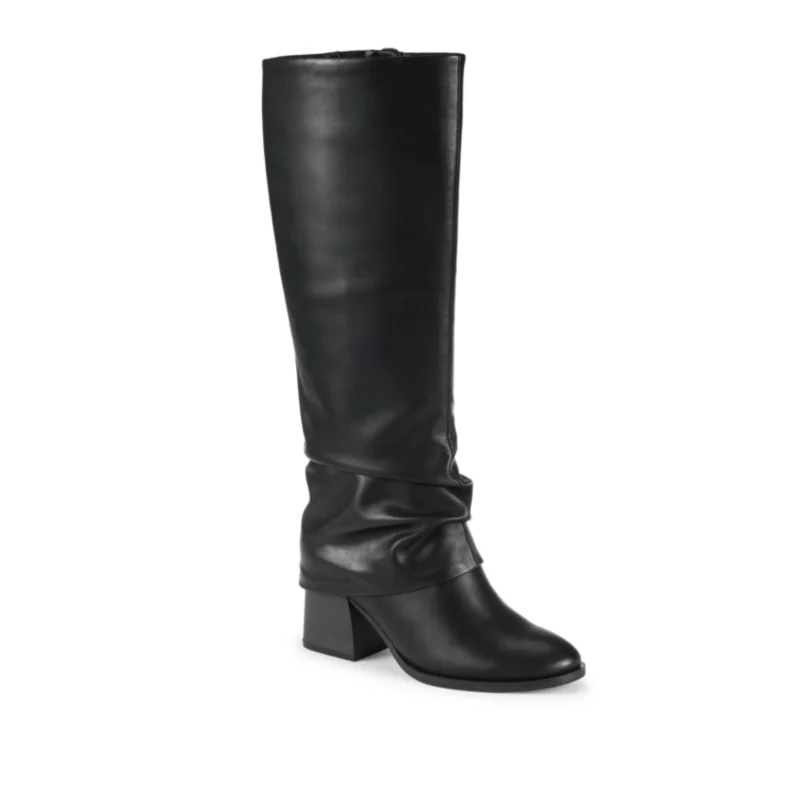
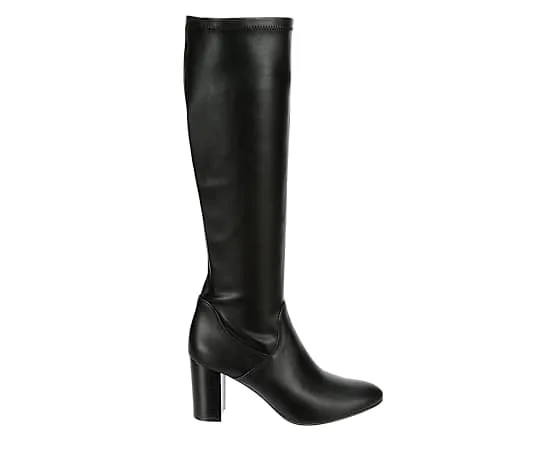
One thing to expect on this shape: the results skew wide. Tall black leather boots exist at every price point from $60 to $2,000, and the visual differences between them are subtle enough that a designer pair and a high-street pair often score within a few hundredths of each other. Both matches here landed in the mid-eighties, the Baretraps Dia tall boot and a Michael by Shannon dress boot from Rack Room Shoes, and neither is trying to be a designer boot. Sort by price, then read the sole. If your photo shows a visible logo, know that visual AI reads a logo as texture rather than as a brand name, which our guide to finding a clothing brand from a photo explains in full.
How to search for shoes yourself on your phone
To find shoes from a picture on an iPhone, open the photo in the Photos app, crop it to the shoe, then open fetchfashion.ai in Safari and tap upload. There is nothing to install. The whole flow stays inside Safari, and Android works the same way in Chrome.
The tap path, literally: Photos → open the image → Edit → crop until the shoe fills the frame → Safari → fetchfashion.ai → tap upload → pick the cropped file. Results land in about 10 seconds. Each detected item gets its own section, so a photo with a full outfit gives you the shoes in their own row instead of buried in a list.
Two things worth using while you are there. Save anything you like to the wishlist rather than closing the tab, because the shoe you liked at 11pm is unfindable the next morning. And if you never got a photo, if you saw the shoes on someone in a queue and only have a memory, Ask Luna takes the description in words and returns the same buyable product cards. Tell her "chunky black platform loafers under $90" and she searches the catalogue for you.
Chunky platform loafers, where the sole does the work
Platform loafers are a shape search rather than a colour search. The upper is a plain black leather loafer that exists in every catalogue in the world. What makes the pair specific is the sole: how thick it is, whether the edge is lugged or smooth, and how far it projects past the upper.
Crop tight and low for this one. A photo taken from standing height flattens the platform into nothing, and the results come back as flat loafers, which is a different shoe with a different price.
Chunky black platform loafers
Black leather loafers on a thick lug platform sole, a shape where the sole geometry carries the whole search.
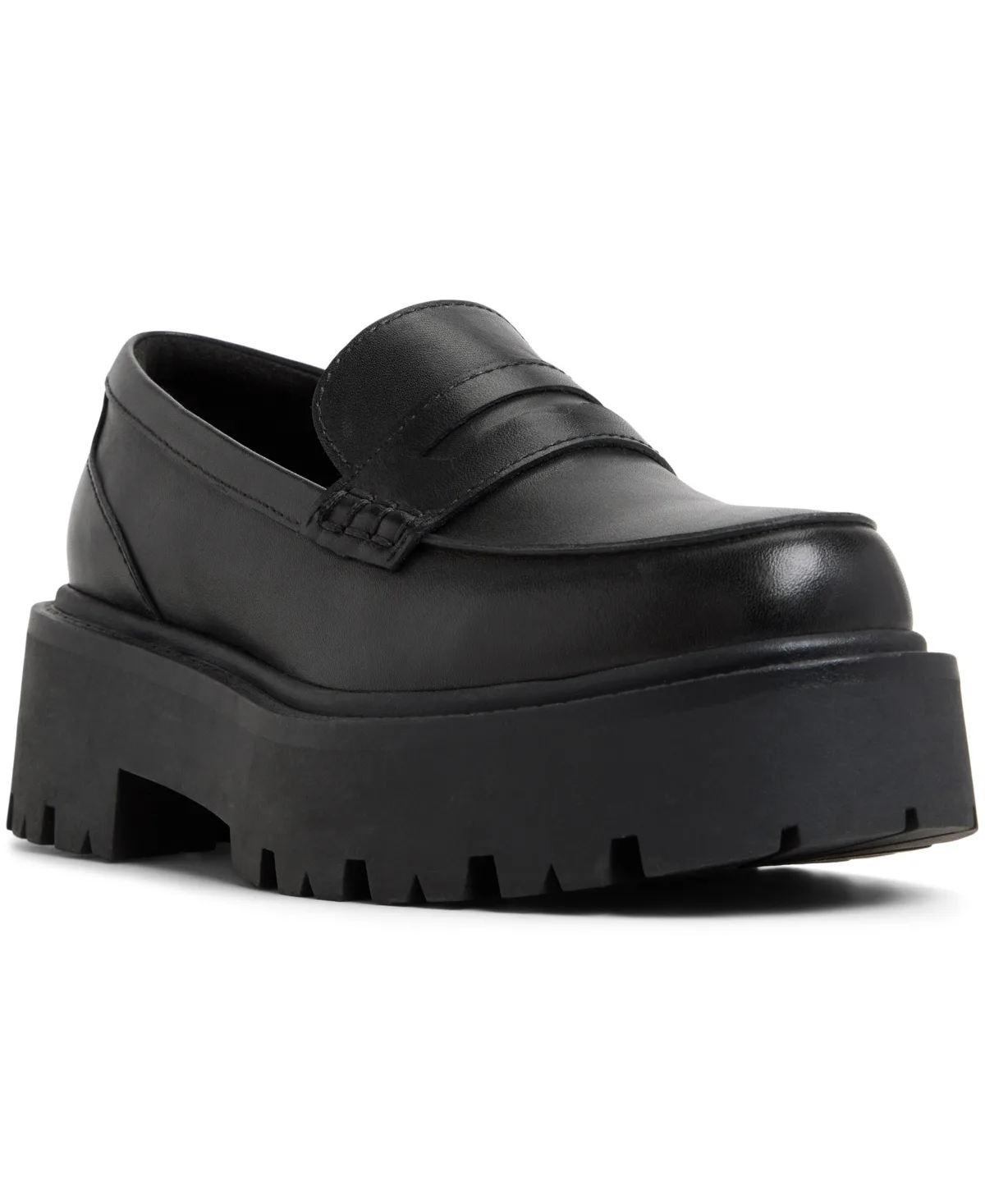
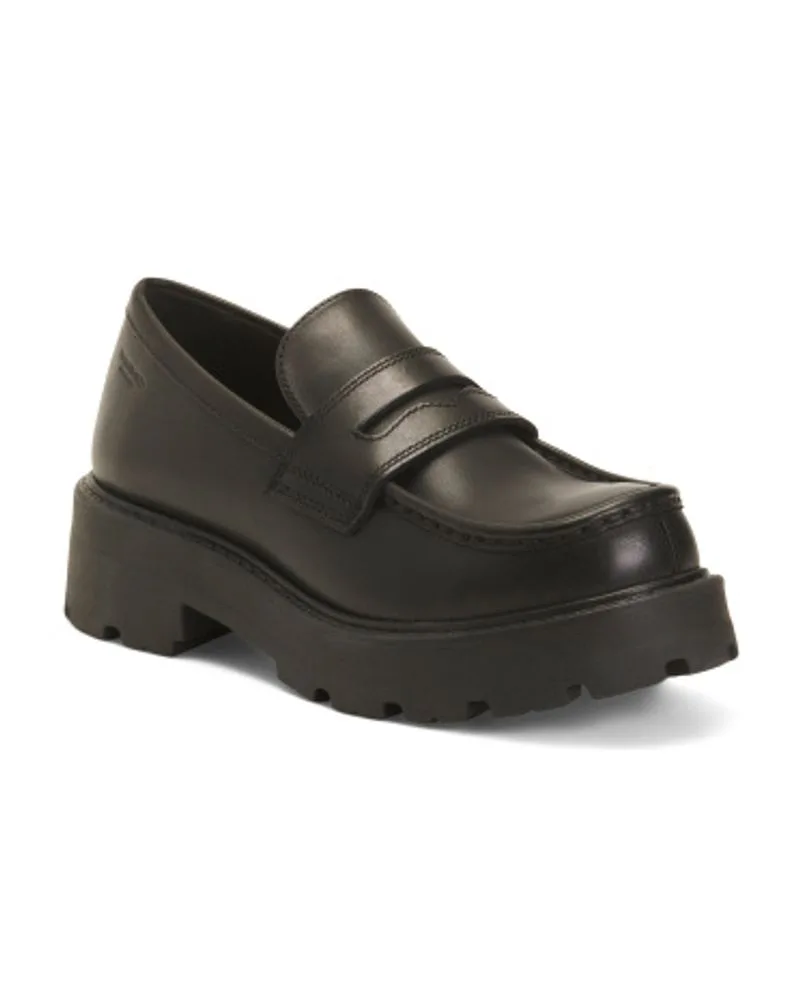
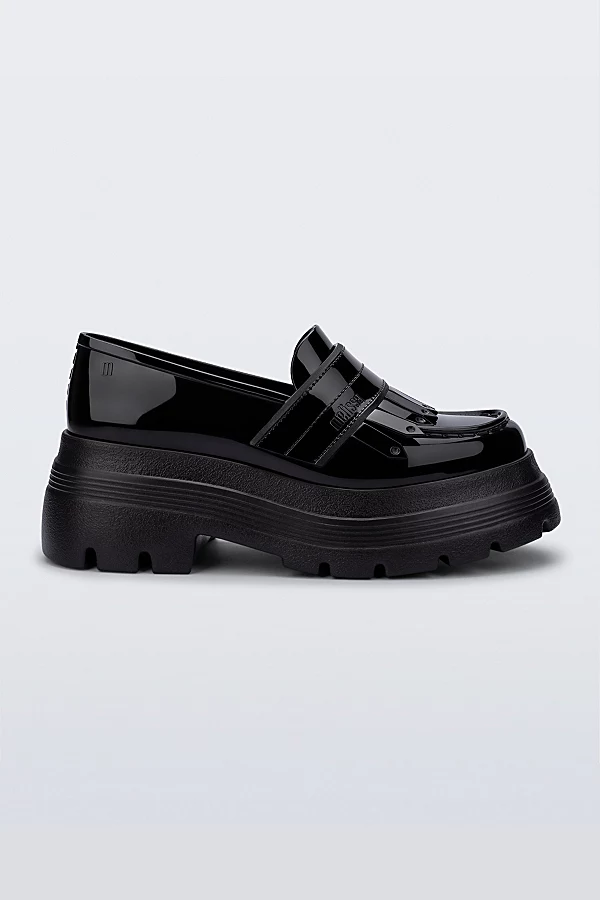
The dupe economics on this shape are the friendliest in footwear. Chunky soles are moulded, not sculpted, so the manufacturing cost of the distinctive part is low. The Leather Cosmo 2.0 loafer at TJ Maxx came back at $69.99 with the same lug depth as the $110 Aldo pair above it, which is the whole argument for looking at the sole before you look at the label.
Tan strappy sandals, and the negative-space problem
Strappy sandals break visual search in a specific way: most of the shoe is not there. Thin straps over skin leave the model reading more background than product, and the matches drift toward whatever else in the catalogue has that much empty space in the frame.
Shoot these against a contrasting floor. A tan sandal on a pale wooden floor reads as one continuous shape; the same sandal against dark tile gives clean edges and a far better match. This is the single largest quality difference I can point to in shoe photography, and it costs you nothing but a step sideways.
Tan strappy heeled sandals
Tan and camel strappy sandals on stiletto and block heels, thin straps with a lot of negative space between them.
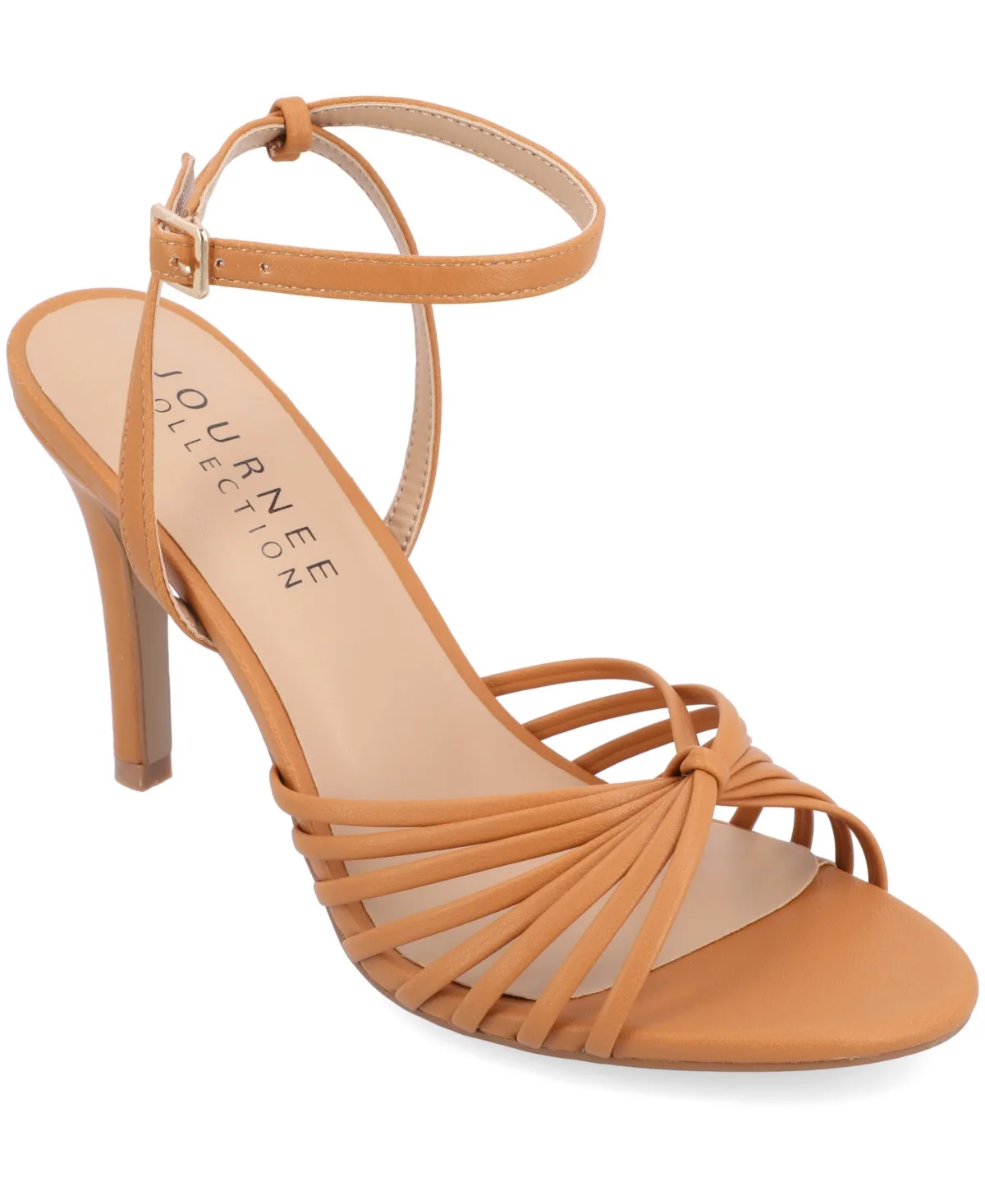
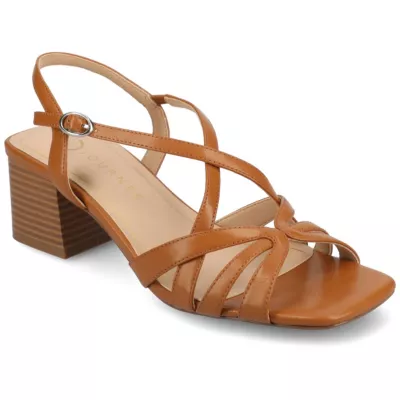
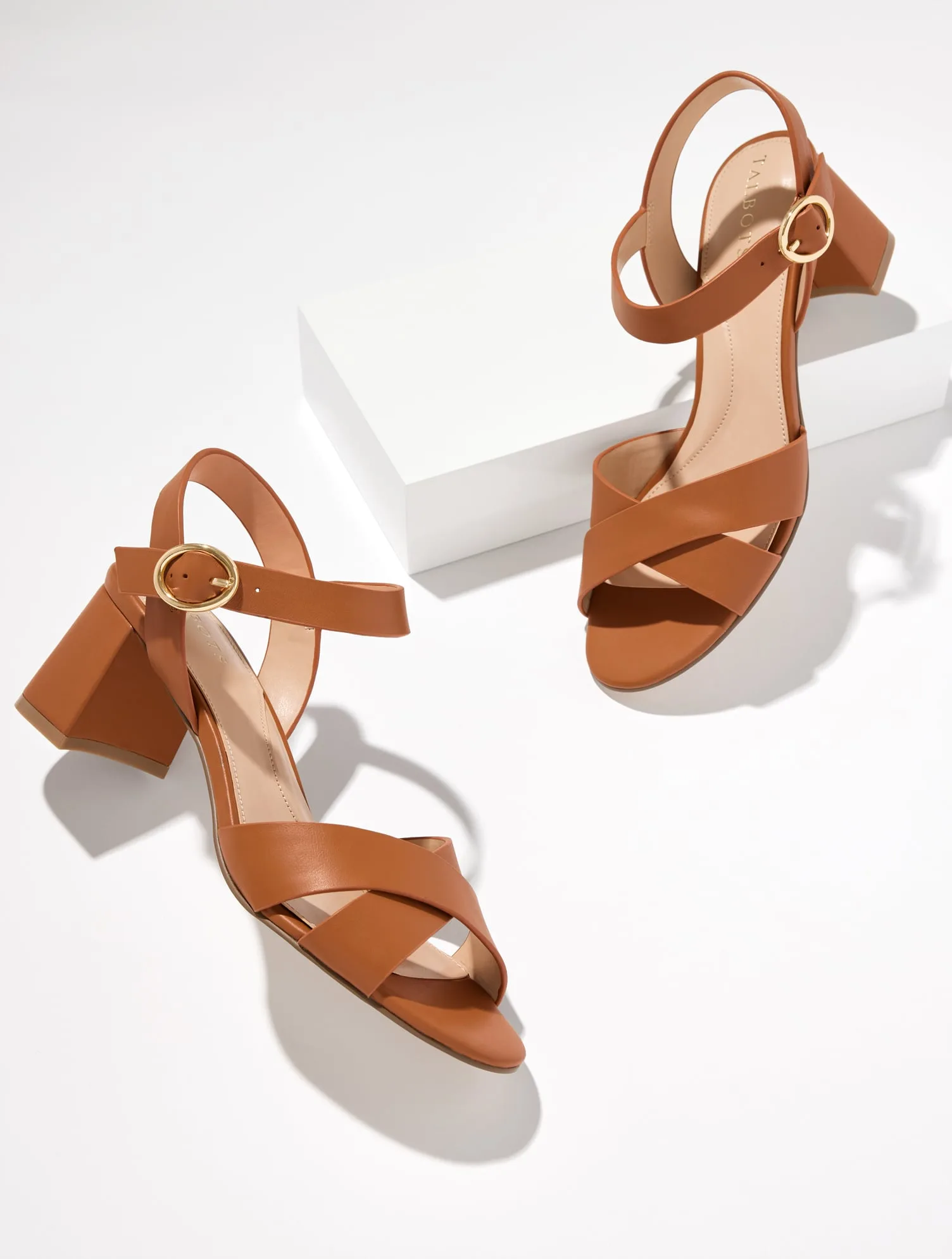
Strap count and heel height are what to check in the results, in that order. Two tools returning "tan sandal" can mean a crossover block heel or a multi-strap stiletto, and the price gap between those is usually larger than the visual gap. Here the Journee Collection Vanita stiletto came in at $60 and the Talbots Myra block heel at $159, same colour family, completely different shoe.
FetchFashion vs Google Lens vs Pinterest vs StockX
The shortest way to pick a tool is to match it to the job. FetchFashion finds cheaper look-alikes with prices attached; Google Lens confirms the exact pair at retail; Pinterest gives inspiration with no reliable buy path; StockX prices a specific hyped sneaker on the resale market.
| Tool | What it finds | Price angle | Coverage | Best for |
|---|---|---|---|---|
| FetchFashion | The pair and cheaper look-alikes, scored by Fashion-CLIP | Shows price on every card, ranks alternatives below the original | 397,892 pairs, 99.79% priced, 1,000+ retailers | Best for: finding the shape for less, in your currency |
| Google Lens | The same pair at retail | Full price, links to the original listing | Whole open web index | Best for: naming an exact model you already want |
| Pinterest Lens | Visually similar inspiration | No prices, no dependable buy link | Pinterest pins only | Best for: mood-boarding a shoe shape |
| StockX | A specific sneaker on resale | Resale price, often above retail on hyped models | Sneakers and streetwear, searched by model name | Best for: buying one hyped sneaker, authenticated |
The split is clean. Three of those four assume you already know what the shoe is called. Only one of them starts from a picture and ends at a price you chose, which is the whole reason this guide exists.
The 5 details worth photographing
Five details decide whether a shoe photo returns a usable match. Get these and the search works on the first try:
- Side profile. One shoe, shot from the side, is worth three shots from above. The profile carries heel height, sole thickness and toe shape at once.
- The sole edge. Lug, cupsole, stacked block or flat welt: this is the geometry that separates near-identical uppers.
- Even light. Shadow across an upper reads as a colour change, and colour changes pull the results toward the wrong palette.
- A contrasting floor. Especially for sandals and anything tan, nude or white.
- The whole shoe in frame. A shoe cut off at the ankle loses the heel, and the heel is half the identity.
Which shoe photos are actually worth searching
The photos worth searching are the ones with a distinct sole and a clean side angle, in that order. A chunky loafer or a block-heel mule comes back with close, cheap matches nearly every time, because the sole and the toe carry information the model can hold on to. A tall boot matches too, just looser, so give that one an extra minute of reading before you buy.
The ones to skip: a blurry white sneaker in the corner of a group photo, a sandal cut off mid-strap, anything shot from directly above. You will get results, they will look plausible, and they will be a different shoe. Better to find another frame of the same outfit than to trust a weak match.
My honest take after running these four shapes: the block-heel mule is the best-value search in footwear, and the white sneaker is the one where you should stop searching by photo and start searching by name once you know the model. Different jobs, different tools, and knowing which is which saves you the frustration.
FAQ
The questions people actually ask about finding shoes from a photo: the free route, the iPhone steps, what Google Lens can and cannot do, and what happens when only half the shoe is visible.
Related reading
- How to find clothes from a photo, the same workflow for full outfits rather than footwear
- FetchFashion vs Google Lens, the head-to-head behind the comparison table above
- How to find the brand of clothes from a photo, why visual AI matches shapes instead of reading labels
- Find Clothing From a Picture, the free photo-to-product tool page
- How to identify shoes from a photo, the short answer page for this exact question, with the tool above the fold
Found an outfit somewhere else?
Upload a screenshot and we find the match and track prices for you.
Try It FreeFAQ
How do I find shoes from a photo for free?
Upload the photo to FetchFashion at fetchfashion.ai and crop it to the shoe. The AI reads the silhouette, heel shape, sole and colour, then searches 1,000+ retailers for that pair and cheaper look-alikes. Free for 5 searches a day, no account, about 10 seconds per search.
Can Google Lens identify shoes from a picture?
Yes, when the shoe is already indexed. Google Lens is built to name the exact pair and link you to the original listing at retail price. It has no price floor and no similarity threshold, so it will not surface a $60 version of a $400 boot. Use it to confirm the model, not to save money.
How do I find shoes from a picture on my iPhone?
Open the photo in the Photos app, crop it down to the shoe, then open fetchfashion.ai in Safari and tap upload. Nothing to install, because FetchFashion runs in the browser. The same three taps work on Android in Chrome. Results come back in about 10 seconds.
How can I find cheaper shoes that look like a designer pair?
Photograph or screenshot the designer pair, then search it visually instead of by name. FetchFashion ranks look-alikes by Fashion-CLIP similarity across 397,892 indexed pairs and shows the price on every card. Name-based search returns the original at full price; visual search returns the shape at your budget.
What is the best app to identify sneakers from a photo?
It depends on the job. Google Lens is best at naming a mass-market sneaker, StockX is best for buying a specific hyped model on resale, and FetchFashion is best for finding a cheaper pair in the same shape. Sneakers are 110,761 of FetchFashion's 397,892 indexed pairs.
Can I find shoes if only part of the shoe is visible in the photo?
Sometimes. A visible toe box, heel profile or sole edge is usually enough for a shape match, though the results widen. A shoe cut off at the ankle or hidden behind a bag gives the AI too little to read, and the matches drift toward generic. Pick the frame where the whole shoe is in view.
Can I describe the shoes in words instead of uploading a photo?
Yes. Ask Luna at fetchfashion.ai/en/chat takes plain descriptions like 'chunky black platform loafers under $90' and returns buyable product cards from 1,000+ retailers. No photo needed, which is the fastest route when you saw the shoes in real life and never got a picture. Free for 5 searches a day.
About the author
Luna
Tattoo Artist & Fashion Writer
Luna is the voice and curation behind FetchFashion blog posts. Thrift queen, screen-fashion obsessive, and the editorial eye that picks which outfits get the breakdown.
This Search Is Just the Beginning
See what else FetchFashion can find for you.
Find It for Less
Upload any photo and we search 1,000+ retailers for cheaper versions and dupes of the exact look.
Find it for lessEvery Piece, Detected
One photo, every item. Our AI spots each piece (top, bag, shoes) and searches for all of them at once.
Search a full outfitNo Photo? Ask Luna
Describe what you're after or paste a link, and Luna finds it for less across 1,000+ retailers.
Ask LunaSee an Outfit You Love?
Upload any screenshot and our AI finds where to buy it. Results in seconds, from 1,000+ stores, in your local currency.
5 free searches per day · no sign-up
You might also like
How to Find the Brand of Clothes From a Photo
Visual AI matches garments, it can't read labels. Learn how to find the brand of clothes from a photo, and what to do when the label stays a mystery.
How to Find a Dupe of Any Item From a Photo
Upload a photo, get the cheaper dupe, not the full-price original. Follow 4 free steps to find a dupe of any item across 1,000+ retailers. Try it free.
How to Find Clothes From a Video (Free, 5 Steps)
Pause the frame, find the look. Follow 5 free steps to find clothes from any TikTok, Reels, or YouTube video, with cheaper look-alikes. Try it now.
How to Find Clothes From a Photo (Free, 4 Steps)
Upload a photo, get the outfit, or a cheaper version. Follow 4 free steps to find clothes from any picture across 1,000+ retailers. Try it now.