Outfit Image Scanner: Find Clothes in Any Photo Free
Scan any picture for the clothes in it. No barcode, no tag, no app. See how a free outfit image scanner works and try it in about 20 seconds.
Seen a look you love? Upload a screenshot and find where to buy it for less.
Try it freeAn outfit image scanner reads the clothes inside a picture and hands you shopping links for them. FetchFashion is a free AI visual search tool that identifies clothes from any photo and finds where to buy them across 1,000+ retailers. Point your phone at what someone is wearing, or upload a screenshot you already saved, and FetchFashion comes back in about 10 to 30 seconds. Nothing needs a barcode and nothing needs a tag, because the match is visual: the AI compares shape, colour, texture and print against 1,548,088 indexed products, 99.4% of which carried a live price when I checked the catalog on 26 July 2026. FetchFashion finds cheaper alternatives; Google Lens finds the same item at full price. Five scans a day are free, no account. Below: four real scans with the prices they returned, the three steps, how the scanner apps compare, and where scanning still loses.
What an outfit image scanner actually scans
Nothing gets scanned in the supermarket sense. That is worth saying plainly, because the word arrives carrying a checkout expectation: line up the stripes, wait for the beep, get a price. Clothes almost never cooperate with that. A barcode needs the tag in your hand, which means the garment has to be in a shop you are standing in, unworn, on a rail.
An image scanner works from the opposite direction. It reads the garment, not the label. Fashion-CLIP, the model doing the matching, was trained on fashion images rather than general photography, so it holds on to the details that identify a piece of clothing: collar shape, hem length, sleeve volume, the way a fabric catches light, the scale of a print. Your photo becomes a set of numbers, and the search looks for catalog products whose numbers sit close to yours.
Which is why a stranger's coat across a train platform is scannable and its barcode is not. No tag, no permission, no shop. Every product in the grids below cleared a 0.33 visual similarity floor and scored between 0.334 and 0.384 against its own section prompt. Weak matches are not shown to you, they are dropped, which is why two of the four sections here hold two products instead of three.
Scanning a trench coat straight through the camera
Start with the case the word "scanner" implies: the thing is in front of you right now. Someone at the next table is wearing the beige trench you have been half-looking for since spring. Open the site, tap upload, choose the camera, take the shot. That is the whole interaction.
Frame the coat, not the person. A full-body photo still works, because the AI splits it into separate garments and searches each one, but a tight frame on the piece you want gives a cleaner match and fewer sections to scroll past.
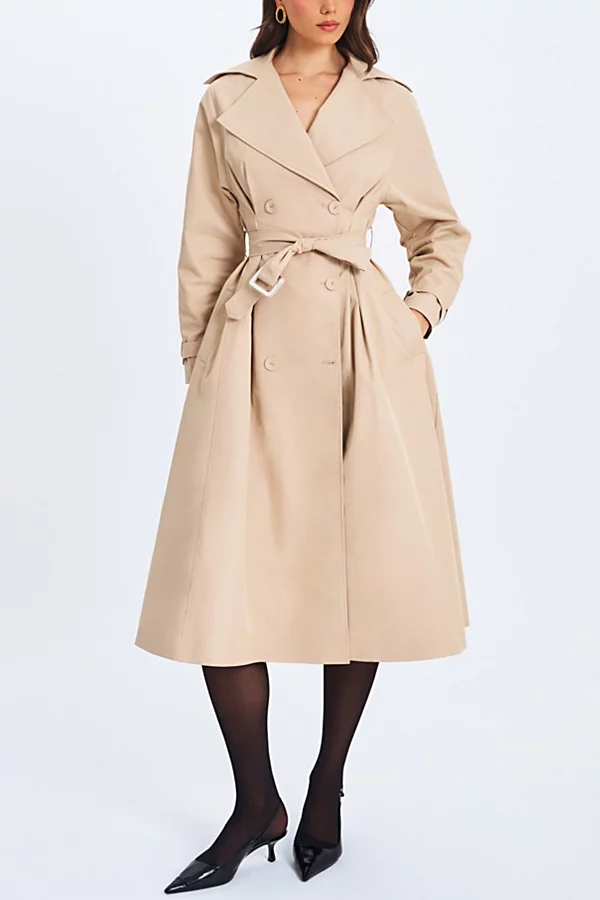
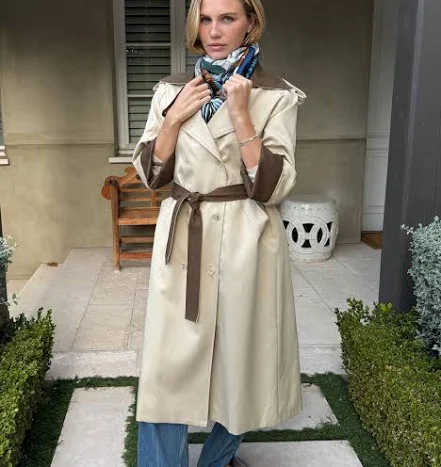
What came back spans a real range. A pinstriped double-breasted version at Marshalls for $49.99, the belted Urban Outfitters cut at $149, and a cream belted coat with brown contrast panels at Benaar LA for $195. Same silhouette family, $145 between the ends of it. The cheapest one is not the compromise here, it is a pinstripe instead of plain twill.
No photo? Ask Luna to style it for you.
Beige trench coat for women
A coat scanned live through the phone camera, framed on one garment rather than the whole person.
FetchFashion AI matched this in seconds
Try this with your outfit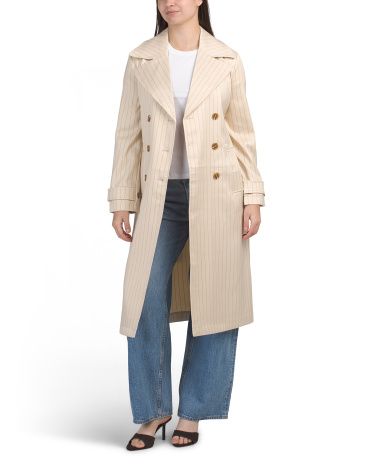
Love something here? Save it and relax.
Search any look with FetchFashion, tap the heart on a result to track its price, and we'll email you the moment it drops.
How price watching worksHow to scan an outfit from a picture in 3 steps
Scanning an outfit from a picture takes three steps: crop to one garment, upload it in your browser, sort what comes back by price. The whole run takes about 10 to 30 seconds, and the crop is the step that decides how good your results are.
- Crop to one garment. Your phone's built-in photo editor is enough. Backgrounds, other people and heavy filters all cost you accuracy, because the model reads whatever you hand it.
- Upload it at fetchfashion.ai. Safari, Chrome, whatever you already have open. No account step, no email box, no app store detour. The photo-to-product tool page is the direct route if you want to skip the homepage.
- Sort by price and click through. Every result carries the store, the price in your currency and a direct retailer link, filtered to shops that will actually ship to your country.
No install, no login, 5 scans a day: the whole thing runs in a browser tab, which is the part people do not believe until they try it.
If the picture is the problem, skip the picture. You can describe the piece to Ask Luna instead and she finds it for less, no photo needed. "Cream belted trench under 100 dollars" is enough to start her off.
Scanning a skirt from a screenshot
A screenshot behaves exactly like a photo, because it is one. Saved posts, paused films, video grabs: the pipeline does not care where the pixels came from. Our screenshot guide covers that route end to end, so here it is just the second scan of four.
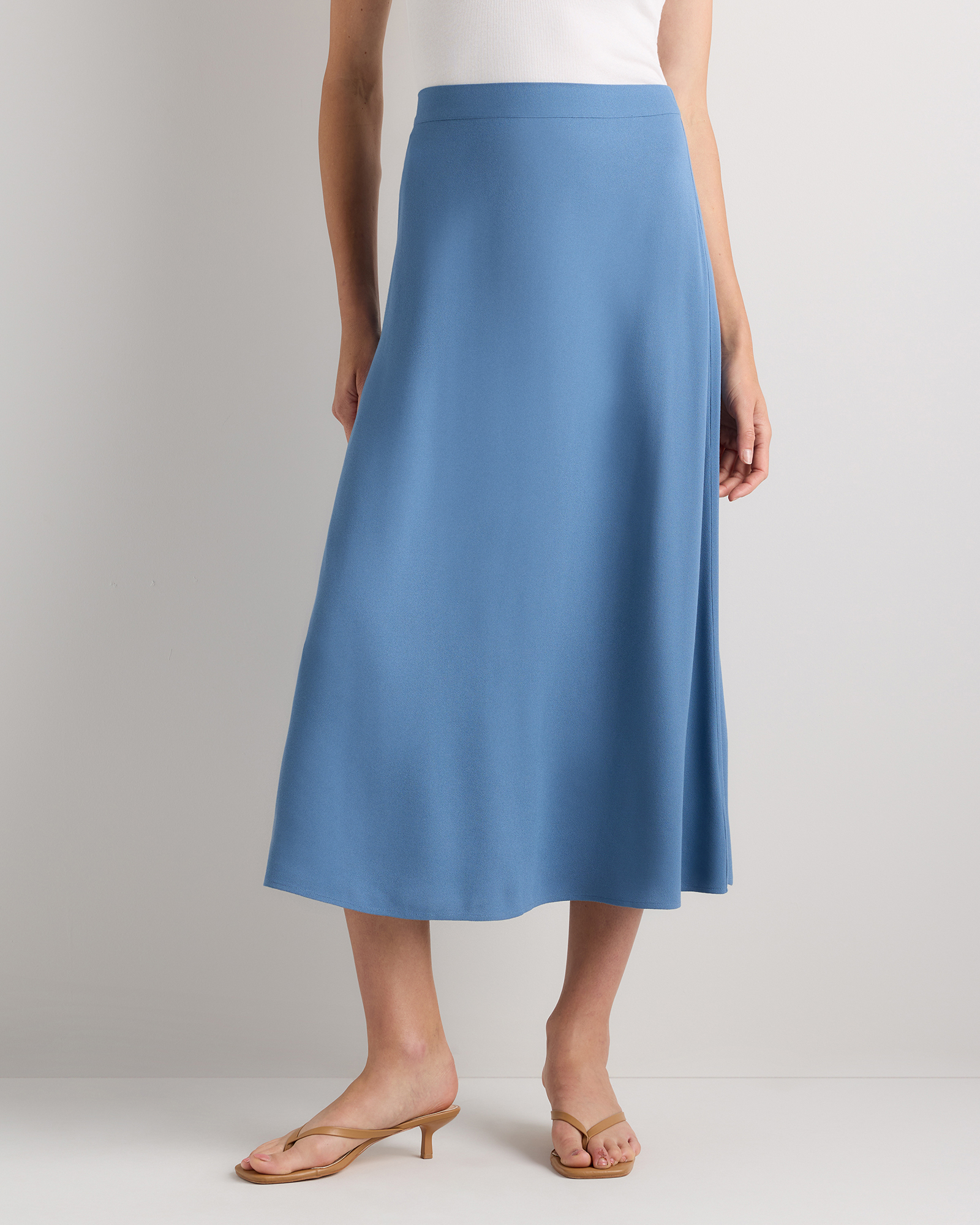
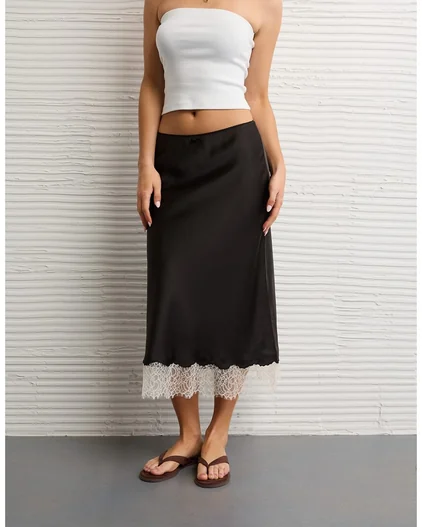
Satin is where texture reading earns its keep. A bias-cut slip skirt and an A-line crepe skirt have nearly the same outline at thumbnail size, and only the sheen separates them. Crop above the waistband and below the hem so the drape stays in frame.
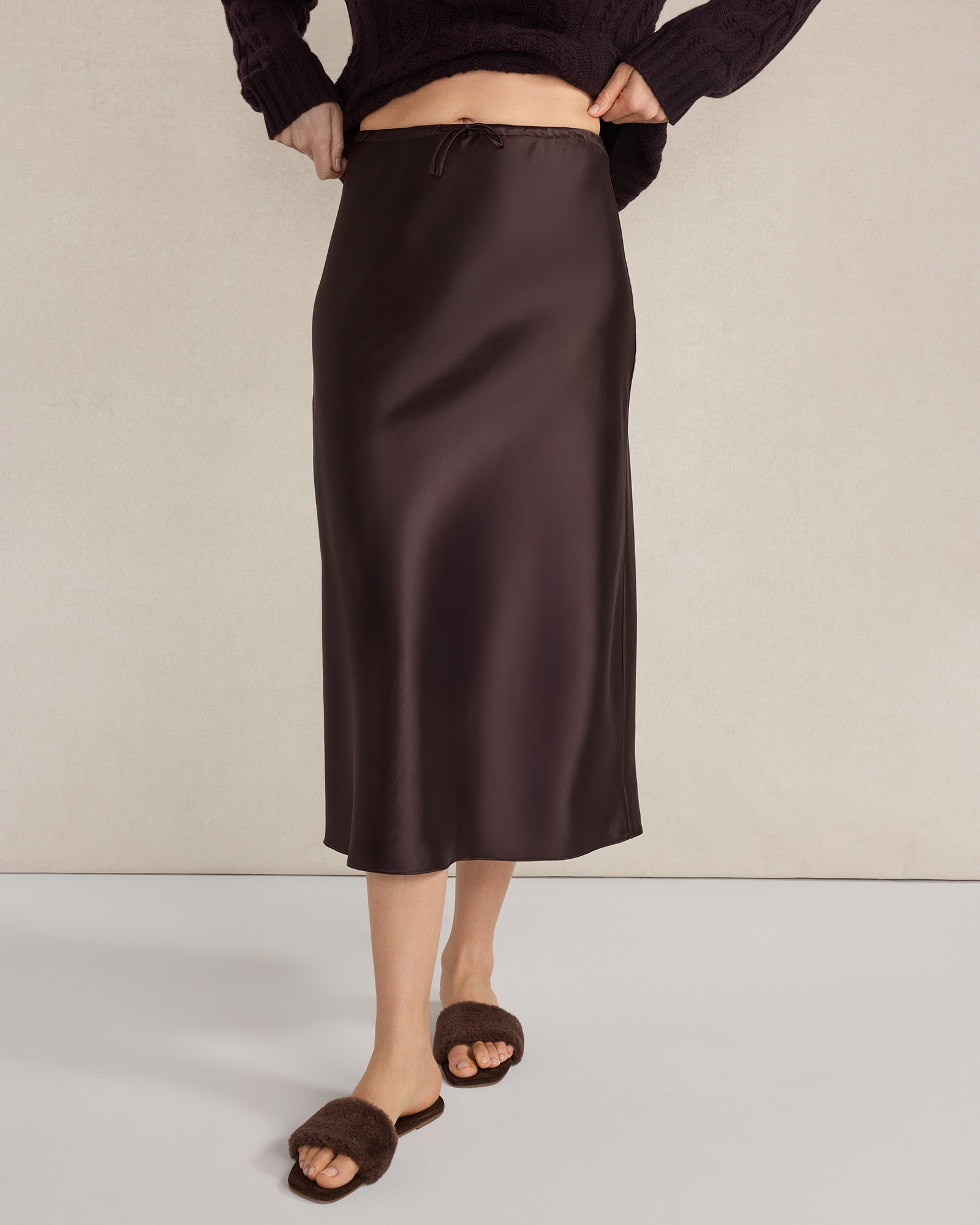
Three came back, and one of them shows the seam. Haven Well Within at $109.99 in a dark brown satin, Quince at $49.90 in a matte crepe rather than satin, and the American Eagle lace-hem slip at $23.98. The Quince skirt is the honest miss of the set: right length, right cut, wrong finish. It scored 0.374, high enough to keep, which tells you where the model's confidence sits on fabric.
Satin slip midi skirt for women
A satin slip midi skirt scanned from a screenshot saved off a feed, cropped to the garment before upload.
Scanning one piece out of a full outfit
Sometimes the picture is a whole look and you want one part of it. The scanner handles that by detecting each garment and running a separate search per item, so a full-length shot comes back as sections: the coat, the knit, the trousers, the shoes.
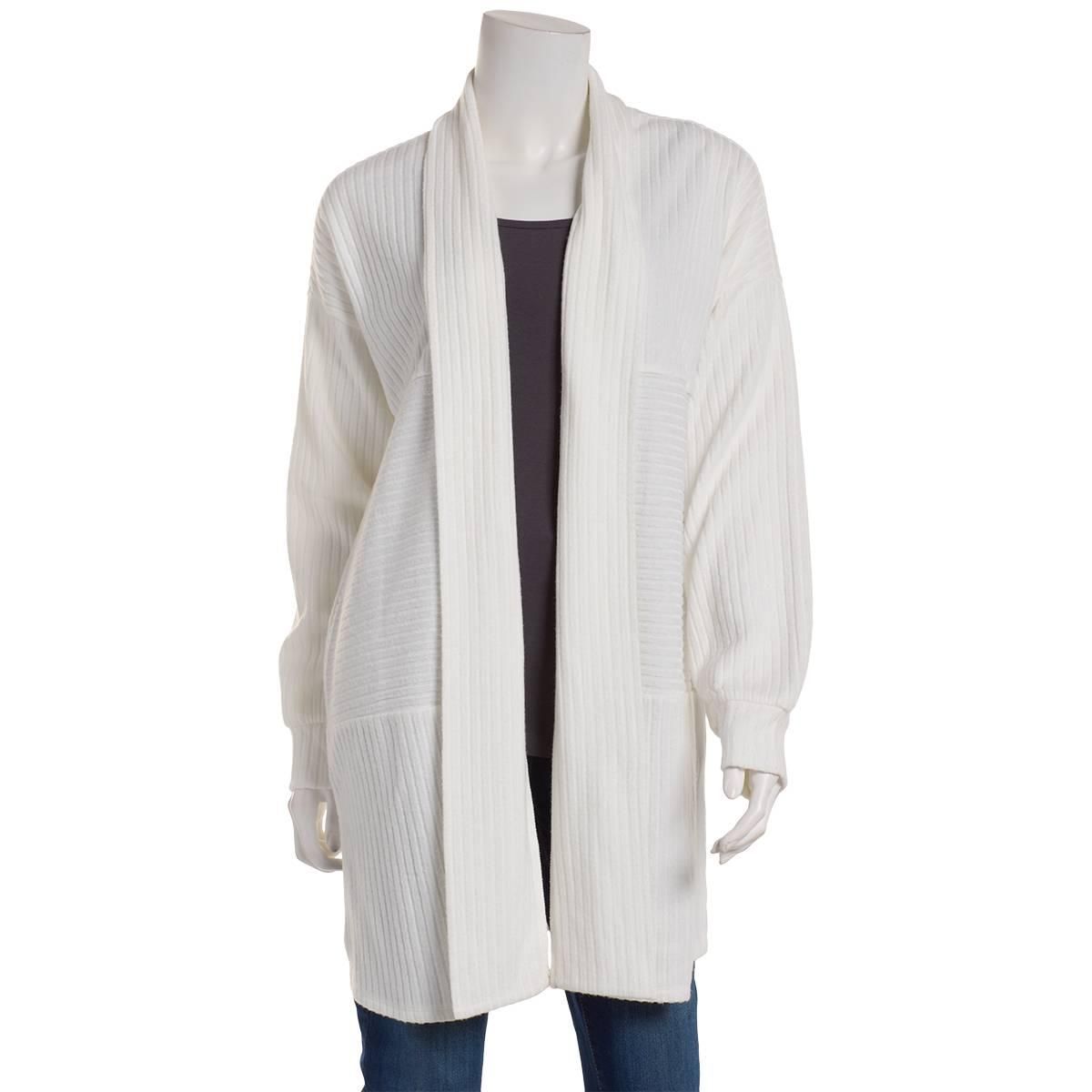
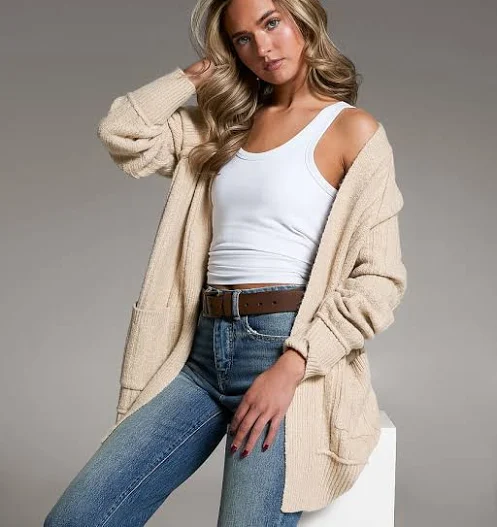
This cardigan came out of exactly that split. Ribbed, open front, oversized enough to read as outerwear rather than a layer. Two products cleared the floor: an ivory ribbed cardigan at Boscov's for $12.99, photographed on a dress form rather than a model, and an oatmeal chunky knit at Buckle for $46.99. That is a $34 gap on a piece most people would call the same cardigan at a glance.
Knitwear is forgiving to scan and hard to price. Rib width and drop-shoulder shape survive a bad photo far better than a print does, which is why this section filled from a low-resolution crop while the boots below needed a careful one.
Oversized ribbed knit cardigan for women
A ribbed knit cardigan pulled out of a full-outfit scan, where the AI splits the frame into separate garments.
Scanning shoes, and why the crop matters
Shoes are where people decide the scanner is broken. They photograph a full outfit, the boots take up 4% of the frame, and the results come back full of dresses. Nothing failed there. The picture was mostly dress.
Crop to the shoes and the same photo works. Small items have to be the subject rather than a detail in the corner, and this is the single most common fix for a scan that returned nothing useful.
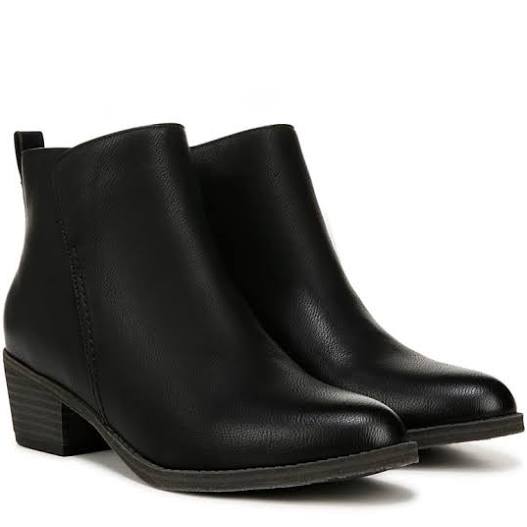
Black leather ankle boots are a genuinely hard visual class on top of that, because the differences are small: block heel against flat, elastic gusset against zip, round toe against almond. Two came back. The Trotters Monroe at Belk for $154.95, low block heel with a Chelsea gusset, and the Naturalizer Zaylee at Famous Footwear for $79.99, taller stacked heel, clean shaft, no gusset. Roughly half the price for what reads as the same boot from three feet away.
Black leather ankle boots for women
The hard case: a small item inside a wide frame, scanned after a tight crop.
FetchFashion AI matched this in seconds
Try this with your outfit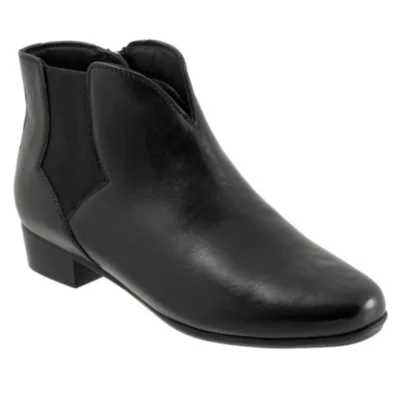
Outfit scanner apps compared
| Scanner | What it actually scans | Tag or barcode needed | Account needed | Best for |
|---|---|---|---|---|
| FetchFashion | The garment in your photo, matched against a priced catalog | No | No | Finding a cheaper version you can buy |
| Google Lens | Anything in frame, matched against the open web | No | No | Naming the exact item you photographed |
| Amazon Lens | The garment, matched inside Amazon only | No | Yes, plus the Shopping app | Things you would have bought on Amazon anyway |
| Pinterest Lens | The garment, matched against pins | No | Yes | Collecting a look rather than buying one |
| ShopSavvy and barcode apps | The printed barcode on a tag | Yes | No | Price-checking something already in your hands |
Read down the "account needed" column and the shape of the problem shows up. Amazon Lens and Pinterest Lens are strong tools sitting behind a login, which is a hard stop when you have thirty seconds and someone's coat in your camera roll. Barcode apps are excellent at their job and useless at this one, because the thing you want to scan is being worn by a stranger. Google Lens clears every friction test and answers a different question: it will tell you the coat is Acne Studios, then leave you at a 600 dollar listing.
Where an outfit image scanner still fails
Four things break a scan, and none of them get fixed by running it again.
Dark frames. Texture is what separates faux leather from suede from coated denim. A dim video grab flattens all three into "brown jacket". Where a scene has several shots of the same piece, take the brightest one.
Tiny subjects. See the boots above. Crop first, scan second.
Bespoke and vintage. A one-off piece or a 1970s coat has no catalog match to find, because nobody is currently selling it. You get the closest current garment instead, which is either useful or irritating depending on what you came for.
The ceiling. Five scans a day, counted per device, reset at midnight UTC. After that it is 7.99 euros a month for 200 scans on Starter, or 14.99 for 600 on Pro, and paying is the first point where an email address is genuinely required. A tool that hides its limit until you hit it is worse than one that names it up front.
Which scanner should you point at your clothes
Match the tool to the question and this stops being complicated. If you want to know what something is, use Google Lens. Widest index, very hard to beat at naming a brand from a photo.
If you want to buy it, or something close enough at a price you will accept, use a fashion-trained scanner. The four scans on this page returned ten products between $12.99 and $195, every one from a shop that ships to the search country, drawn from 1,548,088 indexed products with a live price on 99.4% of them.
The part worth keeping: no barcode, no tag, no app. If you can photograph it, you can scan it.
Related reading
- How to find clothes from a screenshot, the screenshot route in full, including Instagram saves and TikTok grabs
- How to find clothes from a photo, free, in 4 steps, the wider photo workflow with the iPhone tap-path
- FetchFashion vs Google Lens, the head-to-head on identify against find-for-less
Found an outfit somewhere else?
Upload a screenshot and we find the match and track prices for you.
Try It FreeFAQ
Is there an app that scans clothes from a picture?
Yes. FetchFashion at fetchfashion.ai scans the clothes in any picture and returns buyable products from 1,000+ retailers. It runs in a browser tab, so there is nothing to install and no account to create. Point your camera at a garment or upload a photo you already have.
Do I need a barcode or a tag to scan clothing?
No. An outfit image scanner reads the garment itself, not a label. The AI compares shape, colour, texture and print against an indexed catalog, so a coat on a stranger across the street scans exactly like one hanging in a shop. No tag, no barcode, no permission needed.
How do I scan an outfit with my phone camera?
Open fetchfashion.ai in your phone browser, tap upload, and choose the camera. Frame the single garment you want rather than the whole person, then take the shot. Matches come back in about 10 to 30 seconds, priced in your currency and filtered to shops that ship to you.
How long does an outfit scan take?
About 10 to 30 seconds from upload to results. Most of that is the visual match, which scores every candidate against your photo and drops the weak ones before you ever see them. A tight crop on one garment is the fastest route to a clean result.
Can Google Lens scan an outfit and find cheaper versions?
Google Lens scans well but shops badly. It identifies the exact item and sends you to whoever sells it, usually at full price. FetchFashion is built the other way around: it looks for the same silhouette at lower prices, which is a different question than "what is this".
Does an outfit scanner work on screenshots and video frames?
Yes. A screenshot is just an image, so saved posts, paused films and video grabs all scan the same way. Crop to one garment first, and where a scene has several shots of the same piece, pick the brightest one. Dim frames strip out the texture the AI reads.
Can I describe an outfit in words instead of scanning a photo?
Yes. Ask Luna at fetchfashion.ai/en/chat takes plain descriptions like "belted beige trench coat under 120 euros" and returns real, buyable products from 1,000+ retailers, cheapest first. No photo needed. Anonymous users get one conversation a day before a sign-in prompt appears.
About the author
Luna
Tattoo Artist & Fashion Writer
Luna is the voice and curation behind FetchFashion blog posts. Thrift queen, screen-fashion obsessive, and the editorial eye that picks which outfits get the breakdown.
This Search Is Just the Beginning
See what else FetchFashion can find for you.
Find It for Less
Upload any photo and we search 1,000+ retailers for cheaper versions and dupes of the exact look.
Find it for lessEvery Piece, Detected
One photo, every item. Our AI spots each piece (top, bag, shoes) and searches for all of them at once.
Search a full outfitNo Photo? Ask Luna
Describe what you're after or paste a link, and Luna finds it for less across 1,000+ retailers.
Ask LunaSee an Outfit You Love?
Upload any screenshot and our AI finds where to buy it. Results in seconds, from 1,000+ stores, in your local currency.
5 free searches per day · no sign-up
You might also like
AI Clothes Identifier, No Sign-Up: Free in 3 Steps
Identify clothes from any photo with no account, no email and no app. See where each free tool stops, then try the winner in about 10 seconds.
How to Find Clothes From a Photo (Free, 4 Steps)
Upload a photo, get the outfit, or a cheaper version. Follow 4 free steps to find clothes from any picture across 1,000+ retailers. Try it now.
Identify a Handbag From a Picture: Free 4-Step Guide
Upload a photo to identify a handbag and find it, or a cheaper look-alike. Follow 4 free steps, compare 4 tools, shop the shape for less.
Find Shoes From a Photo: Free AI Search in 4 Steps
Upload a photo and find those shoes, or a cheaper pair. Follow 4 free steps, compare the tools, shop 397,892 pairs from 1,000+ retailers.