How to Find Clothes From a Photo (Free, 4 Steps)
Upload a photo, get the outfit, or a cheaper version. Follow 4 free steps to find clothes from any picture across 1,000+ retailers. Try it now.
Seen a look you love? Upload a screenshot and find where to buy it for less.
Try it freeTo find clothes from a photo, upload the picture to an AI visual search tool, which identifies each garment and returns where to buy it. The fastest free route is Find Clothing From a Picture on FetchFashion: it reads your photo, detects every item, and ranks matches across 687,656 indexed products from 1,000+ retailers (audited 2026-05-29), scored by Fashion-CLIP visual similarity. Here's the part that matters. FetchFashion finds cheaper alternatives; Google Lens finds the same item at full price. Lens points you to the original listing; FetchFashion surfaces look-alikes you can actually afford, with prices in your currency. In the UK pool, which held 34,860 products on the same audit, 42.6% of priced matches come in at least 15% under the median. It's free for 5 searches a day, runs in your browser with no app to install, and works on photos from movies, Instagram, or a friend's jacket. Below are the four steps, plus the iPhone tap-path and a real before-and-after.
How to find clothes from a photo in 4 steps
Finding clothes from a photo takes four steps: save the image, upload it to a visual search tool, review the AI-identified items and match scores, then compare prices and buy. The whole thing runs in about 10 seconds, and the match scores are what separate a real result from a random guess.
- Screenshot or save the photo. If it's a movie still, pause and screenshot. If it's an Instagram post, save the image. Crop to the person wearing the piece you want so the AI isn't reading three outfits at once.
- Upload it to FetchFashion. Open the site in any browser, tap upload, and drop in your photo. No account, no app, 5 free searches a day. See the no-sign-up clothes finder guide for where that free tier actually stops.
- Review the AI-identified items and their match scores. The tool splits the photo into separate garments (top, dress, shoes, bag) and ranks candidates by Fashion-CLIP visual similarity. Anything below a 0.45 top-1 score gets dropped, so you don't wade through junk.
- Compare prices and buy. Each result shows the price in your currency, the store name, and a direct link. Sort for the cheapest close match, and you're done.
That match-score step is the bit most guides skip. FetchFashion applies a similarity floor of 0.35 with a top-1 minimum of 0.45 (last tuned 2026-05-17), and a section with no candidate above that threshold collapses rather than showing you a sad approximation. Google Lens, Pinterest Lens, and CamFind all return the closest match no matter how far off it is. A published number is the difference between "ranked" and "random."
A real example: one photo, two outcomes
The cleanest way to feel the difference is one photo run two ways. When Chappell Roan's 2026 Grammy press photos went out, the look was a custom sheer-sequin Mugler dress. Couture. Not for sale anywhere, at any price.
Run that press photo through Google Lens and you get the Mugler reference, other publications reposting the same photo, and a few sponsored marketplace listings. The honest answer to "what is this" is "a dress you cannot buy." That's outcome one: full price, or no price at all.
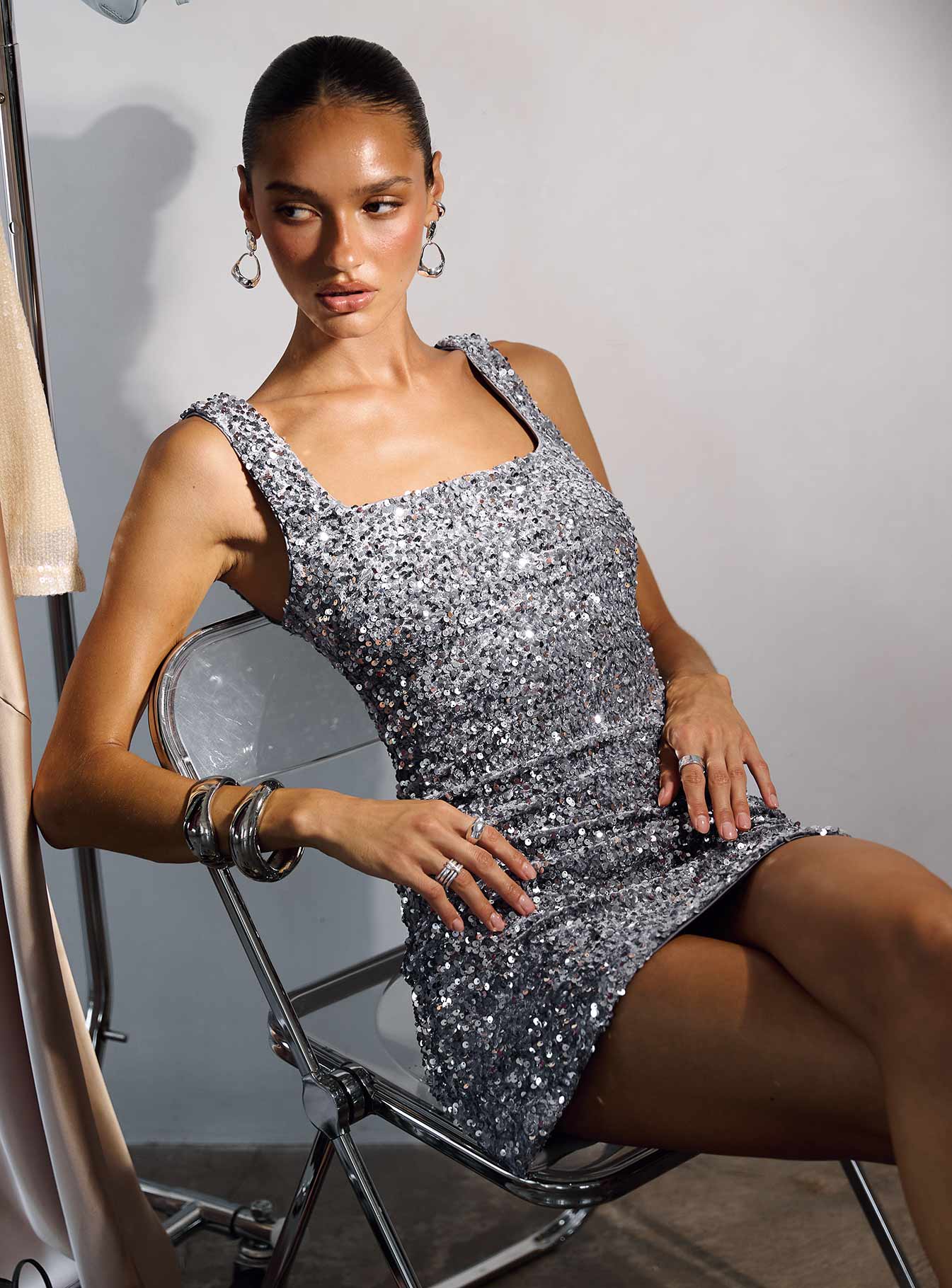
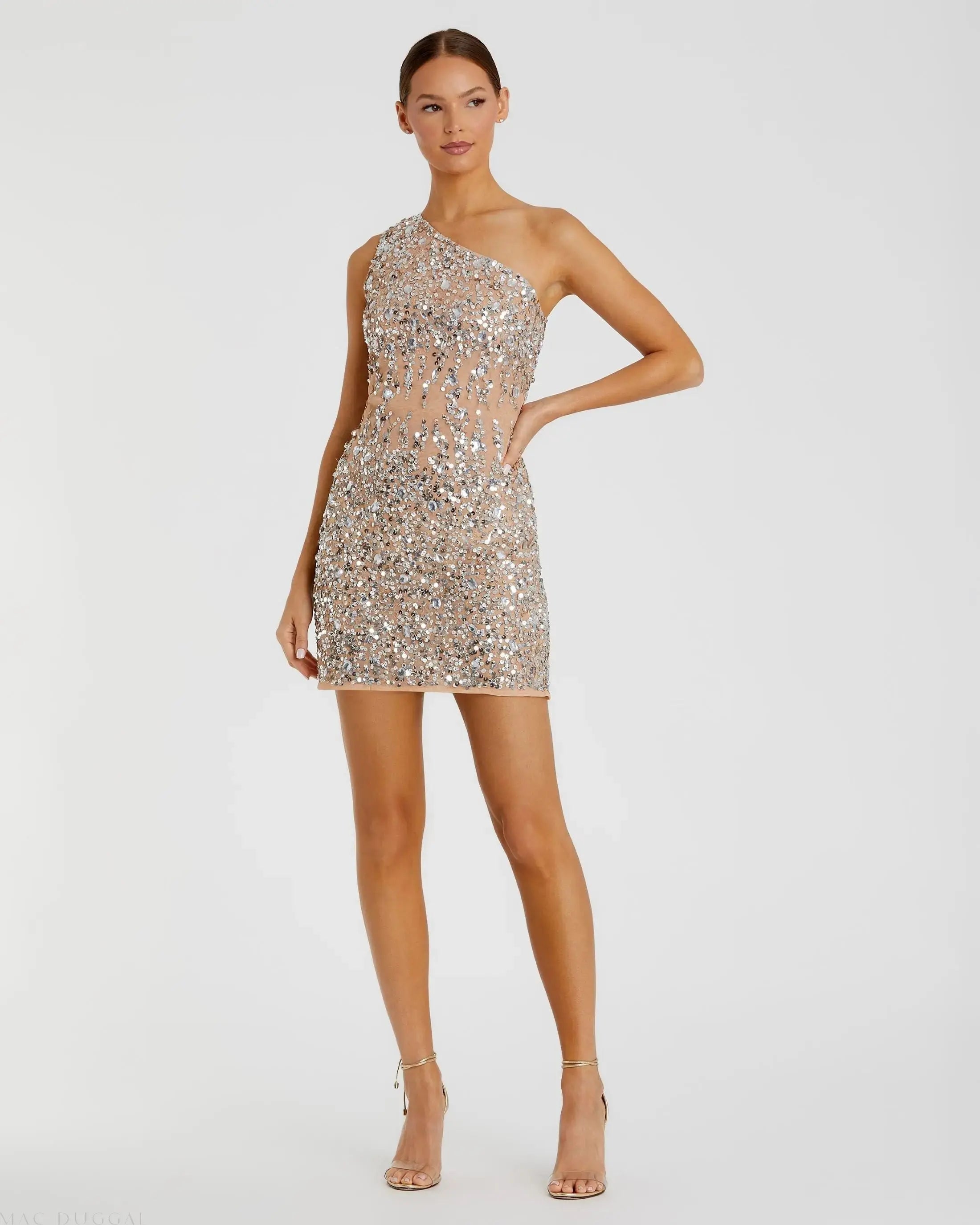
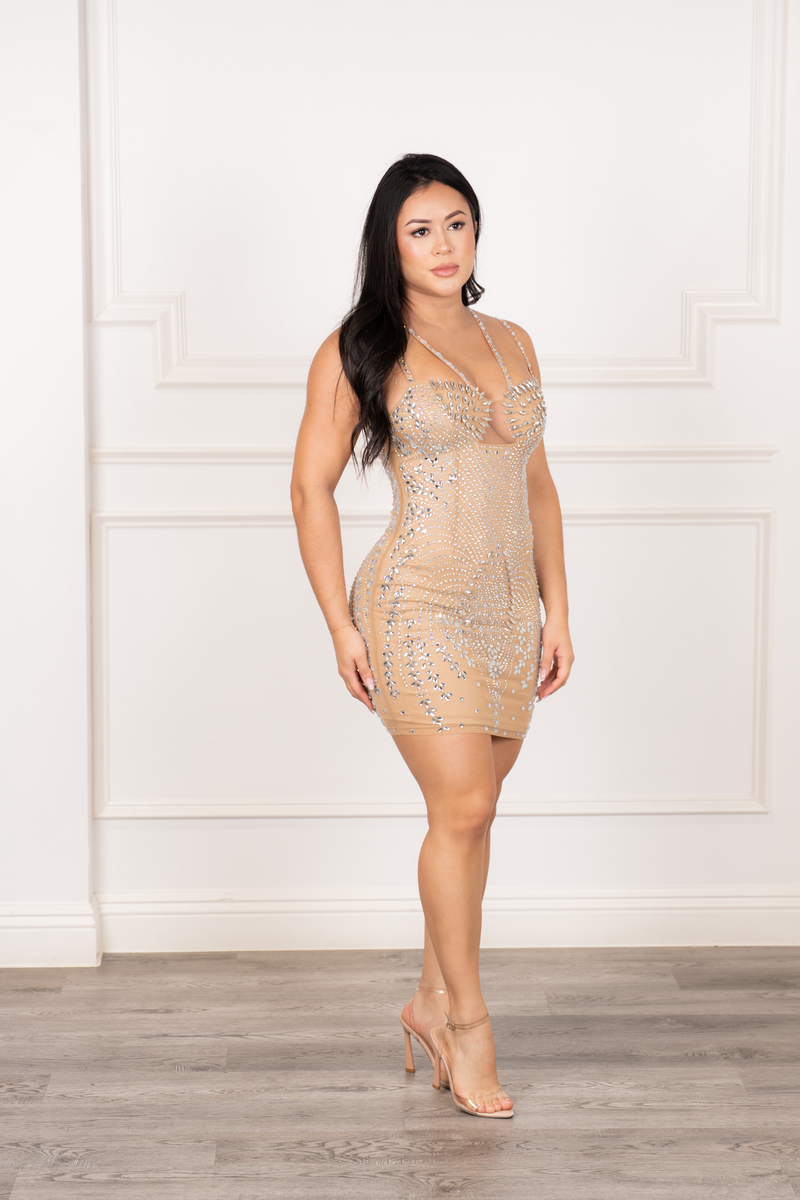
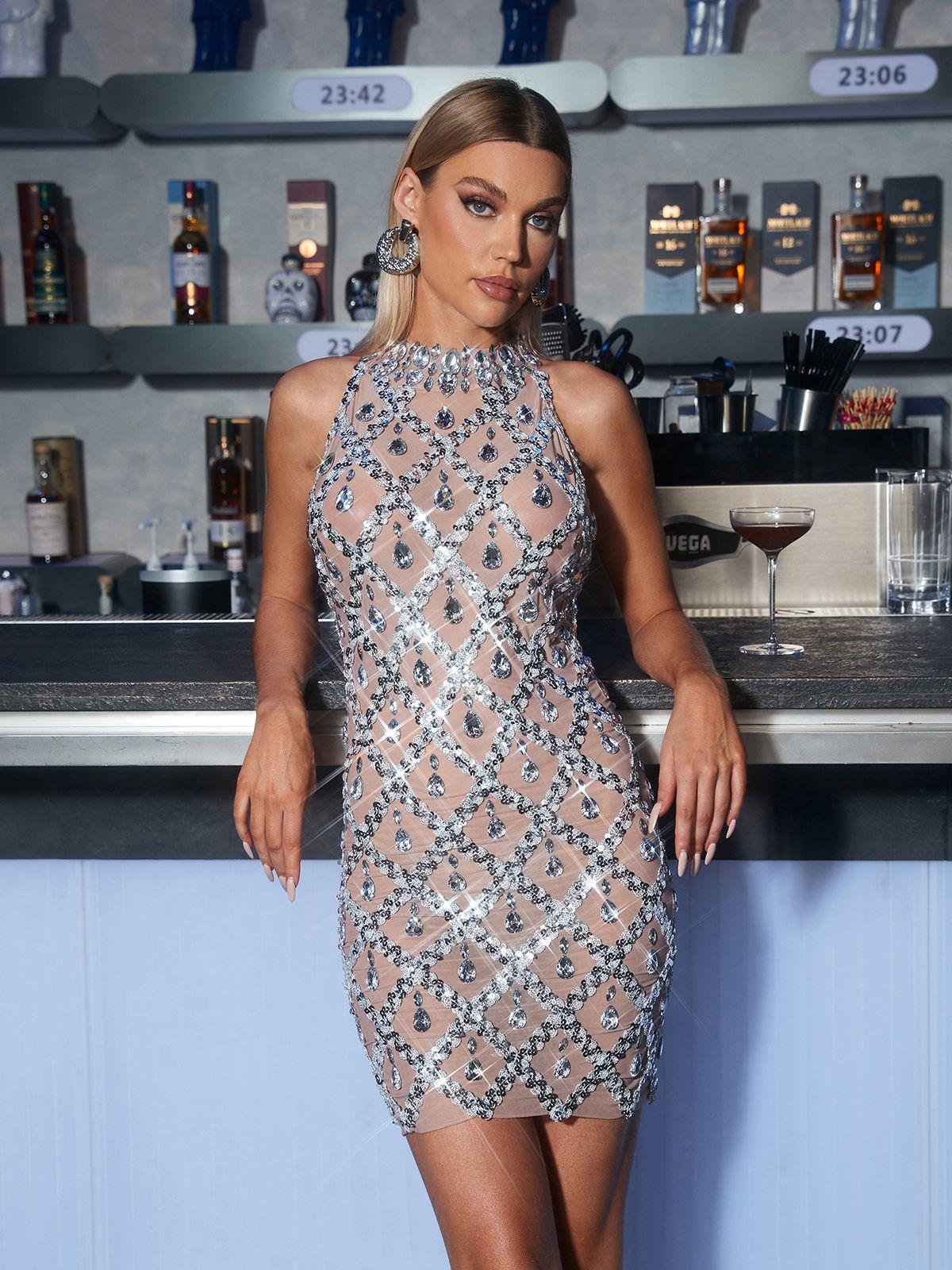
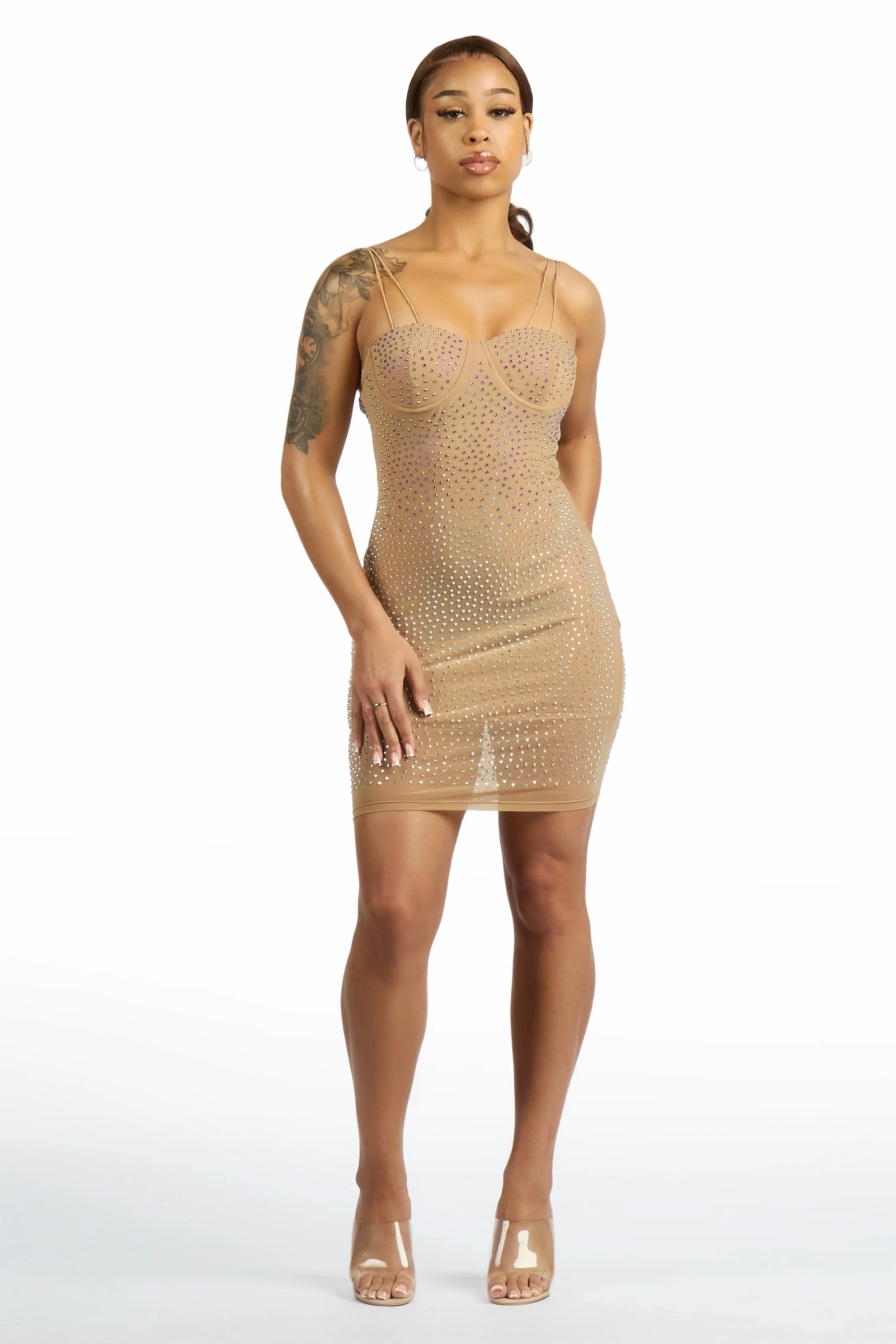
Run the same photo through FetchFashion and the per-item pipeline detects the dress, embeds it through Fashion-CLIP, and returns six visually validated alternatives. All under $300, all above the 0.35 similarity floor, all from real retailers where the piece is in stock right now. That's outcome two: the look for less. The cheapest is a $35 Body-Conned Rhinestone Dress from Rockstar Original; the closest-styled options land around $175 to $258.
No photo? Ask Luna to style it for you.
Chappell Roan's 2026 Grammy Mugler dress, 6 alternatives under $300
A press-photo upload of Chappell Roan's custom sheer-sequin Mugler dress (2026 Grammys). Six AI-validated alternatives from real retailers, every one priced below the implied $300 reference and above the 0.35 Fashion-CLIP similarity floor.
FetchFashion AI matched this in seconds
Try this with your outfit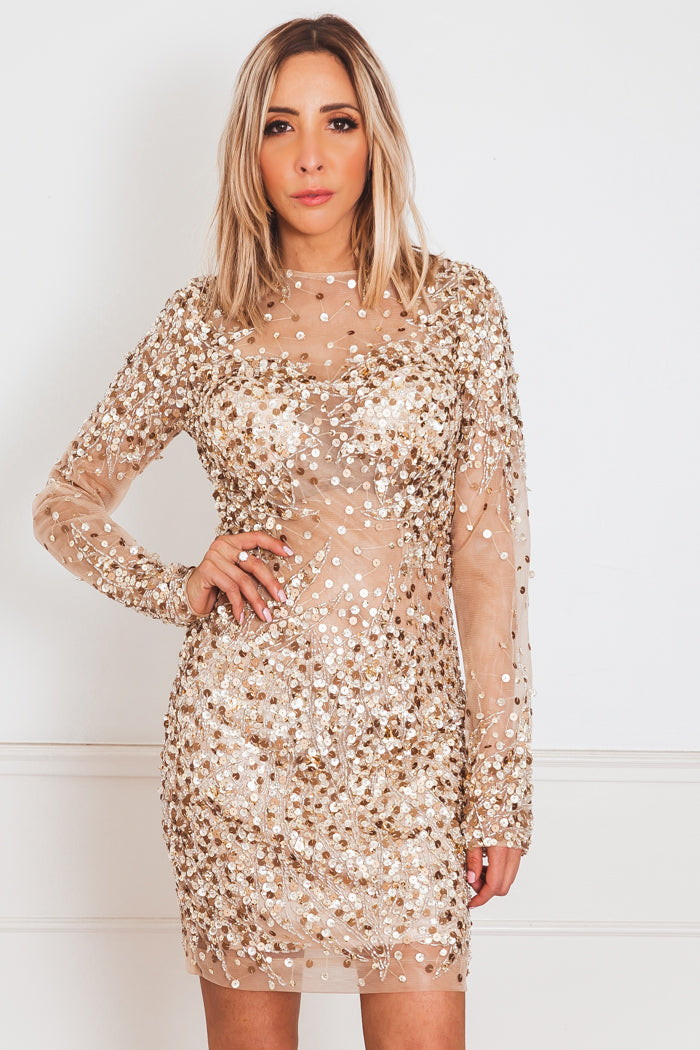
Love something here? Save it and relax.
Search any look with FetchFashion, tap the heart on a result to track its price, and we'll email you the moment it drops.
How price watching worksI'd genuinely wear the $88 Soniely Rhinestone Mesh Mini Dress from Paulina's Fashion Boutique over the couture. The sheer-sequin tension that makes the original work survives the price drop, and the rhinestone mesh reads more wearable for an actual party than a runway piece you'd be terrified to sit down in. That's the whole pitch: you don't need the archival version to capture the look.
Find clothes from a picture on iPhone (and Android)
To find clothes from a picture on an iPhone, open the photo in the Photos app, screenshot or crop it to the outfit, then open fetchfashion.ai in Safari and tap upload. There's nothing to install. FetchFashion runs in the browser, so the whole flow stays inside Safari.
The tap-path, literally: Photos → open the image → crop to the single piece you want (the markup tool works fine) → Safari → fetchfashion.ai → tap the upload button → pick your cropped photo. Results land in about 10 seconds. If you'd rather skip the crop, iOS Visual Look Up (long-press an object in Photos) will tell you it's "a dress," but it won't price it or find a cheaper one, which is the whole reason you're here.
Android is the same shape. Save or screenshot the image, open fetchfashion.ai in Chrome, tap upload, choose the photo. The browser experience is identical across devices, which is the point of not making you download anything.
The 3 things people mean by "find clothes from a picture"
If you don't have a photo, Ask Luna handles it in words: tell her "long floral dress with puff sleeves, under $80" and she returns shoppable options from 1,000+ retailers, sorted cheapest first.
"Find clothes from a picture" actually means three different jobs, and the right tool changes depending on which one you want. Mix them up and you end up frustrated with a tool that was never built for your question.
Job 1: identify the exact item. "What is this dress and who makes it?" Google Lens and TinEye are strongest here, when the item is in the index. The catch: the answer is the original, at a price you can't pay.
Job 2: find similar inspiration. "What else looks like this?" Pinterest Lens wins, because Pinterest's index leans editorial. The catch: half the results are mood-board pins with no buy link.
Job 3: find a cheaper version you can actually buy. "Show me this look for under $X." This is the job most listicles quietly confuse with Job 1. It needs an AI embedding model plus a price-aware catalogue, which is what FetchFashion does. If exact-match returns nothing because the original is from a tiny brand or sold out, this is the honest pivot: stop hunting the exact item, start hunting a buyable one at a price you'll actually pay.
FetchFashion vs Google Lens vs Pinterest vs Dupe.com
The shortest way to choose a tool is to match it to the job. FetchFashion finds cheaper look-alikes with prices; Google Lens confirms the exact item at retail; Pinterest gives inspiration without a buy path; Dupe.com hand-curates viral dupe lists. Here's the side-by-side.
| Tool | What it finds | Price angle | Coverage | Best for |
|---|---|---|---|---|
| FetchFashion | The item and cheaper look-alikes, AI-validated | Surfaces alternatives, 42.6% of UK matches ≥15% under median | 687K+ products, 1,000+ retailers, 6 country pools incl. UK | Finding the look for less, in your currency |
| Google Lens | The same item at retail | Full price; sends you to the original listing | Whole open web index | Confirming the exact brand or product |
| Pinterest Lens | Visually similar inspiration | No prices, no direct buy path | Pinterest pins only | Mood-boarding, not buying |
| Dupe.com | Editorial dupe lists | Curated, manual | Hand-picked, US-skewed | Browsing known viral dupes |
A bit more context behind the numbers. FetchFashion's catalogue spans six country pools: EU at 81.1%, US at 10.5%, UK at 5.1% (34,860 products on the 2026-05-29 audit), then APAC, Global, and a small LATAM pool. By category it's 58.9% clothing, 30.3% shoes, 5.7% bags. And 98.74% of those products carry a price, with 94.59% on a clickable, commission-tracked retailer link, which is how the spam and dead listings that clog open-web reverse image search get filtered out at the source. None of the other three tools publishes a catalogue breakdown like that, which is exactly why I'm putting it in a table.
Does it work for photos from movies, TV shows, and Instagram?
Yes. FetchFashion works with photos from movies, TV shows, Instagram, TikTok, and red carpets, because the AI reads the garment, not the source. A screenshot from Netflix is treated the same as a phone photo of a friend's jacket or a press shot from an awards show.
Two caveats from doing this for years. Dark, moody scenes (every prestige drama, looking at you) give the AI less to read, so grab a brighter frame of the same outfit if one exists. And heavy filters throw off colour matching, so a moody-blue Instagram preset might return navy when the piece is actually black. If you've already got a screenshot in hand, the step-by-step screenshot guide walks through the save-and-compare flow specifically. The split is simple: use this guide for any photo, use the screenshot guide when your source is something you paused on a screen.
FAQ
The questions I get asked most about finding clothes from a photo: the free route, the iPhone steps, what Google Lens does and doesn't do, and whether it works for UK shops.
Related reading
- Find Clothing From a Picture, the main free tool page for photo-to-product search
- FetchFashion vs Google Lens: which finds clothes better?, the head-to-head on the wedge above
- Reverse image search clothes: AI vs legacy in 2026, the paradigm explainer behind the two-outcome example
- How to find clothes from a screenshot, the adjacent how-to for screen captures specifically
Found an outfit somewhere else?
Upload a screenshot and we find the match and track prices for you.
Try It FreeFAQ
How do I find clothes from a photo for free?
Upload the photo to FetchFashion at fetchfashion.ai. The AI identifies each garment in the picture and searches 1,000+ retailers for matches and cheaper look-alikes, with prices in your currency. It's free for 5 searches a day, no account needed, and takes about 10 seconds.
How do I find clothes from a picture on my iPhone?
Open the photo in your iPhone's Photos app, screenshot or crop it to the outfit, then open fetchfashion.ai in Safari and tap upload. The AI reads the image and returns shoppable matches. No app install needed, since FetchFashion runs in the browser. The same steps work on Android in Chrome.
Can Google Lens find clothes from a photo?
Yes, but Google Lens is built to find the same item, not a cheaper one. It returns the closest visual match against the open web, usually the original listing at full retail price. There's no price filter and no quality floor. It's excellent for confirming the brand; it won't surface a $40 version of a $400 dress.
Why doesn't Google Lens find cheaper versions of clothes?
Google Lens ranks by visual similarity to the whole web index, not by price, so it returns whatever is closest, including the original at retail. FetchFashion finds cheaper alternatives; Google Lens finds the same item at full price. FetchFashion layers a price index and a similarity floor on top of the visual match, which is what produces the cheaper result set.
How do I find clothes from a movie or TV show screenshot?
Pause on a clear frame, screenshot the outfit, and upload it the same way you would any photo. FetchFashion treats screenshots from Netflix, HBO, Instagram, and TikTok like any other image. For the full screenshot-specific workflow, see our step-by-step screenshot guide linked in the related reading below.
What's the best app to find clothes from a picture?
It depends on the job. Google Lens is best for identifying the exact item, Pinterest Lens is best for inspiration, and FetchFashion is best for finding a buyable cheaper version with prices in your currency. FetchFashion runs as a web app, so there's nothing to install, and it's free for 5 searches a day.
Does it work for UK shops?
Yes. The catalogue spans six country pools, and the UK pool held 34,860 products on the 2026-05-29 audit. Searches return retailers that ship to your country with prices in your currency, so you won't fall for a piece that's only sold in the US. UK coverage sits at about 5.1% of the full catalogue and keeps growing as UK feeds onboard.
Can I find clothes from a photo using an AI chat instead of uploading?
Yes. Ask Luna at fetchfashion.ai/en/chat takes text descriptions like 'sheer sequin dress alternative under $150.' She searches 1,000+ retailers and returns buyable matches sorted cheapest first. No photo required, free for 5 searches a day.
About the author
Luna
Tattoo Artist & Fashion Writer
Luna is the voice and curation behind FetchFashion blog posts. Thrift queen, screen-fashion obsessive, and the editorial eye that picks which outfits get the breakdown.
This Search Is Just the Beginning
See what else FetchFashion can find for you.
Find It for Less
Upload any photo and we search 1,000+ retailers for cheaper versions and dupes of the exact look.
Find it for lessEvery Piece, Detected
One photo, every item. Our AI spots each piece (top, bag, shoes) and searches for all of them at once.
Search a full outfitNo Photo? Ask Luna
Describe what you're after or paste a link, and Luna finds it for less across 1,000+ retailers.
Ask LunaSee an Outfit You Love?
Upload any screenshot and our AI finds where to buy it. Results in seconds, from 1,000+ stores, in your local currency.
5 free searches per day · no sign-up
Prefer to search by photo?
Upload any screenshot and our AI finds where to buy it. Results in seconds, from 1,000+ stores, in your local currency.
You might also like
Find Shoes From a Photo: Free AI Search in 4 Steps
Upload a photo and find those shoes, or a cheaper pair. Follow 4 free steps, compare the tools, shop 397,892 pairs from 1,000+ retailers.
How to Find the Brand of Clothes From a Photo
Visual AI matches garments, it can't read labels. Learn how to find the brand of clothes from a photo, and what to do when the label stays a mystery.
How to Find a Dupe of Any Item From a Photo
Upload a photo, get the cheaper dupe, not the full-price original. Follow 4 free steps to find a dupe of any item across 1,000+ retailers. Try it free.
How to Find Clothes From a Video (Free, 5 Steps)
Pause the frame, find the look. Follow 5 free steps to find clothes from any TikTok, Reels, or YouTube video, with cheaper look-alikes. Try it now.