How to Find Clothes from a Screenshot: Complete Guide
Follow 5 simple steps to find and buy any outfit from a screenshot. Works with Netflix, Instagram, TikTok, and more. Try it free.
To find clothes from a screenshot, upload it to FetchFashion. It's a free AI visual search tool that identifies clothing from any photo and searches 1,000+ retailers for matches with prices in your local currency. The whole thing takes about 10 seconds.
Think Shazam, but for clothes. You give it a photo, it tells you where to buy what's in it. Works in 4 languages, 3 free searches per day, no account needed.
I've been doing this for years, first manually (painful), then with Google Lens (better), and now mostly with FetchFashion. If you're curious how the two compare, I wrote a detailed comparison. But if you just want the practical steps, here they are.
Step 1: Take a good screenshot
This is where most people go wrong. The quality of your screenshot directly affects how well AI tools can identify the clothing. A few simple tricks make a massive difference.
Get as close as possible to the outfit. If you're screenshotting a TV show, wait for a moment when the character is centered and the outfit is clearly visible. Full-body shots work better than crowd scenes. If the photo shows three people, crop to the one wearing the outfit you want.
For example, if you're watching White Lotus on HBO and Chloe walks out in that pink Jacquemus dress, pause the stream and screenshot the full outfit. Don't screenshot the wide shot of the entire pool scene. The closer the crop, the better the AI can identify the specific piece.
Good lighting matters. Dark, moody scenes (looking at you, every prestige drama) produce harder-to-match results. If the scene is dimly lit, try to find a different moment where the same outfit appears in better lighting. Most shows have behind-the-scenes stills or press photos with better visibility.
Avoid heavy filters. Instagram photos with dramatic color grading throw off AI color matching. If the original poster has a "moody preset" that turns everything blue, the search tool might return blue versions of clothing that's actually black or navy.
One outfit per screenshot. If there are multiple people in the frame, the AI may not know which outfit you want. Crop to a single person for best results.
Step 2: Upload to a fashion search tool
Open FetchFashion in your browser (no app download needed) and upload your screenshot. The AI processes the image in a few seconds.
What happens behind the scenes: the AI looks at your image, figures out what each piece is (top, bottom, shoes, accessories), reads the color, pattern, fabric, and silhouette, then searches across 1,000+ online retailers for matching products. You don't have to describe anything yourself.
That said, if you already know what you're looking for, like "blue maxi dress with floral print," you can type that alongside the image to narrow things down. It's optional but helpful when you want something specific.
Step 3: Browse your results
You'll get a grid of matching products, each with an image, the price in your local currency, the store name, and a direct purchase link. Everything comes from retailers that ship to your country, so you're not going to fall in love with something only to discover it's from a US-only store.
In my experience, the first 3 results are usually the closest visual match. The top results tend to nail the silhouette and color. Prices range from $20–$30 for affordable alternatives up to $500+ designer matches, so there's something for every budget. If you want a tighter match, scroll further down or try uploading a closer crop of the specific piece you're after.
Step 4: Check the style analysis
This is where FetchFashion pulls ahead of basic reverse image search. After finding matching products, it runs a separate AI style analysis on your image, reading the overall aesthetic, the occasion, and what would complement the outfit.
The "Complete the Look" section suggests shoes, bags, and accessories that would actually work together. I find this genuinely useful when I've found the dress but have no idea what shoes to pair with it. The suggestions are based on the style the AI detected, so you get a coherent outfit, not random accessory picks.
Step 5: Save and compare
Found several options? Save them to your wishlist. This lets you collect options from different searches and compare them side by side later, without juggling 20 browser tabs. You can also revisit your saved items anytime since they're tied to your account.
What you can search for
This process works with screenshots from basically anywhere:
- Netflix, HBO, Disney+, Amazon Prime and any streaming service
- Instagram posts, stories, and reels
- TikTok videos (pause on the frame you want)
- Pinterest pins
- Movies (screenshot from your player)
- Magazines (photograph the page)
- Street style (photos of real people)
- Red carpet events
- Fashion shows and runway images
The AI doesn't care where the image comes from. As long as there's a visible piece of clothing in the frame, it can work with it. About 10 seconds from upload to shoppable results.
Tips for better results
Try multiple screenshots of the same outfit. Different angles give the AI more information. A front-facing shot captures the silhouette, a detail shot captures the pattern or texture.
Search for individual pieces separately. If you love an entire outfit, search for the top, bottom, and shoes as separate images. You'll get more accurate matches for each piece than trying to find everything at once.
Use a clean crop. Remove as much background as possible. The more of the image that's clothing, the better the results.
Be open to alternatives. The exact piece from a TV show might be a custom-made designer item that isn't for sale. But the AI will find similar pieces in the same style at every price point, from $20–$30 fast fashion dupes to $500+ designer alternatives. Sometimes the affordable alternative looks just as good as the original, and occasionally it looks better.
Why this works better than a regular Google search
You might wonder: can't I just use Google Lens for this? You can, and for general "what is this thing" searches, Lens is fine. But for fashion specifically, a dedicated tool like FetchFashion gives you better results because:
- Results are all shoppable products (not Pinterest pins or stock photos)
- Prices show in your currency from stores in your country
- You get style analysis and outfit completion, not just visual matches
- The search is optimized for clothing, which means better accuracy for color, pattern, and silhouette matching
I ran a test recently: Google Lens returned 15 results for a screenshot, but only 4 were actual products I could buy. The rest were Pinterest boards, blog posts, and stock photos. FetchFashion returned 8 results for the same image, all shoppable, all with prices in my currency. I've used Google Lens for years, and it's great for many things. But for finding clothes to actually buy, a tool built specifically for fashion search makes the difference between 20 minutes of scrolling and 10 seconds of results.
Troubleshooting: what to do when results don't match
Sometimes the AI doesn't nail it on the first try. Before you give up, try these fixes:
- Crop tighter. If the image includes a lot of background, furniture, or other people, the AI has more noise to filter through. Crop to just the clothing piece you want.
- Try a different angle. If you have access to another shot of the same outfit (a different scene, a press photo, a behind-the-scenes still), try that instead. Front-facing shots with even lighting consistently produce the best results.
- Remove filters. If the source image has heavy color grading, try adjusting brightness and contrast in your phone's photo editor before uploading. Getting colors closer to reality helps the AI match accurately.
- Search individual pieces. If a full-outfit search returns mixed results, isolate the specific piece you want. A cropped image of just the jacket will outperform a full-body shot when you only care about the jacket.
- Add a text description. FetchFashion lets you type what you're looking for alongside the image. Adding "green satin midi skirt" narrows results significantly when the AI is uncertain.
According to research on visual search technology, image quality is the single biggest factor in search accuracy. A well-lit, tightly cropped screenshot outperforms a blurry full-screen grab every time.
Related reading
- FetchFashion vs Google Lens: Which Finds Clothes Better?
- Best AI Fashion Search Tools in 2026
- White Lotus Season 3 Outfits: Where to Buy Every Look
Get started
Go to fetchfashion.ai, upload a screenshot, and see what comes back. It's free for 3 searches per day, no account required. The whole process takes about 10 seconds from upload to results.
Next time you see something on screen and your brain says "I need that," now you know exactly what to do.
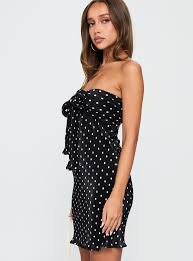
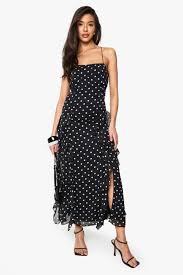
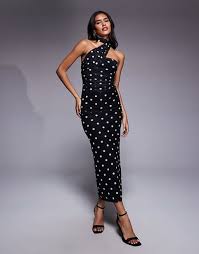
Example: Emily's polka dot dress
What FetchFashion returns when you upload a TV show screenshot.
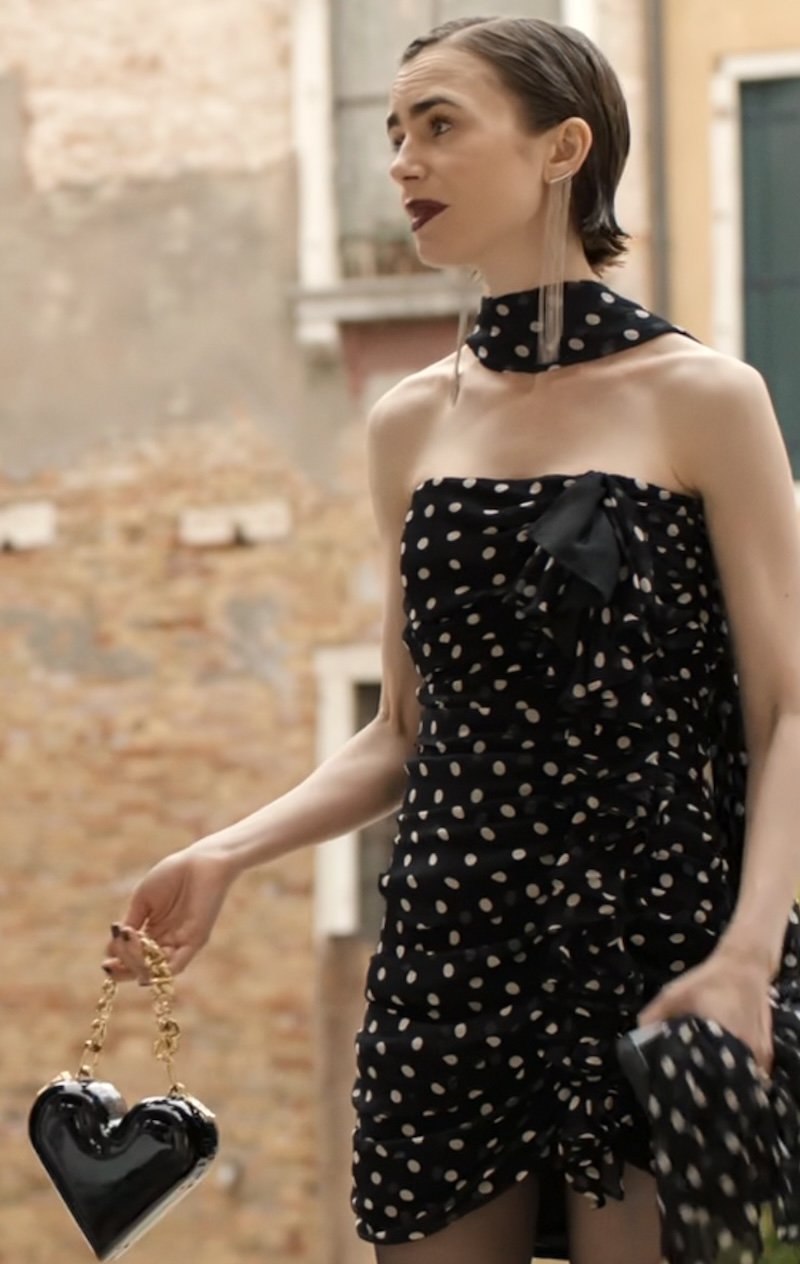 As seen on screen
Affordable matches found with FetchFashion
Example: Jaclyn's leopard Valentino swimsuit
Designer look, affordable alternatives.
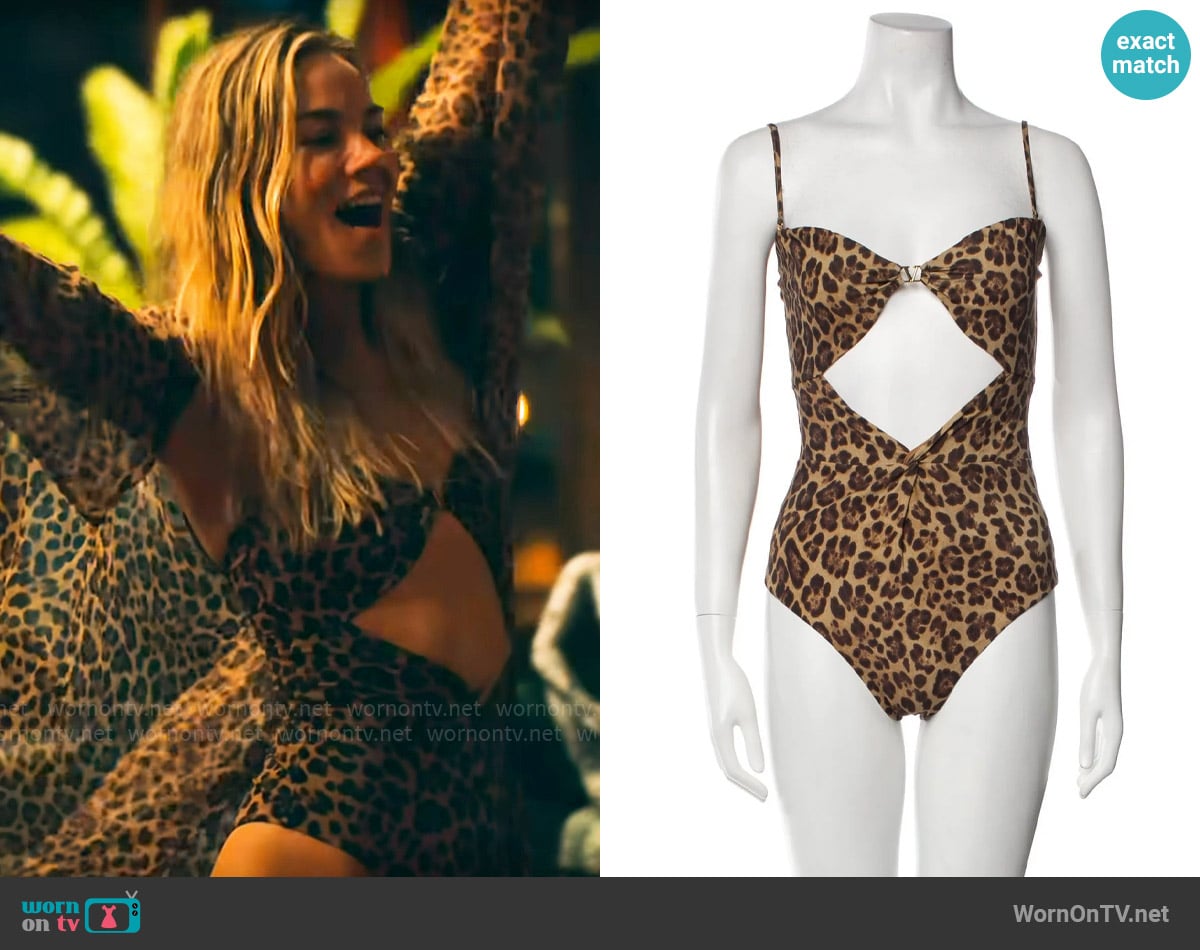 As seen on screen
Affordable matches found with FetchFashion
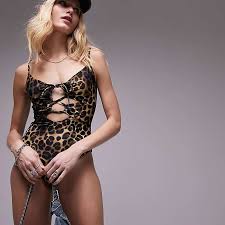
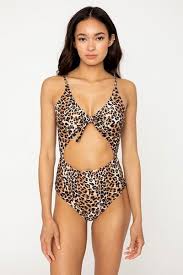
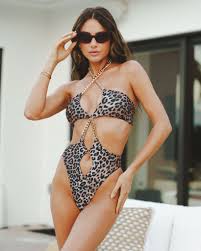
FAQ
How do I find clothes from a screenshot?
Take a clear screenshot of the outfit, then upload it to FetchFashion AI at fetchfashion.ai. The AI identifies each clothing piece in the image and searches 1,000+ retailers for matching or similar products. You get results with prices and direct purchase links in seconds. It's free for 3 searches per day.
Can I find clothes from a Netflix screenshot?
Yes. FetchFashion works with screenshots from Netflix, HBO, Amazon Prime, Disney+, and any other streaming platform. Take a screenshot of the outfit you like, upload it, and the AI finds where to buy matching items from retailers in your country.
Is there a free app to identify clothes from photos?
FetchFashion AI is free to use (3 searches per day) and works directly in your browser with no app download needed. Upload any photo with clothing and it identifies the items, searches 1,000+ retailers, and returns products with prices and direct purchase links.
How accurate is AI fashion search?
AI fashion search accuracy depends on image quality. Clear, well-lit screenshots of individual outfits produce the best results. FetchFashion uses visual AI to match clothing by color, pattern, style, and silhouette, finding either the exact item or the closest visual match available from online retailers.
Can I find affordable versions of expensive outfits?
Yes. When you upload a screenshot of an expensive designer outfit to FetchFashion, the AI searches across all price ranges. You'll often find visually similar pieces from affordable retailers alongside the original designer items. FetchFashion also suggests complementary pieces to complete the look at any budget.
See an Outfit You Love?
Upload any screenshot and our AI finds where to buy it. Results in seconds, from 1,000+ stores, in your local currency.
3 free searches per day · no sign-up