FetchFashion vs Google Lens: Which Finds Clothes Better?
I compared FetchFashion and Google Lens side by side for finding clothes from photos. See which wins and try both free.
FetchFashion finds clothes better than Google Lens for actual shopping. It's a free AI visual search tool that identifies clothes from any photo and finds where to buy them across 1,000+ retailers, with prices in your local currency, style analysis, and outfit completion suggestions. Google Lens simply doesn't offer any of that. Google Lens gives you everything from sewing patterns to stock photos mixed into your results, which gets old fast when you just want to buy a dress.
I've been using both for a while now, and honestly, each has its moments. I wrote a full step-by-step guide to finding clothes from screenshots if you want the practical walkthrough, but here's the honest comparison of when each tool wins.
What Google Lens does well
Google Lens is impressive technology and one of the most widely used visual search tools on the planet. It recognizes almost anything you point it at, from plants to landmarks to clothing. For fashion, it taps into Google Shopping's Shopping Graph with over 45 billion product listings. That's an enormous catalog, and it means Lens will almost always return something when you scan a piece of clothing.
It's also completely free with no limits, works in over 120 languages, and comes built into every Android phone and the Google app. You probably already have it. The "Style Ideas" feature shows how other people have styled similar items, which can be useful for inspiration.
For quick "what brand is this?" identification of mass-market items, Lens is genuinely good. If you're standing in a store and want to know if another retailer sells the same jacket cheaper, Lens gets the job done.
Where Google Lens falls short for fashion
Here's the thing: Google Lens is a general-purpose visual search tool. It's looking at your photo and trying to figure out what's in it, not specifically trying to help you shop for clothes. That distinction matters more than you'd think.
Results are noisy. Scan a dress and you'll get matching dresses mixed with fabric swatches, sewing patterns, stock photos, and Pinterest pins that aren't shoppable. You have to scroll past a lot of irrelevant results to find actual products you can buy.
No country-specific shopping. Lens doesn't know (or care) where you are. You'll see results from retailers that don't ship to your country, prices in currencies you don't use, and products that aren't available in your region. I can't tell you how many times I've found the perfect match on Lens only to discover it's from a US-only store with no international shipping.
No style analysis. Lens tells you "here are things that look like this." It doesn't tell you what style the outfit is, what would complete the look, or suggest complementary pieces. It's a visual match engine, not a fashion tool.
Accuracy drops with screenshots. In various tests, Google Lens accuracy drops from about 80% with clear photos to around 62% with lower-quality images like screenshots and screen recordings. Screenshots from Netflix or Instagram, which is exactly what most of us use for outfit hunting, fall into that lower-quality category where Lens struggles most.
What FetchFashion does differently
FetchFashion does one thing and does it well: finding where to buy clothes you see in photos. It searches over 1,000 fashion retailers, returns results in about 10 seconds, and shows prices in your local currency from stores that actually ship to your country. Because it's only thinking about fashion, every part of the experience is built around that.
Every result is something you can actually buy. No stock photos, no Pinterest pins, no sewing patterns. Just real products from real retailers. I can't overstate how much time this saves compared to scrolling past 10 irrelevant Lens results to find one shoppable link.
It knows where you are. Search from Spain and you see European stores with euro prices. Search from the US and you see American retailers in dollars. This sounds basic, but it's the single biggest practical difference. I've lost count of how many times Google Lens showed me the perfect match from a store that doesn't ship internationally.
It styles the outfit for you. After finding matching products, FetchFashion runs a separate AI analysis that identifies the style, occasion, and aesthetic of your image. Then it suggests complementary pieces, shoes, bags, accessories, to complete the look. That's the "Complete the Look" feature, and it's the difference between finding a dress and putting together an outfit.
You can save things. Found something you love but not ready to buy? The built-in wishlist lets you bookmark products and come back later. When you're binging a show and screenshotting every other outfit, being able to save without opening 15 browser tabs is genuinely useful.
It works in 4 languages. English, Spanish, French, and German, with localized search results for each region. Google Lens supports over 120 languages, but FetchFashion's region-specific retailer matching is something Lens doesn't do in any language.
Side-by-side comparison
| Feature | FetchFashion | Google Lens |
|---|---|---|
| Built for fashion | Yes, fashion-only | No, general purpose |
| Retailers searched | 1,000+ fashion retailers | 45B+ product listings (all categories) |
| Local pricing | Yes, your currency | Mixed currencies |
| Country-specific results | Yes, retailers that ship to you | No filtering by country |
| Style analysis | Yes, AI-powered | No |
| Outfit completion | Yes, "Complete the Look" | Basic "Style Ideas" |
| Wishlist | Yes | No |
| Free tier | 3 searches/day | Unlimited |
| Languages | 4 (EN, ES, FR, DE) | 120+ |
| Platform | Web (any device) | Web + mobile app |
| Needs app download | No | No (but better on mobile) |
| Screenshot quality | Optimized for screenshots | Accuracy drops with low quality |
Real-world example: White Lotus outfit search
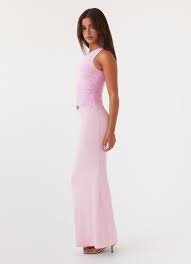
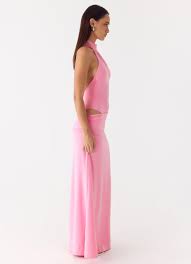
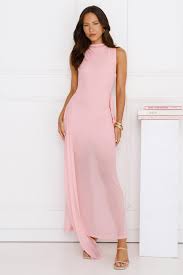
I uploaded a screenshot of Chloe's pink Jacquemus dress from White Lotus season 3. Google Lens returned 15 results, half of which were stock photos and fabric swatches. FetchFashion returned 3 shoppable pink dresses from real retailers, all under $110, all in my local currency. The style analysis also identified the aesthetic as "resort chic evening" and suggested gold sandals and a clutch to complete the outfit. That kind of context is something Lens simply doesn't provide. If you're hunting outfits from a specific show, I covered more examples in my White Lotus style guide.
When to use which
Use FetchFashion when:
- You want to buy a specific outfit you saw (TV show, Instagram, TikTok)
- You care about prices and want to shop from local retailers
- You want style suggestions and outfit completion, not just visual matches
- You're searching from screenshots (the tool is optimized for this)
Use Google Lens when:
- You need to identify a brand or specific product quickly
- You're in a physical store comparing prices
- You want the absolute broadest search across all product categories
- You need to search in a language FetchFashion doesn't support yet
There's no rule that says you can't use both. For my own outfit hunting, I use FetchFashion for the actual shopping (because the results are shoppable and localized) and occasionally Google Lens when I need to identify a very specific brand item. Most days I only need 2 or 3 searches, which fits within FetchFashion's free tier. When I'm deep into a new season of a show and hunting every outfit, the Starter plan at €7.99/month gives me 200 searches, which is more than enough.
How to try FetchFashion
If you've only ever used Google Lens for outfit hunting, try FetchFashion with the same photo and compare the results yourself. Upload any image, and within about 10 seconds you'll have matching products from 1,000+ retailers. You'll see the difference immediately.
- Go to fetchfashion.ai
- Upload a screenshot of any outfit
- Get matching products with prices and direct purchase links
- Check the "Complete the Look" section for styling suggestions
- Save anything you like to your wishlist for later
You get 3 free searches per day, no account required. It works in 4 languages and results are localized to your country automatically. If you're like me and burn through those 3 searches in a single episode, the Starter plan at €7.99/month gives you 200.
Every result is an actual product you can buy, priced in your currency, from a store that ships to you. No stock photos, no Pinterest boards, no sewing tutorials mixed in. That's the difference.
I didn't switch to FetchFashion because Google Lens is bad. Lens is fine for what it does. I switched because a tool that only thinks about fashion does this one job so much better than a tool trying to search the entire universe.
Related reading
Example: Chloe's pink Jacquemus look
FetchFashion found these matching pink dresses from real retailers.
 As seen on screen
Affordable matches found with FetchFashion
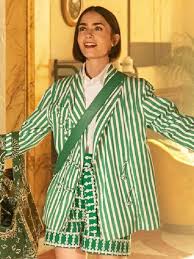
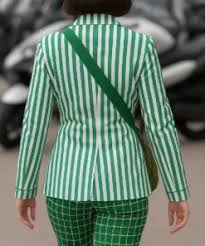
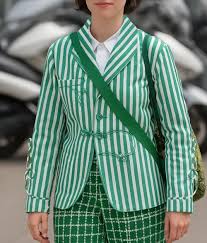
Example: Emily's green striped blazer
The same blazer found at different price points.
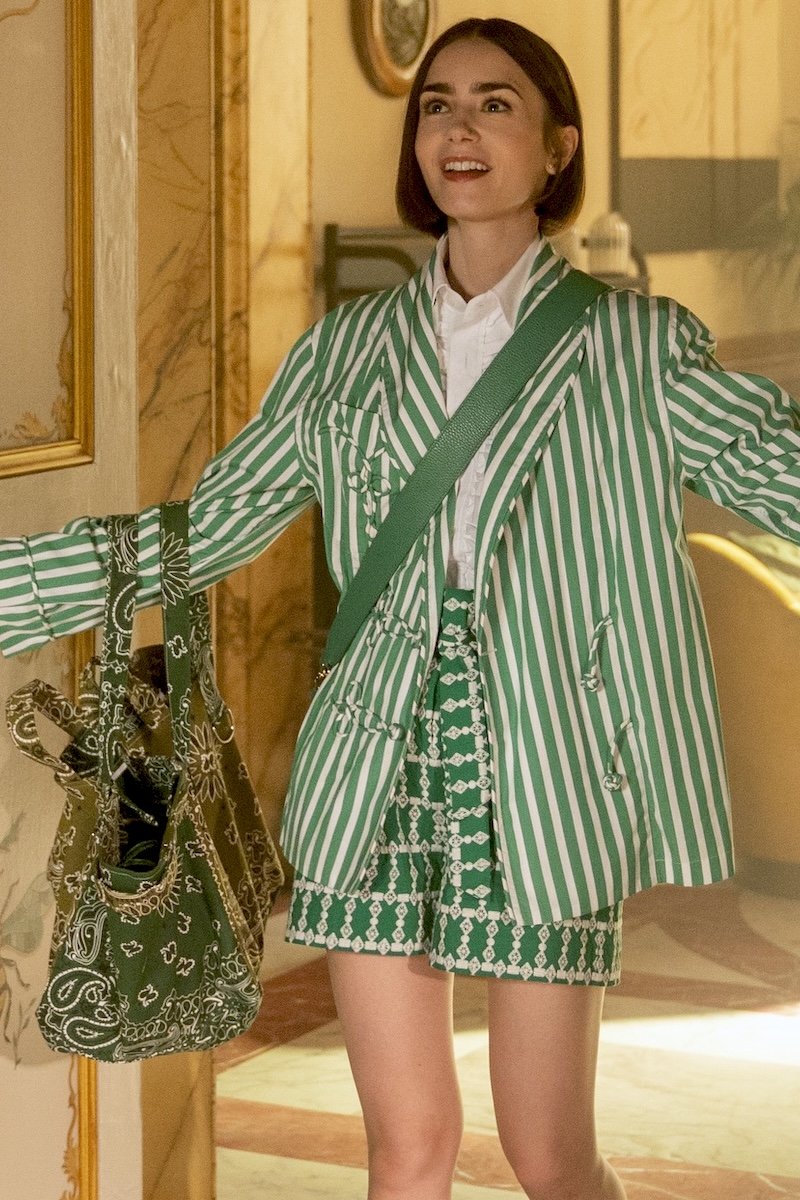 As seen on screen
Affordable matches found with FetchFashion
FAQ
Is FetchFashion better than Google Lens for finding clothes?
For fashion specifically, FetchFashion offers several advantages: it searches 1,000+ retailers with local pricing in your currency, provides AI style analysis, suggests complementary pieces to complete your outfit, and lets you save favorites to a wishlist. Google Lens has broader general coverage but doesn't specialize in fashion, so results often include non-clothing matches.
Is Google Lens free for finding clothes?
Yes, Google Lens is completely free with no search limits. FetchFashion offers 3 free searches per day, with paid plans starting at €7.99/month for 200 searches. Google Lens works for any visual search (not just fashion), while FetchFashion is built specifically for finding clothes.
Can Google Lens find clothes from TV shows?
Google Lens can identify clothing from screenshots, but results are generic and not fashion-focused. FetchFashion is designed specifically for this use case, finding matching products from TV shows, movies, Instagram, and TikTok with prices and direct purchase links from retailers in your country.
What is the best app to find clothes from a photo?
FetchFashion is the best dedicated tool for finding clothes from photos. Upload any image at fetchfashion.ai and the AI identifies clothing pieces, searches 1,000+ retailers for matches, shows prices in your local currency, and suggests complementary pieces. It's free for 3 searches per day, works in 4 languages, and requires no app download.
Does FetchFashion work like Shazam for clothes?
Yes, FetchFashion works like Shazam but for fashion. Upload a photo of any outfit, the AI identifies each clothing piece, and it returns matching products from over 1,000 retailers with prices and direct purchase links. It also provides AI style analysis and outfit completion suggestions.
See an Outfit You Love?
Upload any screenshot and our AI finds where to buy it. Results in seconds, from 1,000+ stores, in your local currency.
3 free searches per day · no sign-up